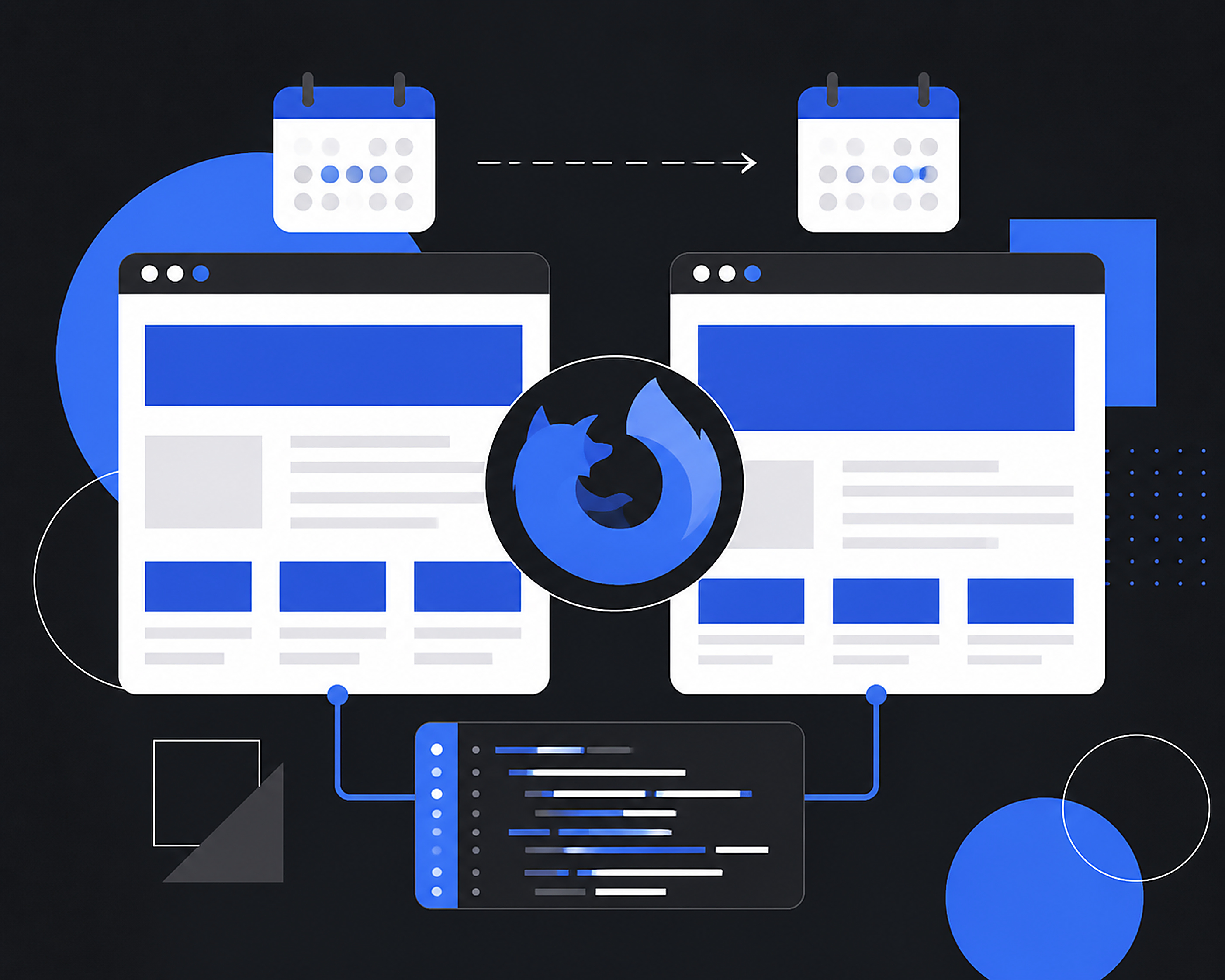
Mozilla will move Firefox Desktop and Android from a four-week major-release rhythm to a two-week rhythm beginning in September 2026. Firefox 155 is scheduled for September 1, two weeks ahead of its previous date. For a small web team, this is more than a version-number change. The interval to notice a browser change, test the customer journey, and fix a problem becomes tighter.
Mozilla calls the shift an experiment. Work that is not ready should not be rushed, and the browser will not suddenly ship twice as many features. What increases is the number of regular opportunities for ready work to reach stable users. That distinction matters. A two-week cadence is a change to the release train, not a promise of twice the noise.
🧭 The new timetable begins with Firefox 155
Mozilla’s July 9 announcement set a clear first target: Firefox 155 moves from September 15 to September 1, 2026. Mozilla’s release calendar then places Firefox 156 on September 15 and Firefox 157 on September 29. After Firefox 154 on August 18, the regular channel therefore moves to fourteen days between major releases.
Most people do not need to count version numbers every two weeks. Firefox will continue to update through its usual mechanism. But teams responsible for a website, shop, customer dashboard, or extension should adjust their habits. A shorter cycle makes browser-platform changes more frequent while allowing ready fixes to reach people sooner.
Mozilla has also explained the operational reason. Several earlier versions needed many dot releases. Its support note says Firefox 152 had as many as six. A predictable two-week regular rhythm is intended to reduce the pressure to uplift fixes outside the normal path.

🔧 What changes and what does not
A new rhythm does not mean every development task must move twice as fast. Mozilla’s Sylvestre Ledru wrote that work which is not ready should not be rushed and can still take the time it needs. That boundary matters when people read browser-release news as a feature race.
For a web product, more frequent stable versions mean more regular checkpoints. CSS behavior, APIs, media playback, sign-in, forms, and extensions may need attention on a steadier schedule. Yet not every release will affect every site. A short priority list is more sensible than repeating a complete manual test with no focus.
Dot releases still exist when they are needed. Mozilla did not say emergency updates disappear. The change is meant to provide a normal route more often for work that is ready. Frequency of major releases and risk in a particular update are therefore different things.
🧪 Why a website should care about browser releases
The browser sits between a site and its visitor. When it updates rendering, security, privacy, or web APIs, a page that looked normal yesterday can show a small failure in a specific journey. It is not always a dramatic broken homepage. A checkout button may be hard to activate at one viewport, a document upload may fail, a form may lose focus, or a video may not play as expected.
Many of these problems are not caused by the browser alone. Site code, third-party libraries, analytics scripts, tag managers, payment services, and user extensions all affect the result. Blaming Firefox whenever a report appears is not useful. A repeatable issue report with the browser version and a second environment is useful.
For a web studio or small business, browser attention is also customer-trust work. Visitors do not separate a shop, browser, CDN, and payment form into different technical owners. If an order page fails at the important moment, they remember that the site did not work. A simple test routine is service work, not a large-company luxury.
🗓️ A practical testing rhythm for a small team
Not every team needs a laboratory full of devices. Start with five to seven journeys that cost the most when they fail: the homepage, search or catalogue, contact form, sign-in where relevant, checkout or booking where relevant, file upload where used, and confirmation page. Put the links and test steps into one document that anyone on the team can run.
When a new stable Firefox version arrives, do a quick pass through those journeys. Record the date, browser version, device, outcome, and a screenshot when something fails. This does not need to consume a full day. Its value is consistency. If a new problem appears, earlier checks help separate a regression from an old issue.
An initial checklist can stay this short:
- Open the destination page and confirm that important content and navigation render normally.
- Complete one customer action, such as sending a form, adding a product, or making a test booking.
- Check the confirmation page and the email or notification expected after that action.
- Record any blocking finding and preserve the steps needed to repeat it.
Use Firefox Beta or Nightly as an early signal only when the team has capacity. Do not make a pre-release channel the only basis for a business decision. Stable remains where customer experience must be checked. Beta gives earlier visibility; stable evidence sets the repair priority.
🧩 The areas that are easy to miss
Forms are a good first stop. Test field validation, error messages, mobile keyboard behavior, autofill, attachment upload, and focus after submission. Many sites look fine until a customer enters a long address or uploads proof of payment from a different device. Testing real actions is usually more valuable than staring at a page design.
Then inspect third-party paths. Chat widgets, captcha, external fonts, analytics tags, maps, payment iframes, and social-login buttons bring code the site owner does not directly control. Keep a list of those services and know who to contact if one breaks. A browser change may expose a fragile assumption that has existed in an integration for years.
Finally, include basic accessibility. Keyboard navigation, visible focus, contrast, form labels, and error status are cross-browser experience. The faster cadence does not replace this work. A checklist that includes accessibility increases the chance a team sees a problem before a customer relying on keyboard or screen-reader access has to report it.
🛡️ Security updates are not a reason to wait indefinitely
Faster releases can make people want to wait a few days before updating. That instinct must be separated between ordinary users and tightly managed environments. Browser updates can carry security, stability, and compatibility fixes. Delaying without a clear reason merely extends the period in which a device runs older software.
For managed work computers, keep the policy simple: automatic updates stay on unless a critical application needs an earlier test. If a delay is necessary, name the decision-maker, set an end date, and say what will be tested. A delay with no owner commonly becomes an update that never happens.
Firefox ESR retains a different role. Mozilla says ESR serves organizations needing extended support for mass deployment. Its point releases coincide with regular releases and contain security upgrades, while major feature changes do not arrive every regular cycle. ESR is not simply an out-of-date Firefox. Choose the channel around the needs of the device and internal application.

🏢 Choices for organizations and internal applications
The two-week rhythm matters most to organizations managing many devices or operating internal applications. They need to separate two questions: how quickly should devices receive security updates, and how often should internal software be tested against feature changes? The answer need not be identical for every device group.
Mozilla says ESR is maintained for more than a year and has an overlap of at least three cycles or twelve weeks while a new ESR replaces the previous one. That window exists for testing and certification. Teams should still follow current documentation because a faster regular calendar may alter the way they plan testing, even while ESR retains its long-term-stability purpose.
Firefox 155 also contains specific administrative changes. Mozilla’s enterprise notes list DisableLaunchOnLogin for Windows, an HttpsOnly option in SitePolicies, and a move of captive-portal and network-connectivity checks to firefox-portal-detection.com. Administrators with allowlists or proxy rules naming the old domain should inspect those settings before a network issue becomes a user complaint.
🌐 Technical notes for web and extension makers
MDN’s Firefox 155 notes are still marked as a work in progress, but they already list developer-facing changes. SVGAElement now implements HyperlinkElementUtils, so SVG links expose URL-component properties like HTML links. Several SVG lists also support indexed setters. These details will not alter most sites, but they can matter to products that build editors, visualizations, or design tools with SVG.
MDN also records work around RTCDataChannel and WebDriver. A web-app team does not need to chase every new API. Use the notes as a map. If the product relies heavily on WebRTC, browser automation, or SVG, read those items and test that surface earlier. If it does not, do not manufacture work from unrelated release notes.
Extension developers need particular discipline because extensions live close to browser UI and APIs that can move. Keep a test environment, run a basic Beta check, and preserve a rollback path if an extension update needs to stop. Users experience an extension as part of their browser; a small extension failure can look like a Firefox failure.
📈 Measurement without creating another meeting
Useful measures do not have to be elaborate. Record how many compatibility reports arrive per release, how long it takes to reproduce an issue, and how long it takes to provide a fix or explanation. A transaction site can also watch completion of forms or checkout after an update, while resisting the temptation to treat correlation as proof of cause.
One compact document can be enough: release date, core-journey result, finding, follow-up owner, and completion status. Record a quiet release too. A history of calm checks gives confidence when a meaningful change finally occurs. Without records, teams tend to remember the most dramatic incident and miss smaller patterns.
Do not measure success only by the number of browsers in a matrix. The actual aim is that customers complete a task. A team that consistently tests five essential journeys can be better prepared than a team with a long matrix that never opens its own payment page or contact form.
A good check also looks at less-than-ideal conditions. Try one journey on a slower connection, at a narrower window width, and in a session that already has stored data. Customers rarely arrive in the clean state of a developer machine. They may open a link from a messaging app, return to a tab hours later, decline a particular cookie, or use a data-saving mode. Not every variation needs testing at every release, but rotating one or two helps expose fragile assumptions before they become incidents.
Keep a clear boundary between a quick check and an investigation. The quick check answers whether a core journey can be completed. When it cannot, do not change code on the basis of one experience. Preserve the URL, time, Firefox version, operating system, steps, and visual evidence. Repeat in a clean browser profile and on a second device where possible. If the issue appears only after a particular extension is enabled, that matters for support, but it does not make a customer report disposable.
A team using analytics should record changes carefully. A one-day rise in form failures may coincide with a browser release, but it can also come from a campaign change, API outage, bot traffic, or vendor failure. Compare server logs, payment-service reports, and data from other browsers before naming a cause. An honest record of what is known and unknown reaches a repair faster than a confident guess.
A two-week check can also create a small maintenance opportunity. Remove an unused script, confirm that font fallbacks still work, update a vendor contact list, or read the error messages through a customer’s eyes. Do not force every task into every cycle. Choose one small cleanup when capacity exists. In that way, the browser calendar is not only a risk alarm. It is a light reminder to keep the site understandable.
A business owner working with a studio or developer can ask for a compact report. The useful answers are not a long technical inventory. They are which journeys were checked, whether a finding affects visitors, what was done, and whether a business decision needs approval. That framing makes compatibility work visible as protection for revenue and reputation rather than an unexplained cost.
This habit has another benefit: the team learns which changes actually matter to its visitors. A portfolio site may depend most on forms and image galleries. A shop should put search, product variants, basket, address, payment, and confirmation at the top. A SaaS product should start with sign-in, password recovery, data export, and its primary editor. Those lists do not need to match another team’s list. Their value comes from matching the service the business actually sells.
When a finding appears, describe the impact before the technical mechanism. “Firefox customers on mobile cannot submit the form” establishes priority more clearly than “focus changed in the control.” Once the effect is understood, developers can investigate the cause. That order helps a business owner decide whether to put up a brief notice, open an alternative contact route, or delay a campaign that sends traffic to a broken page until a repair is ready.
A team should also keep an emergency path that does not depend on a perfect browser session. Make a support email address or number visible during checkout, retain a way to accept an order manually while payment is investigated, and make sure staff know what to record from a customer report. This is not a substitute for the fix. It limits loss when a real issue appears between routine checks. It also gives support staff a calm, documented way to help a visitor while technical work continues.
The habit is easiest to sustain when it sits in an existing work calendar. For example, check the release on Tuesday and run the core journey on the next working day. When nothing visible has changed, mark it done and return to other work. When a finding appears, decide whether it blocks a transaction, affects a smaller group, or merely needs observation. A simple category stops every bug from feeling equally urgent.
Do not forget the pages the team rarely opens. A privacy policy, password-reset page, invoice, email confirmation, or recruitment form may not be part of a product demo, but it can still be someone’s only point of contact. Inspect links from campaign messages and social profiles as well. A customer journey often starts long before the homepage and can fail because of an old link, a bad redirect, or a non-responsive page.
After several cycles, use the record to reduce work rather than add it. If a journey is consistently stable and unchanged, test it less often. If one integration repeatedly causes trouble, prioritize a structural repair or evaluate the vendor. A healthy routine learns from its own results. It does not turn into administrative ritual that keeps growing.
⚠️ Limits worth keeping in view
Mozilla calls the change an experiment and says it will monitor the result and adjust when necessary. A release calendar is a public plan, not a guarantee that every product change or document will complete on the same day. Follow official sources rather than inferring future behavior from speculation or pre-release screenshots.
A two-week rhythm will not solve every compatibility problem either. Old sites, vendor scripts, ageing devices, poor connections, and enterprise configuration can still create failures unrelated to one Firefox version. A checklist narrows investigation; it does not replace technical diagnosis.
For readers in Indonesia, feature availability can differ by language, region, operating system, or release channel. Do not promise a customer that a feature is available on their device because it appeared in international notes. Check the version, platform, and Mozilla documentation before changing a customer guide or public product announcement.
✅ A practical step before September

Open your own site in stable Firefox and complete the journey that matters most to a visitor. If the business receives orders, perform a test order. If it depends on leads, submit the contact form. If it manages documents, upload and download a file. Write down what happens. That produces a baseline before the new rhythm begins.
Then assign one person or role to look at the two-week updates. They do not need to fix everything, but they should know when a report arrives, who owns a page or integration, and when a customer needs an explanation. Clear responsibility beats a long list of tools.
Firefox moving to a two-week cycle is not a reason to panic or chase every version number. It is a reason to treat browser testing as routine work. A ready site is not a site that never changes. It is a site that knows which journeys must keep working when change arrives more often, who checks them, when results are recorded, and how customers can still reach the business when something genuinely fails.
Sources: Mozilla dev-platform announcement, 9 July 2026; Mozilla Support Blog, 19 August 2026; Firefox Release Calendar; Firefox Enterprise Release Notes for Firefox 155; MDN Firefox 155 release notes; Mozilla Firefox ESR documentation.