
Chrome 153 reaches Stable on 8 September 2026, the first release in Google’s new two-week Chrome cadence. That date matters less because of one browser build than because it shortens the time web teams have to notice changes, test a real customer journey, and fix an avoidable break.
For a small Indonesian business, Chrome is often the place where a customer first reads a menu, fills a booking form, opens WhatsApp, pays, or checks an address. A release process that used to create a four-week rhythm will now create a two-week rhythm across desktop, Android, and iOS. The practical response is not panic-driven redesign. It is a compact release routine that protects the paths that earn trust.
🗓️ The calendar has changed
Google announced in March that Chrome will move from a four-week to a two-week release cycle beginning with Chrome 153. The first Stable release in that rhythm is scheduled for 8 September. A new Beta and Stable version will then arrive every two weeks. Dev and Canary do not change.
This is a change in operational tempo. A website can be technically correct on launch day yet drift into trouble when a browser changes an implementation detail, removes a non-standard behaviour, or exposes a fragile dependency. Teams that only test after a customer reports a problem will now have less time between releases.
The published schedule is useful because it gives a small team a predictable window. Chrome 153 entered Beta on 19 August, had an Early Stable release on 26 August, and is due for Stable on 8 September. Chrome 154 follows on 22 September. Those dates are approximate, but the sequence is more valuable than false precision: Beta is for testing, Early Stable is a final warning, and Stable is the point at which monitoring needs to be alert.
🔎 The short version for site owners
A two-week release does not mean rebuilding a site every fortnight. It means choosing a few tests that represent a customer’s actual job and running them before and after a major browser release.
- Keep one current Chrome Beta browser available to the person responsible for the site.
- Test the homepage, one high-intent landing page, one form, one checkout or contact action, and one account flow if it exists.
- Test on an Android phone as well as a desktop browser when mobile traffic matters.
- Record what was tested, which browser version was used, and whether a problem was found.
- Treat a failed payment, form, login, or navigation as more urgent than a cosmetic mismatch.
This is intentionally modest. A small team does not need a large device lab to find most expensive failures. It needs a repeatable list and permission to stop a risky change before it reaches every visitor.
🧭 Why browser cadence reaches the business layer
Browser updates are usually discussed as developer news. Customers experience them as ordinary moments: a password manager does not fill a field, a sticky button obscures a consent choice, an embedded booking widget will not load, or a file-upload control behaves differently on a phone.
Those failures rarely announce themselves as “a browser compatibility issue.” A customer may simply leave. For an owner, the observable result may be fewer enquiries, abandoned carts, duplicate support chats, or a staff member manually handling work that a form should have collected.
The faster cadence does not create every defect. It makes weak habits easier to expose. A site with no error logging, no form-delivery checks, and no clear owner for third-party scripts has always carried that risk. The shorter rhythm gives the team a reason to make those responsibilities explicit.
For a studio or an internal web team, that means separating platform maintenance from feature work. A new campaign page can wait. A broken conversion path cannot. Put the release check in the same operating calendar as content review, backups, and domain renewal rather than treating it as an occasional engineering task.
🧪 What Chrome 153 puts on the testing list
Chrome 153 Beta contains changes that are relevant to different kinds of web product. Not every site uses them, and no responsible team should claim that every listed change will break a page. The right question is whether the site relies on the affected surface.
The release introduces overflow: scroll clip, intended to let authors control scroll containers differently by axis. It also adds scroll-axis-lock, a CSS property that lets an author ask the browser not to constrain a gesture to one axis. Teams with horizontal product carousels, map panels, dashboards, or custom scrolling layouts should test the page with a mouse, trackpad, and touch device. Check that a visitor can still reach controls, that focus does not disappear, and that a floating action button does not cover content.
On the JavaScript side, Chrome 153 includes Iterator Join and Joint Iteration proposals. These are opportunities for code, not an instruction to replace working production logic immediately. The safer choice is to let build tools and compatibility checks guide adoption. If a dependency starts emitting new syntax or assumptions, test the exact supported browser range instead of relying on a single machine.
The release also documents declarative camera and microphone capability elements. They use browser-controlled UI and a deliberate user action before a permission request or stream begins. A business running video consultation, voice capture, identity capture, or support tools should test permission recovery: deny access once, allow it later, reload the page, and confirm that the explanation remains clear. Permission is a user decision, not a hurdle to work around.

🔐 The Rust XML parser deserves a careful read
One Chrome 153 change has a security motive that is easy to misread as a universal compatibility alarm. For common non-XSLT scenarios, Chrome is moving XML parsing to a memory-safe Rust implementation. Google says the change covers DOMParser, XMLHttpRequest.responseXML, standalone SVG navigation, and external SVG images when XSLT is not required.
The stated aim is to reduce the possibility of memory-corruption bugs while retaining compatibility with web specifications. That does not mean every SVG asset needs replacement. It does mean that sites handling XML, legacy feeds, SVG pipelines, or XML-based integrations should use the Beta period to exercise their real inputs.
Test the inputs that actually enter the product. Load representative SVG logos and icons. Run any XML import or export. Check a page that consumes an XML response. If the product uses XSLT, document that fact and review Chrome’s ongoing XSLT deprecation work rather than assuming this parser change covers the workflow.
A good test has a clear observation. “The page opened” is not enough. Verify that the parsed data appears, that errors are handled without exposing raw system messages, and that a failed import does not overwrite an existing record. Keep a known-good sample and a deliberately malformed sample. The latter verifies that the failure path is comprehensible.
📧 Email verification needs version-aware handling
Chrome’s Email Verification origin trial is another example of why release notes belong in an operational routine. The feature aims to verify an email address in the browser with an email provider, potentially reducing the need for a magic link or one-time code. It remains an origin trial, not a baseline assumption for every website.
Google’s August update says Chrome 153 changes an issuance request. Chrome 152 and earlier send an application/x-www-form-urlencoded POST with request_token; Chrome 153 and later send JSON with HTTP Message Signatures and an email field. Providers participating in the trial are advised either to support both formats based on content type or switch knowingly and accept that earlier Chrome versions will fail.
That is not a generic task for every Indonesian business. It is a specific compatibility check for a team operating an email-verification provider or integrating the trial directly. The lesson is broader: an experimental browser feature should always have a fallback. Sign-up, password recovery, and account access should remain understandable when the enhancement is unavailable, denied, or unsupported.
Google also advises a case-insensitive comparison of the received email address because a provider may return canonical casing. That is a narrowly technical point with a user-facing consequence. Account workflows should not reject someone merely because the casing of an address differs from the way it was typed.
🏢 Extended Stable is a choice, not a hiding place
Google is retaining an eight-week Extended Stable channel for managed Windows and Mac devices. In the first two weeks of a milestone, Stable and Extended Stable are identical. During the following six weeks, Extended Stable receives weekly refreshes containing the same security fixes where technically possible. Google cautions that complex changes or large security features may appear only in Stable.
That option can be sensible for a managed office with a line-of-business application that needs more time for certification. It is not a reason to stop testing. Extended Stable still receives security refreshes, and a public website must work for visitors on ordinary Stable Chrome, mobile Chrome, Safari, Firefox, and other relevant browsers.
The decision belongs to device management, not to a page-level CSS workaround. If a company controls Windows or Mac machines through policy, it can evaluate the TargetChannel setting, test a pilot group, and document who owns the rollout. For unmanaged personal devices, Chrome will update on its normal channel; design and support processes should assume that reality.
📱 Test the customer journey, not the feature list
Release notes help identify risk. They do not replace a customer journey. Start with the page that brings people in from search or social media. Then follow the next action: view price, choose a service, submit a lead form, start a chat, reserve a slot, or pay.
On each path, look for concrete signals:
- Does the page load without a blank content area or persistent spinner?
- Is the primary action visible without fighting a banner, pop-up, or sticky element?
- Can a keyboard user reach and operate the controls in a sensible order?
- Does the form show field-level errors and preserve entered information after a mistake?
- Does the success state arrive only after the server has actually accepted the request?
- Can the visitor return to the page without losing an unfinished, legitimate action?
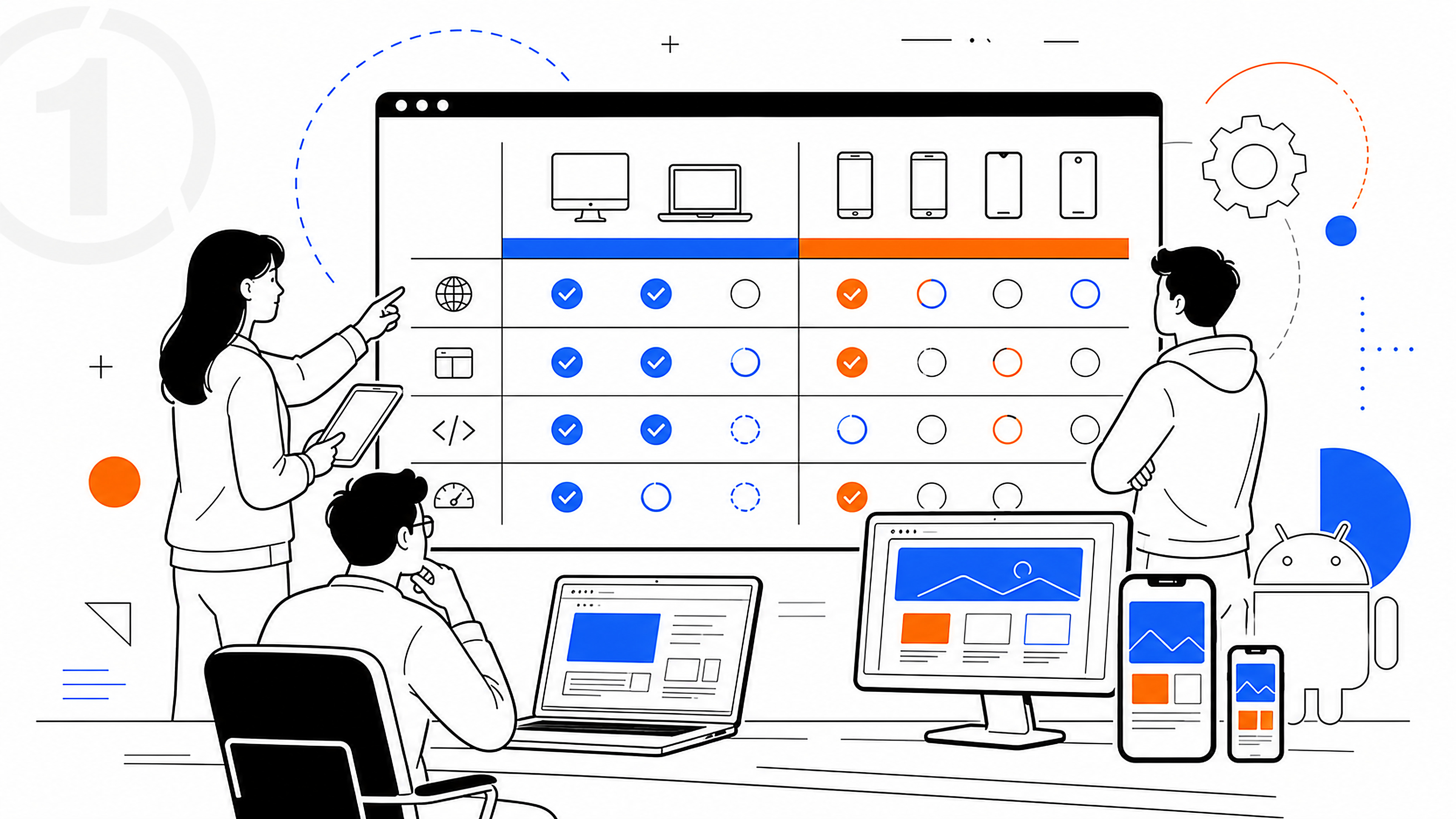
Run the same checks in Chrome Beta before Stable, then in Stable shortly after release. A staff member can perform this manually in minutes for a small site. Larger teams can add automated browser tests, but automation should complement, not replace, a human look at what the customer sees.
🧱 Third-party code is often the weak seam
Many web failures arrive through code the site owner did not write: analytics tags, cookie banners, chat widgets, payment buttons, map embeds, font loaders, A/B testing tools, social embeds, and advertising scripts. A page can look fine in a local development environment while a third-party script delays rendering or captures an error in production.
Make an inventory. For each third-party service, write down its purpose, the pages where it runs, the person or vendor who owns it, and a way to disable it quickly if it causes harm. Remove scripts that no longer serve a defined purpose. A smaller dependency surface is easier to test every two weeks.
Do not treat every browser change as the culprit. Use evidence: browser console errors, server logs, form-delivery records, synthetic checks, and a reproducible sequence. If a widget fails only after a vendor update, the vendor needs a clear report. If it fails only in one browser channel, capture the version and steps. That discipline turns an anecdote into a fixable issue.
🛡️ Security updates still outrank convenience
Google says Chrome began weekly security updates in 2023 to improve the patch gap. Its 2026 security update also describes work on safer parsing, dependency freshness, local network protections, and an Ask-Before-HTTP behaviour enabled by default for Enhanced Safe Browsing users from Chrome 150, with a wider rollout planned for October.
For a business, the immediate action is simple: do not build critical flows that depend on a user remaining on an obsolete browser. Encourage automatic updates on managed devices, keep site software patched, and make HTTPS the default everywhere. When a browser adds a security control, the correct response is to make the legitimate flow clearer, not to pressure users into bypassing warnings.
If a local development, staging, or private dashboard depends on plain HTTP, identify it before visitors or staff run into browser friction. Move the service behind HTTPS where feasible. For internal tools, document the exception, its owner, and the plan to remove it. Security notices are most useful when they lead to a concrete inventory and deadline.

✅ A two-week routine a small team can keep
The new cadence is sustainable when it has a small owner and a small scope. On the day a Chrome Beta becomes available, review the feature and release notes for services the site actually uses. During the next few days, open the test checklist on desktop and Android. Before Stable, resolve clear defects or create a dated, owned ticket for work that needs a deeper fix.
After Stable, check production signals. Did form submissions arrive? Did errors rise? Did checkout completion change? Did support receive a new pattern of screenshots? A change in one metric does not prove a browser regression, but it tells the team where to look.
Use a brief record with four fields: date, browser version, journeys tested, and result. Add the issue link only if something fails. This record protects against memory-based debugging weeks later and makes handover less fragile when staff changes.
The payoff is practical. Chrome’s two-week cycle turns browser maintenance into a regular operating habit. A business that tests its real paths, limits third-party clutter, keeps a fallback for experimental features, and watches production evidence will be better prepared than one that waits for a customer to discover the break.
There is also a useful division of responsibility. The person who publishes a campaign should know which conversion path needs a quick check. The developer or agency should know where errors surface and how to reproduce an issue. The business owner should know who decides whether a failing third-party widget is disabled. None of those roles needs to become a browser specialist. They need a shared, written routine.

Keep the test environment honest. Use production-like accounts with no sensitive customer data, a test payment method where one is provided, and email inboxes that the team can inspect. Do not test a payment form by guessing whether it worked: verify the accepted state on the receiving system. Do not test an enquiry form solely by seeing a green confirmation box: verify that the message arrived in the intended inbox or CRM. A browser release can reveal a front-end failure, but an operational check catches the gap between the page and the business process.
When a defect appears, avoid changing several things at once. Capture the browser version, device, URL, time, and the smallest sequence that reproduces the issue. Compare Beta and Stable when possible. Temporarily disable a nonessential third-party script only in a controlled way, then record the result. That evidence tells a developer whether the fault belongs in site code, a vendor integration, a browser-specific implementation, or a back-end service. It also prevents a rushed cosmetic fix from concealing the real failure.
Accessibility belongs in the same routine. Browser behaviour can expose assumptions that were already present in the interface: a modal without a visible focus path, a form error announced only by colour, or a control that works with a tap but not a keyboard. Test at least one journey without a mouse and at a narrow viewport. If the site serves a public audience, this is customer service as much as technical maintenance.
Finally, make the routine proportionate. A five-page brochure site can run a concise manual check. An online store, booking service, membership product, or application handling personal data needs deeper monitoring and a clearer incident path. The new Chrome cadence does not prescribe one toolset for all of them. It does make a strong case for knowing what must work, proving that it works, and acting before a small browser change becomes a visible business problem.
The routine should include the details that make a test believable. Check pages while signed out and signed in if the site has both states. Test a slow connection once, especially on mobile, because a release can change the timing that exposes an impatient script or a missing loading state. Open a private browsing window to see the experience without stored cookies or extensions. If a page relies on consent, localisation, or a referral parameter, confirm that the essential journey still works when those inputs differ.
This is also a good moment to distinguish a browser test from a content check. Confirm that phone numbers, opening hours, prices, and legal links remain current, but do not let a content typo delay a fix for a blocked order. Assign severity before the work begins. A missing decorative image can be scheduled. A form that silently loses leads needs an immediate owner, a temporary customer-facing alternative, and a follow-up after the correction is deployed. The discipline matters more than the amount of tooling.
Sources: Google Chrome Developers release-cycle announcement and Chrome 153 Beta notes; Chrome Enterprise Extended Stable documentation; Chromium Dash schedule; Chromium Security 2026 Q2 update; Chrome Developers’ Email Verification update.


