Google Play’s deadline has arrived with a second, Indonesia-specific compliance clock close behind it. From 31 August 2026, new Android apps and updates submitted to Google Play must target Android 16, API level 36, or higher. On 30 September, a separate developer-verification requirement starts applying to installations from participating stores in Indonesia, Brazil, Singapore and Thailand.
For a small business with an Android app, those dates are easy to mistake for one policy. They are not. One concerns how an app is built and submitted to Google Play. The other concerns whether the app’s developer and package are registered for distribution on certified Android devices. A team that treats this as a single checkbox can miss a different blocker in each system.
🗓️ Two deadlines, two different jobs
The Google Play target API rule took effect on 31 August 2026. For a new mobile app or an app update, the required target is Android 16, API level 36. Google’s published exceptions are specific: Wear OS and Android Automotive OS submissions need API 35 or later; Android TV and Android XR need API 34 or later.
The consequence for an existing phone app is subtler. An app targeting API 34 or lower is not necessarily removed from Play. But after the deadline, it is available to new users only on Android versions that are the same as or older than its target level. That can reduce discovery on newer phones even when current users can still keep the app.
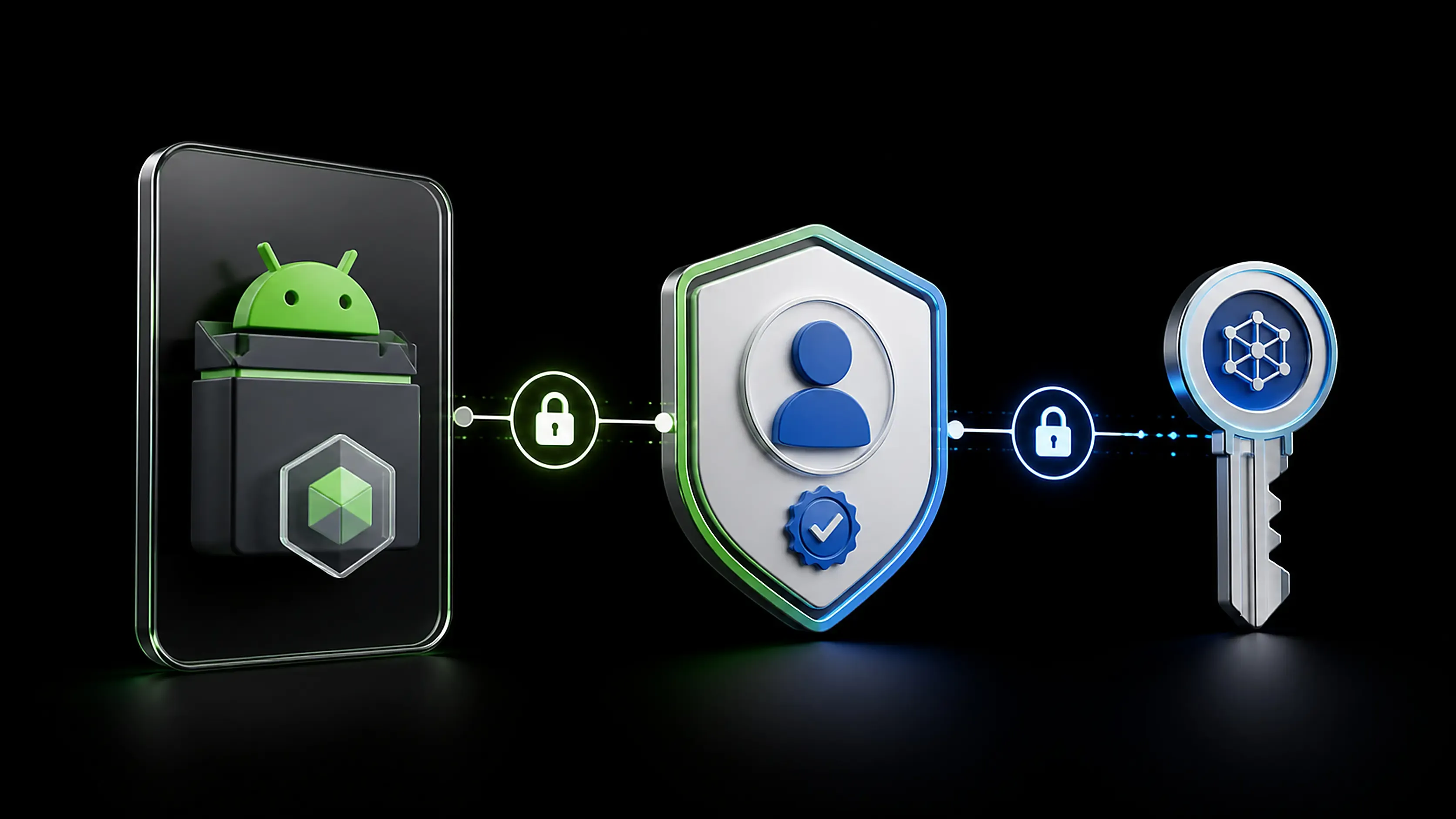
Developer verification has a different trigger. Google says that on 30 September, participating stores in Indonesia and the other three initial countries must require registration for apps installed on certified devices running Android 7 or later. Google Play, Galaxy Store, HONOR App Market, OPPO App Market, Palm Store, V-Appstore and Xiaomi GetApps are named in the initial rollout.
The calendar matters because a business may pass one requirement and fail the other. Raising targetSdk does not register a developer identity. Registering a package does not make an outdated build acceptable to Play.
- 31 August: new Play submissions and updates need API 36 on standard Android.
- 30 September: registered developer and app identity become the distribution requirement through participating stores in Indonesia.
- 1 November: Google says an extension may be available for the Play target API requirement. Treat it as a contingency, not the deployment plan.
🔎 What target API actually changes
targetSdkVersion is a declaration in the Android app’s manifest and build configuration. It tells Android the app has been tested against a given platform level. It is not the same as minSdkVersion, which determines the oldest Android version on which the app can install.
That distinction is practical. A business can retain a lower minSdk to support older customer devices while moving targetSdk to API 36. The work lies in handling behavior changes that Android applies when an app opts into a newer target. Permissions, background work, storage access, notifications, media handling, edge-to-edge layouts, and third-party libraries are frequent areas to test. The exact impact depends on the app, not on a generic version-number bump.
Google’s own migration guidance points teams through behavior changes for Android 13, 14, 15 and 16. Skipping directly from an old target to 36 is allowed, but it concentrates several years of platform changes into one release cycle. That is why the shortest Gradle edit is rarely the whole job.
For a web studio or a company whose app is mostly a wrapper around a website, this does not mean there is nothing to test. A WebView app can still depend on camera capture, file uploads, deep links, push notifications, payment hand-offs, downloads, sign-in redirects and sharing. Each flow touches Android or another installed app at a boundary where an update can expose a problem.
🧭 The Indonesian verification rollout
Google describes developer verification as a way to make it harder for malicious actors to repeatedly distribute harmful apps under anonymous or shifting identities. The policy is scheduled to begin in Indonesia on 30 September 2026 alongside Brazil, Singapore and Thailand, then expand globally in 2027.
The rollout is broader than Google Play alone. That point is important for Indonesian businesses using a manufacturer store, an agency delivery channel or direct distribution. The participating-store list includes the seven stores named by Google, not every possible distribution mechanism. Google also says unregistered apps may still be installed through Android Debug Bridge or an advanced flow, but neither route is a sound customer onboarding strategy. They require deliberate user action and are not a substitute for getting the developer record in order.
Google’s developer-verification page states that Play automatically registers 99% of apps and directs Play developers to the Play Console to review the remaining status. Developers who distribute exclusively outside Play are directed to Android Developer Console. A team should use the console that matches its actual distribution model rather than assume a Play account covers every signed package it ships elsewhere.
“These new developer verification protections will take effect on September 30, 2026, starting with users in Brazil, Indonesia, Singapore, and Thailand.”
The useful operational question is plain: which legal entity owns the signing key, package name and store account? If the answers are spread across a former freelancer, an agency email and a founder’s personal account, verification can surface a governance problem rather than a technical one.
📦 Start with an inventory, not a build command
Before opening Android Studio, make a short inventory. It should cover every package name, every signed production build, every store listing and every account that can submit an update. Include apps that were built years ago for a promotion, an event or a partner and then forgotten. Those are often the ones still carrying an old target.
For each row, record:
- package name and displayed app name;
- Play Console or Android Developer Console owner;
- current
minSdk,targetSdkand compile SDK; - production signing-key custodian and recovery procedure;
- distribution stores and countries;
- release track, last update date and source-code location;
- the person who can complete verification and submit an update.
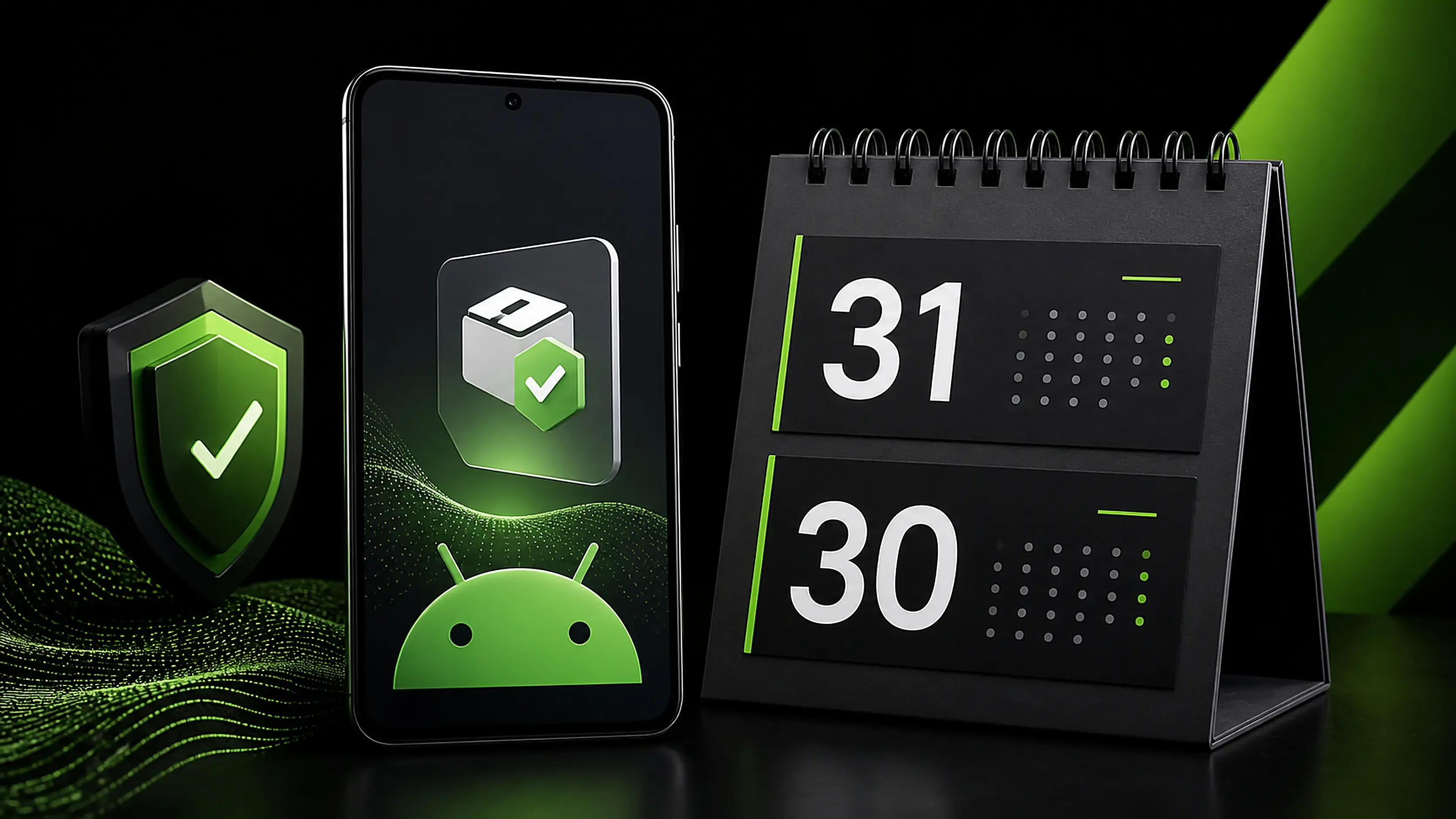
This is not paperwork for its own sake. A package name is the unit Google’s status API is designed to check, while a signing key is the continuity mechanism that lets an update be recognized as coming from the same app publisher. If a team cannot identify both, it should resolve ownership before changing the build.
A small team should also distinguish production apps from test builds. Internal testing, closed testing and a locally shared APK may have different audiences, but a build that customers install is still part of the business’s trust surface. Do not let an old “temporary” distribution path become the only place where the current app exists.
🧪 Build the API 36 migration as a test release
A disciplined migration begins with a branch and a reproducible build. Update the compile SDK and target SDK to the supported Android 16 level, then update the Android Gradle Plugin, Gradle wrapper, Kotlin tooling and dependencies only where compatibility requires it. Pin the versions used for the release so a later dependency refresh does not get mixed into the same diagnosis.
Run the app on at least one Android 16 device or emulator and on the oldest Android version your minSdk still promises. Then test the business journeys rather than only the home screen. For many small businesses, that means account creation, login and logout, password reset, search, cart, checkout, payment return, order status, contact link, notifications, file upload, camera or gallery selection, map opening and support chat.
Check failures as a customer would see them. Does a declined permission leave the user stranded? Does a payment return link reopen the right order? Does sharing an invoice attach a readable file? Does a notification tap land in the relevant screen? A green build and a successful installation do not answer these questions.
Google recommends testing core use cases, permission handling, Doze and App Standby behavior, media events and file sharing as relevant. Treat that list as a starting frame, then add the flows that create revenue or carry customer data in your own app.
🔐 Verification is also an account-access audit
The new verification regime gives teams a reason to clean up access that should already be documented. The business should control the Play Console or Android Developer Console account, use role-based access rather than shared passwords, and preserve a secure record of the organization and contact information used for verification.
Confirm that the production signing key is recoverable by the business. If Play App Signing is in use, document the relationship between the upload key and the app-signing key, plus the people permitted to request changes. If an external developer owns the only keystore or account recovery factor, the business has a release risk that will outlast this deadline.
Google says the Android Developer ID Status API can check whether a package name is registered, while the Android Developer Console API will support registering and managing package names from development environments. Those APIs may help larger release pipelines, but they do not replace accountable human review. A CI job can report a status; it cannot decide whether the verified organization, package ownership and store listing are correct.
For agencies, record this in the handover packet. The client should receive the package name, signing arrangement, console ownership, store URLs, release procedure and current verification status. It is easier to hand these over while the project is active than during an urgent compliance week.

🛒 Store choice changes the checklist
A company that publishes only through Google Play has a narrower path than one that also distributes through manufacturer stores. The same app can have different administrative work across channels. Start with the live store links, identify the corresponding publisher account for each, and review package registration where Google directs you to do so.
Do not infer that a listing on one store proves registration or compliance on another. Likewise, do not assume a developer who has verified an account for one business has authority for a separate client or legal entity. Keep the organization identity aligned with the organization customers see in the app, privacy policy, support email and store listing.
Private apps permanently restricted to users in a particular organization are an exception in Google Play’s target API requirements. That wording is narrow. An app shared with customers, franchisees, resellers or a broad community should not be casually classified as private. If the delivery model is unusual, verify its status in the relevant console or with Google’s documentation before relying on an exception.
The September verification policy likewise has scope: certified Android devices, participating stores and initial rollout countries. It is still wise for an Indonesian app publisher to prepare as though the requirement matters even if a portion of its audience is elsewhere. A fragmented approach creates support work when customers install through multiple sources.
🧱 A release checklist that fits a small team
The practical goal is one controlled release, not a frantic sequence of edits. Assign a single release owner, then make the checklist visible to the developer, business owner and support person.
- Confirm every live package name and its distribution channel.
- Check current target API and whether an update is required for Play submission.
- Upgrade, build and test against API 36 where standard mobile Play rules apply.
- Review Android 13 through Android 16 behavior changes that affect the app.
- Verify console access, organization details, package registration and signing-key custody.
- Test a staged release with real account, payment, deep-link, file and notification paths.
- Keep a rollback decision and support message ready before production rollout.
Staged distribution is useful because it creates room to observe crashes, authentication failures and device-specific regressions before every user receives the build. It is not a way to avoid the target API rule. The submitted build still needs to meet the applicable requirement.
Keep evidence as you go: the commit or tag that produced the release, test device versions, the status viewed in the relevant console, the build number and the person who approved the rollout. When an app is maintained by a small studio, those notes save time at the next annual target change and reduce the chance that knowledge disappears with a contractor.
📊 Decide with a simple risk view
A small team does not need a complex compliance dashboard to decide what comes first. Put each app into one of three groups. The first group is an app with a current owner, a recoverable signing path, an active store listing and a recent build. It can move directly into API 36 testing and status review. The second group has a known product owner but incomplete account access, uncertain signing custody or no clear record of its last production build. Resolve those ownership gaps before scheduling the update. The third group is an abandoned listing or a package nobody can support. That requires a business decision about retirement or recovery; pretending it is still maintained creates a misleading customer promise.
This classification is especially useful when an agency manages several client apps. Technical urgency should not make the agency submit an update under an account it does not control or make a policy declaration on behalf of a client. Assign a named owner for every decision: the person who confirms the legal entity, the person who approves customer-facing changes, and the person who holds release access. One individual may hold several roles in a small company, but the roles should be explicit.
Measure readiness with evidence rather than optimism. A release is ready to submit when the production package name has been checked, the relevant console shows the expected status, the signed bundle can be reproduced, and the defined customer journeys have passed on a current device. A checkbox that says “tested” is less useful than a short list of journeys, devices and outcomes. It lets the next maintainer understand what was actually covered.
Support teams also need a small plan. Update the public help page and store support contact if customers are likely to encounter a new install warning, a changed permission screen or a temporary staged-release issue. Ask support to capture the device model, Android version, app version, installation source and a screenshot when a report arrives. Those details turn a vague “the app cannot install” complaint into something the release owner can reproduce.
A final practical safeguard is to separate release approval from code authorship. The developer who changed the target may perform the test, but a second person should review the store package, version code, release notes, privacy links and rollout percentage where the team has that capacity. This is a low-cost check against uploading the wrong artifact or publishing a build intended only for internal testing.
⚠️ What this policy does not guarantee
Targeting API 36 does not certify that an app is secure, private or free of defects. It indicates that the app declares compatibility with that platform level and meets Google Play’s submission rule. The developer-verification system is intended to add accountability to distribution, but it does not eliminate malware, impersonation or poor app design by itself.
Nor should a business promise users that every sideloaded app is blocked. Google’s published materials describe ADB and an advanced flow for unregistered apps. The appropriate customer message is more modest: install the official app from the named store or a verified company channel, and contact support when a package name, publisher name or install prompt looks unfamiliar.
There are also facts a public article cannot determine: whether Google has automatically registered a particular app, whether a specific console account is eligible for an extension, and which behavior changes will affect an individual codebase. Those must be checked in the account and tested in the build.

📣 What Indonesian app owners should do this week
The immediate action is to separate ownership, compliance and release quality into three short workstreams. First, list the apps and accounts. Second, bring the release build to the required target API and test customer journeys. Third, confirm verification status through the correct console before the Indonesian rollout date.
For teams launching a new app, build API 36 compliance into the release plan now. For teams maintaining an older app, do not wait for a feature request to discover that the app is no longer discoverable to new users on newer devices. For agencies, turn the status check into a standard client handover item.
The closer deadline is already here. The next one is 30 September. A company that knows its package names, owns its signing path and tests a real API 36 build will be dealing with a routine release task, not a customer-support emergency.
Sources: Android Developers’ developer verification announcement and guidance; Google Play Console Help target API requirements; Android Developers manifest and migration documentation; Google Play policy materials. Accessed 31 August 2026.


