
A production API key used to be treated like a building key: create it, put it somewhere safe, and hope nobody copies it. On 10 September, OpenAI added expiry dates for project API keys and an administrator setting for maximum key lifetime. That small control is a useful prompt for every small team that pays for an API, runs a website integration, or keeps an automation alive with a secret.
Expiry is not a magic lock. It cannot undo a key copied into a log, a browser extension, a compromised laptop, or an old deployment. It does something more practical: it gives every credential an appointment with its owner. For small businesses, that is often the difference between a secret that belongs to a system and a secret that has quietly become part of the furniture.
🔑 An API key is a permission, not a password
An API key is usually a machine credential. It lets software identify a project or account to a service and, depending on the provider, spend money, read data, create records, send messages, or invoke models. It is not interchangeable with a staff password. A human account can have multifactor authentication, a recovery path, and a visible sign-in history. A key often travels through code, build settings, hosting dashboards, and deployment tools instead.
That difference matters when a small business adds an AI assistant, payment workflow, booking integration, analytics script, or email sender. The owner may approve the service once. The credential then outlives the contractor, the campaign, the test environment, and sometimes the product decision itself. The danger is not that every key will be stolen. The danger is that nobody can answer a basic question quickly: what can this key do, where does it run, and who would notice if it were used oddly?
OWASP’s API Security Project lists broken authentication and unrestricted resource consumption among the risks teams need to handle. A leaked key can turn into either problem. If it authenticates an attacker, it may expose a service. If it permits billable calls, it may turn a quiet weekend into an unexpected invoice. The relevant response is not panic. It is to design credentials so their scope, ownership, and lifetime are understandable.
⏳ Expiry turns neglect into a scheduled decision
A permanent key makes inaction the default. Expiring keys reverse that default. When a key reaches its end date, someone must decide whether the integration still needs it, whether it should be replaced, and whether its permissions still fit the job.
OpenAI’s September changelog says project keys can be created with expiration dates and administrators can enforce a maximum key lifetime. The feature is specific to that platform, but the operating idea applies elsewhere. Cloud providers, payment platforms, source-control systems, and communications services each expose different controls. Teams should use the controls actually available instead of claiming they have a universal rotation policy.
An expiry date is most useful when it matches a working rhythm. A short-lived experimental key might last through a two-week prototype. A key for a live, stable integration might have a longer date, accompanied by a calendar review before it expires. A sensitive administrative credential may need a much tighter process. There is no responsible universal number because risk depends on scope, exposure, replacement cost, and the provider’s controls.
The operational gain is simple. A forced renewal asks whether an old integration is still attached to production, whether its owner remains reachable, and whether a newer authentication method exists. It also catches the common situation in which a key was created under one person’s account and later became a shared team dependency. If the renewal cannot be completed without hunting for a departed employee, the team has found a continuity problem before an incident makes it urgent.
Expiry also makes exceptions visible. Some integration may have a genuine reason for a longer lifetime, perhaps because replacement requires a coordinated vendor change. Record the reason, the approver, and the next review rather than leaving the exception implicit. A documented exception can be revisited. An undocumented permanent key is simply a key nobody has challenged.
The renewal date is a review point, not a substitute for monitoring. A credential can be exposed on its first day, and a key with a long date may still be appropriate when other controls and the service design support it. Expiry works best as one control in a routine that also limits access, protects storage, watches use, and prepares the team to revoke a credential when needed.
🧭 Start with an inventory that names an owner
A key inventory does not need enterprise software to be useful. A protected record can start with six fields:
- Service and account or project name.
- What the key enables in plain language.
- Where it is used: production, staging, a scheduled task, or a local tool.
- A named business owner and a technical custodian.
- The creation date, expiry date if available, and next review date.
- The emergency action: revoke, disable integration, or rotate.
Do not put the secret value in the inventory. The point is to map responsibility, not collect a second cache of credentials. OWASP’s Secrets Management Cheat Sheet recommends centralizing storage, provisioning, auditing, rotation, and management. For a small team, “centralize” can mean agreeing on one approved secrets manager or one protected platform configuration route. It does not mean pasting keys into a shared document because it feels central.
The named owner is important. A developer can manage the technical placement while a business owner decides whether the underlying service is still authorized and worth paying for. Those are separate jobs. If no one owns a key, no one has a reason to notice that it keeps working long after the business purpose has disappeared.
The inventory should be usable during an interruption, not merely complete during an audit. A person opening it should be able to tell whether revoking a key would stop a customer-facing workflow, who can approve a replacement, and which team or vendor needs to be contacted. Keep descriptions specific enough to make that decision. “Automation” is not a useful answer; “the nightly export from the booking system to the reporting tool” is.
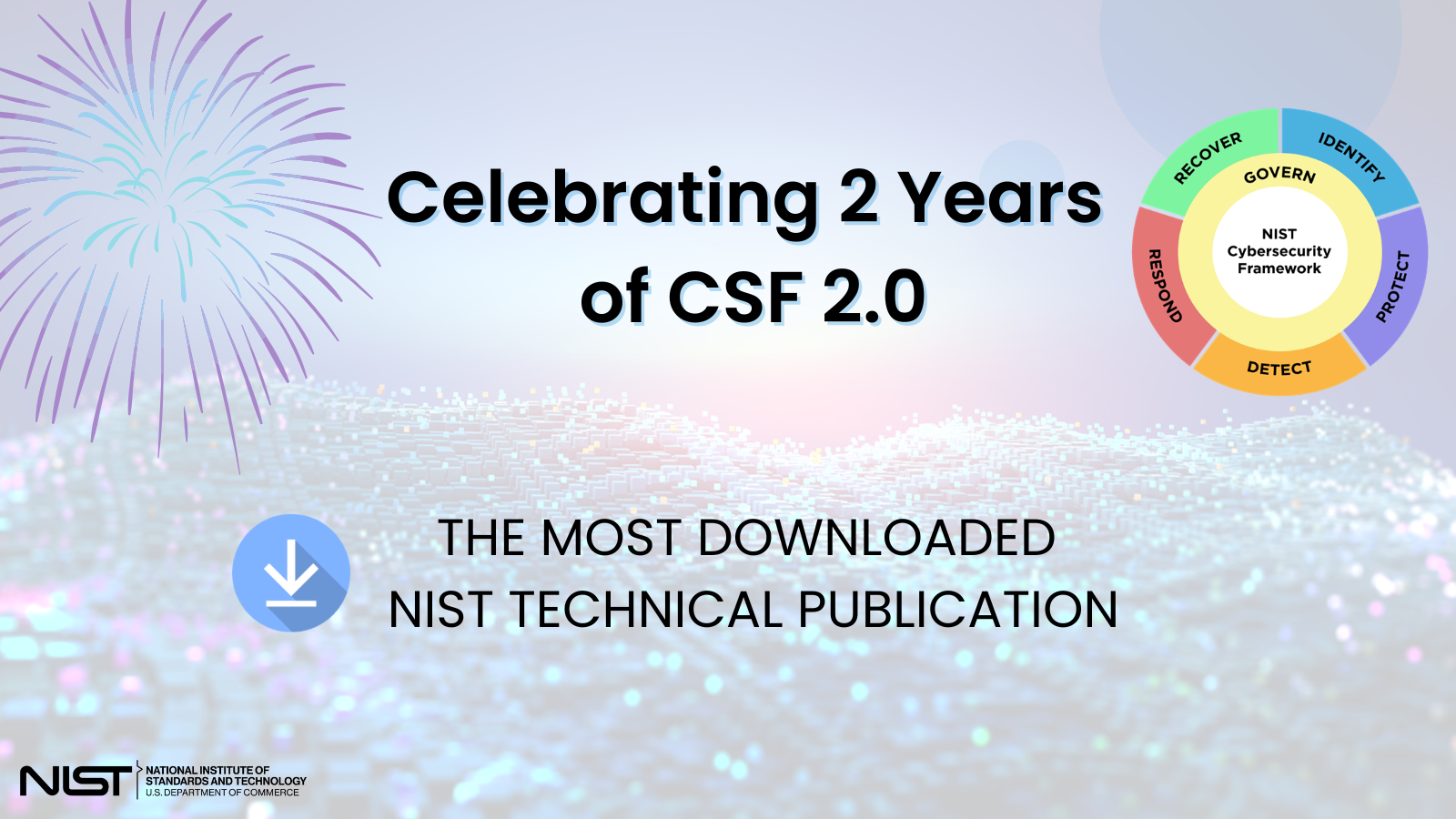
This kind of record supports the identify and govern work described by the NIST Cybersecurity Framework without requiring a small team to reproduce a large organization’s paperwork. The practical test is modest: can the business recognize its important services and assign accountability for the decisions around them? A spreadsheet with stale names does not pass that test. A short record reviewed by the people who operate the service can.
🧪 Separate experiments from customer-facing systems
The fastest way to make credential management unmanageable is to use one key everywhere. A developer tests on a laptop, a contractor connects a no-code tool, and the live website runs the same secret. When something goes wrong, revoking the key can take down everything. That pressure encourages teams to delay revocation, which makes the exposure longer.
Use separate projects, accounts, or keys when a provider supports them. At minimum, distinguish local development, staging, and production. Give each credential a name that describes the environment and function. A label such as “website-contact-form-production” is more useful than “new key 3.” It makes a usage page, invoice investigation, or incident response less dependent on memory.
Scope matters alongside separation. If a service lets a key read data but not modify it, or limits it to one project, choose the narrower permission that still lets the feature work. This is not security theatre. A limited key can reduce the consequences of a leak and make unusual activity easier to interpret. Conversely, a broad administrator key embedded in a public-facing integration combines a high-value credential with the place attackers can probe most easily.
A small business does not need to imitate a large company’s security organization. It does need a clear boundary between a disposable test and a customer-facing service. That boundary makes later cleanup possible.
🗂️ Where secrets leak in ordinary work
Most leaks do not begin with a dramatic breach. They begin with convenience. A key is pasted into a repository configuration file, included in a code sample, printed in a build error, or sent in a chat so someone can “just test it.” A copied terminal command can land in shell history. A screenshot of a dashboard can contain more than the sender noticed.
OpenAI’s production guidance explicitly advises against exposing API keys in code or public repositories and recommends environment variables or a secret-management service rather than hard-coding them. That does not make environment variables perfect. They can still be exposed through logs, misconfigured deployments, or broad access to hosting settings. They are a better boundary only when paired with access controls and a habit of treating output carefully.
Before a launch, test the failure paths as well as the happy path. Trigger an intentional configuration error in a safe environment and inspect what appears in logs. Check that monitoring and error-reporting tools redact authorization headers and secret-looking values. Review whether support staff, contractors, or automated deployment services can read production variables. The question is not whether people are trustworthy. It is whether the system gives more people a permanent copy than the task requires.
Storage and delivery are different decisions. A secret manager may be the approved place to store a value, while a deployment system may be the approved route for delivering it to a service. List both in the inventory. A team that knows only where a secret was originally created can miss a copied value in a hosting dashboard, an automation connector, or a local configuration file.
OWASP’s guidance on secrets management covers the lifecycle, including creation, rotation, revocation, and auditing. That framing is useful because a key is not “handled” once it has been hidden. Access to the secret store needs review, deployment permissions matter, and revocation must reach every active use. If a provider shows the secret only when it is created, treat that moment as a controlled handoff, not an invitation to save screenshots or personal copies.
A repository scan is worthwhile before sharing code, changing repository visibility, or onboarding a new developer. If a scan finds a credential, remove it from the active configuration and revoke it. Deleting the visible line does not make a previously committed secret safe, because copies and history may remain. The important response is a replacement credential and a check of where the old one could have been used.
A useful practical rule: never put a service credential in browser-delivered JavaScript, a mobile app that must expose it to the user’s device, or a public repository. If an integration needs a secret, route the sensitive call through a controlled server-side component or use the provider’s designed public authentication flow. The exact architecture depends on the service, so read its documentation rather than assuming an API key is appropriate for every client application.
📉 Rotation must be designed not merely demanded
“Rotate your keys” sounds obvious until a live checkout, contact form, or daily report stops working. Rotation fails when a team cannot run the old and new credentials safely during a changeover, does not know every place the old one is used, or has no way to test the replacement before revocation.
Write a small rotation runbook before the first emergency. It should say who creates the replacement, how the new key is stored, which environment receives it first, how the integration is tested, when the old key is revoked, and where the completion is recorded. Keep the runbook near the inventory, not buried in the memory of the person who built the first version.
Many providers allow multiple active keys or staged rollout. When that exists, create the replacement, update one environment, test a concrete workflow, then move production and revoke the old credential after verification. Do not assume every provider behaves this way. Some services issue a secret only once or use a different revocation model. The provider’s current documentation governs the procedure.
The goal is to make rotation boring. An expiring key should prompt a short, rehearsed maintenance task rather than a late-night search through old repositories. If a key cannot be rotated without breaking a feature, that feature has a design debt worth recording.

🧾 Costs and unusual usage are security signals
A billing alert is not a substitute for access control, but it can reveal a problem quickly. OpenAI’s production guidance recommends spend alerts and explains that hard spend limits can stop affected traffic after tracked spend reaches the limit. Any business using a metered API should understand its provider’s alert timing, limit behavior, and whether legitimate traffic could be interrupted.
Set alerts at amounts that create time to investigate, not only at the monthly maximum. Review usage by project, key, environment, or feature if the service offers those views. A cost spike can come from a coding mistake, a traffic increase, a retry loop, or unauthorized use. The first investigation should preserve evidence: note the time window, the affected project, and recent deployment changes before deleting the only useful clue.
This is where a named key and separate environments pay off. If a dashboard says an unfamiliar credential generated activity, the team can map it to a function. If every workload shares one key, the same dashboard produces uncertainty. Security work becomes slower because the business cannot distinguish customer growth from a bug or abuse.
👥 Contractors need a clean exit path
Small studios and growing businesses often rely on freelancers, agencies, and temporary specialists. That can be sensible. The security mistake is making a person’s private account, laptop, or long-lived key the permanent foundation of a business service.
Where a provider supports it, use organization or project access rather than sharing a founder’s login. Create service-owned credentials for production integrations. Give contractors the smallest access needed for a defined task, and set a review date that corresponds to the end of the engagement. When work ends, remove access, rotate any credential they could have copied, and check that handover documentation identifies every integration.
This is not an accusation. It is ordinary operational hygiene. People change devices, leave projects, and lose track of old files. A clean exit protects the contractor as well as the business by making the boundary explicit.

🚨 When a key may be exposed, act before explaining
If a key appears in a public repository, a screenshot, a chat sent to the wrong place, or an unfamiliar log, treat it as exposed. Do not spend hours deciding whether someone probably saw it. Revoke or disable it according to the provider’s process, create a replacement if the service must continue, and inspect recent activity and billing.
Then record what happened without copying the secret into the incident notes. Identify the service, scope, time discovered, affected environment, response, and next preventive change. If customer information, payments, or regulated data may be involved, follow the organization’s legal and contractual incident procedures. A generic article cannot determine notification duties for a particular business or jurisdiction.
CISA describes cyber threats as risks that can steal information or money and disrupt services. The practical lesson for a small team is speed: contain first, then investigate with enough evidence to improve the system. Shame and blame make people hide near misses. A predictable response process makes early reporting more likely.
🛠️ A thirty-minute maintenance session
Set aside a short recurring session for credentials that support live business systems. Open the inventory and work through the list:
- Delete or revoke keys for finished tests and retired services.
- Confirm that each live key has an owner, environment label, and review date.
- Check upcoming expirations and schedule replacement before the last day.
- Compare recent usage and invoices with expected traffic.
- Review access for people and vendors who no longer need it.
- Check one deployment or repository path for accidental secrets and confirm redaction is working.
This list will not eliminate every security risk. It does create a reliable way to see the systems a business depends on. That is the value of expiry dates. They make a credential visible again before it becomes a forgotten liability.

✅ The decision is to keep ownership visible
API keys are small pieces of text with outsized authority. The new option to make a project key expire is welcome because it supports a habit too many teams postpone: revisiting what their integrations can do and who is responsible for them.
For a small business, the first useful move is not buying a complicated platform. It is identifying every live credential, separating tests from production, storing secrets outside code, setting an owner and review date, and rehearsing a replacement. Use each provider’s controls as they exist today. Keep a record that helps a real person act under pressure.
A secret should never become permanent merely because it was convenient on the day it was created.
Sources: OpenAI API Changelog; OpenAI Production Best Practices; OWASP API Security Project; OWASP Secrets Management Cheat Sheet; NIST Cybersecurity Framework; CISA Cyber Threats and Response.