
🔌 The browser already has a network perimeter
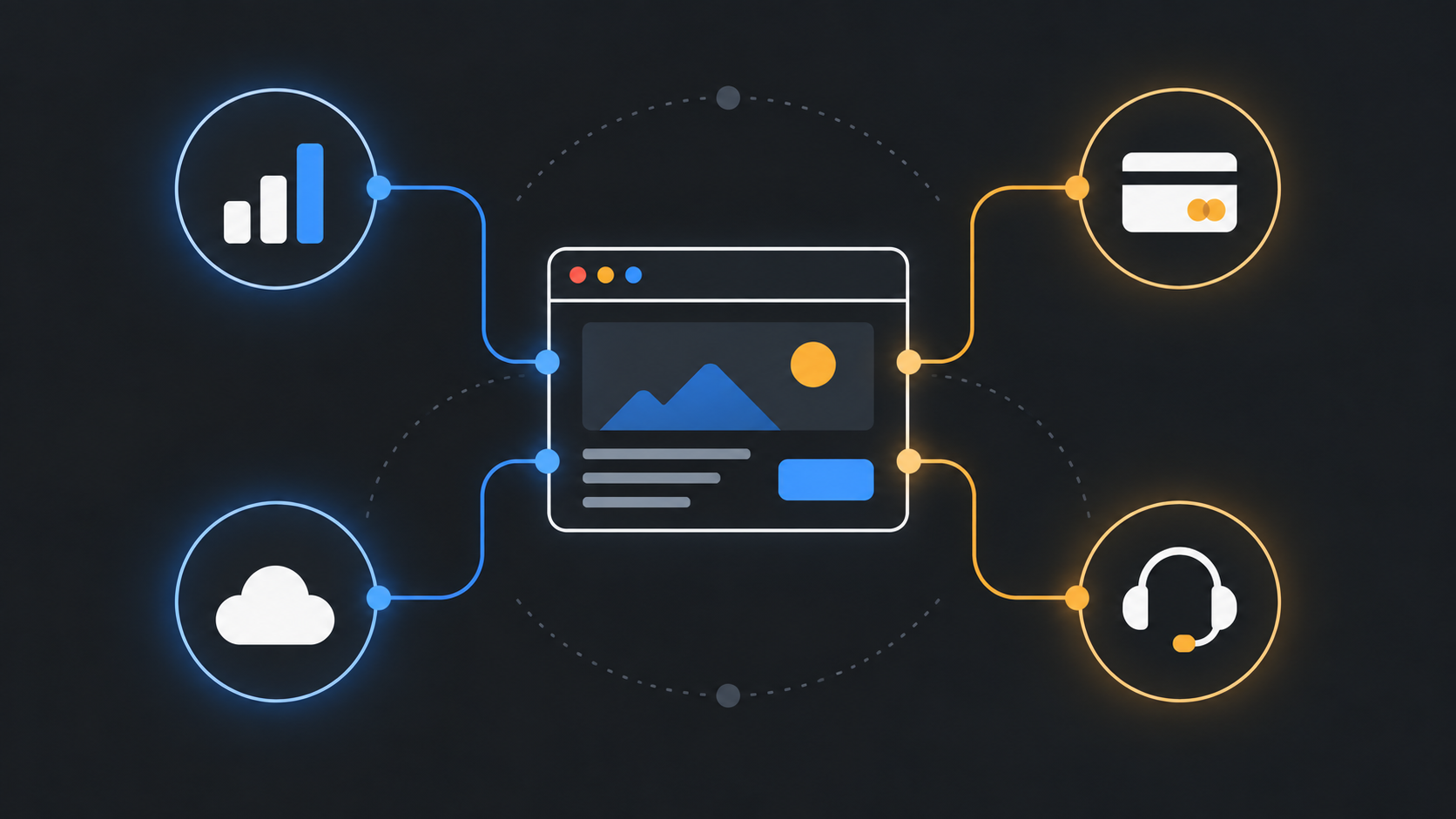
A small website can look simple from the outside and still make a surprising number of outbound connections. A page loads its own HTML, images, fonts, scripts, analytics, payment widgets, customer support tools, error reporting, embedded video, maps, feature flags, and an API. A worker may refresh data or prepare offline assets. A redirect may send the browser somewhere the team never typed into the visible interface. Each destination is a decision, even when it was introduced by a dependency rather than a person on the team.
That observation matters before anyone adds an AI coding agent, an assistant inside the product, or a prompt-driven feature. The fashionable order of operations is backward: teams debate what an agent may read, write, or generate before they have written down where their existing browser code is allowed to talk. The more useful first question is much plainer: which network destinations does this page genuinely need?
Chrome 152 brings that question closer to the runtime. Its release notes describe Connection Allowlists as explicit control over external endpoints. A server sends an authorized endpoint list in the Connection-Allowlist HTTP response header, and Chrome evaluates the destination before it establishes a connection initiated through Fetch API or other web platform APIs from a document or worker. Chrome’s release announcement says the feature restricts network connections initiated by a document or web worker.
This is not a request to treat a header as magic security dust. It is a request to make an operational inventory visible and enforceable in a browser that supports it. If a checkout page legitimately needs its own API, a payment provider, and a narrowly defined fraud endpoint, that should be legible. If nobody can say whether a customer’s email address might be sent to a tag manager, a test host, or an old vendor integration, the site has a design problem before it has an AI problem.
For a small team, a short approved-destination list can be more valuable than another policy document. It forces a conversation across engineering, marketing, support, and vendors. It turns “we use this script” into “this script may contact these hosts under these conditions.” That is a sharper boundary than trust in a package name or a dashboard checkbox.

🧭 Start with a map, not a policy string
The contrarian part of this field guide is that the header should be the last small piece of work, not the first. Begin by mapping actual browser communication. Do not start with an imagined architecture diagram or a list copied from environment variables. The browser sees the messy version of the system: redirects, client-side fallbacks, deferred widgets, service workers, error paths, experiments, and integrations that only appear after a click.
Create a request map for one page class at a time. A public article page, sign-in page, account area, checkout, and internal dashboard usually have different needs. A single global list tends to grow until it stops being a boundary. Separate the pages according to the data and actions they expose. A public landing page may need a static asset host and analytics. An account page may need an authenticated API and a support provider. A payment route may need a payment provider. Treat those as different envelopes.
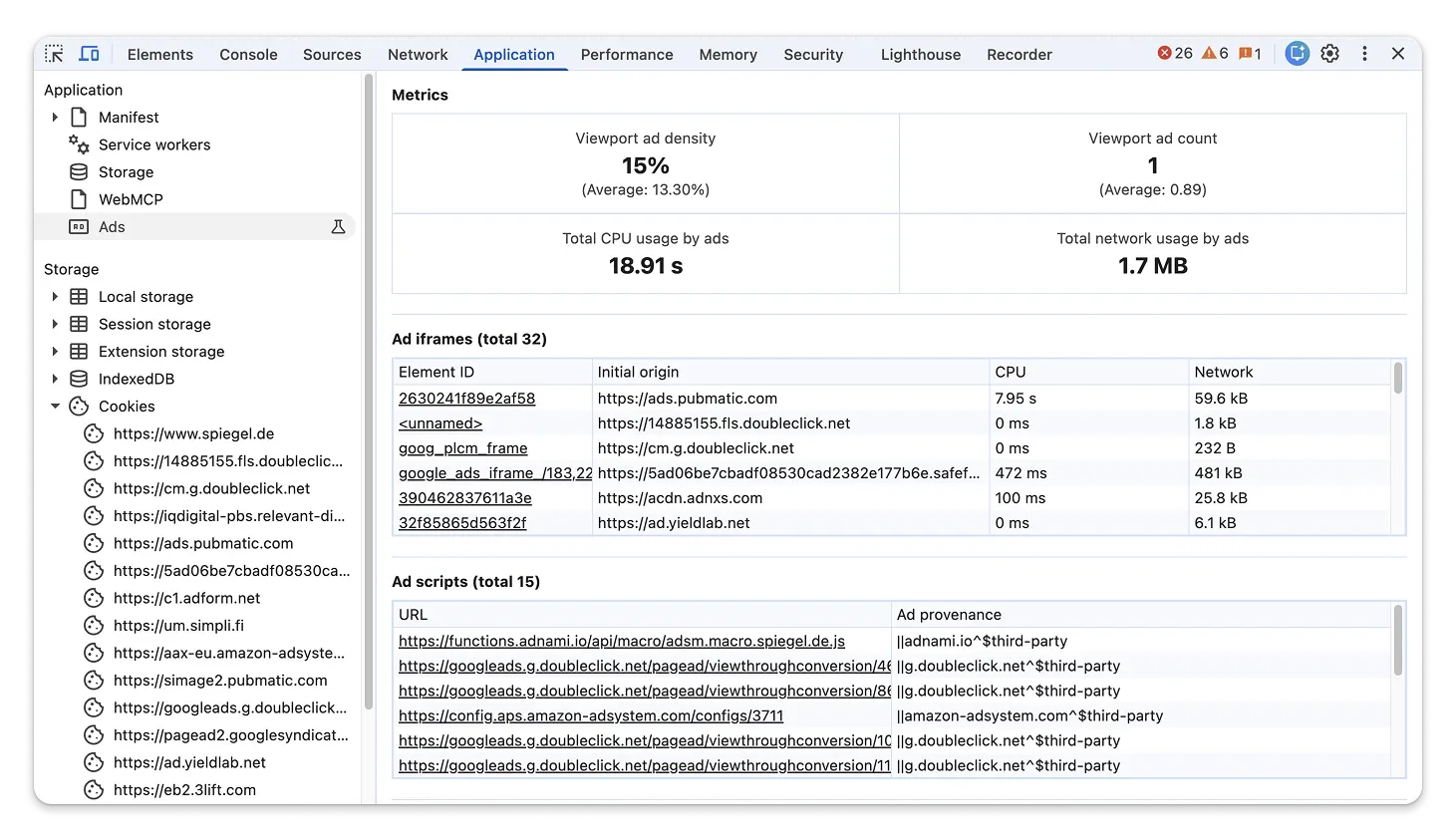
Use ordinary browser observation first. Load a page with a fresh profile where practical. Move through the real user path. Open the network panel, record destinations, and note what triggered each request. Chrome’s later DevTools update is a reminder that tools used with agents are gaining controls of their own, including JavaScript execution controls and source inspection. That makes it even more important to distinguish what an inspection tool can observe from what the site should be permitted to send.
For each destination, collect a few useful facts:
- The initiating page or worker, not merely the destination host.
- The request type: navigation, script, image, fetch, WebSocket, beacon, or another browser operation.
- The feature that requires it and the person or team who can explain that feature.
- Whether the host handles user data, identifiers, payment information, or only public assets.
- Whether the request happens in the normal path, only after consent, only after an error, or only in a development flow.
- The exact host or URL pattern that is necessary, rather than a broad parent domain chosen for convenience.
This inventory has a useful side effect. It catches abandoned work. A host that appears only when an old experiment runs is not automatically an allowlist entry. It may be a removal task. A request to a staging system from production is a defect to investigate, not a reason to expand production’s perimeter. A vendor that cannot explain why it needs to receive a browser request should not be silently grandfathered because the script was installed years ago.
The map should also name where uncertainty remains. “Unknown request after clicking chat icon” is a valid finding. So is “redirect chain not yet traced.” Security work becomes unreliable when uncertainty is erased from the worksheet to make a policy look complete. Keep the item open, reproduce it, and decide whether the feature stays enabled while you investigate.

🧱 What Connection Allowlists add, and what they do not
Connection Allowlists are attractive because they put the decision at a low level in the browser’s connection process. The Chrome origin-trial article describes a deny-by-default network sandbox for documents and workers: before a connection is established, the browser checks the destination against the allowlist. The examples named there include subresource fetches, navigation redirects, and WebSocket connections. The article also explains the practical intent: retain a network boundary even if code attempts to bypass application-level logic.
That distinction is worth taking seriously. Application code often has its own checks. A fetch wrapper may reject unfamiliar domains. A frontend SDK may promise to send telemetry only to a configured collector. A code review may prohibit direct calls to third-party endpoints. Those safeguards can be useful, but they live in the same execution environment as the code that might be changed, compromised, misconfigured, or generated carelessly. A browser-enforced endpoint boundary answers a different question: even if code tries to connect, is that destination permitted for this document or worker?
Chrome’s documentation identifies the delivery mechanism as the Connection-Allowlist response header. It also says that a site specifies exact URL patterns permitted for network communication initiated by that context. The release notes phrase the scope as connections initiated from a document or worker. That scope should shape the team’s expectations. This is about browser-originated communication under the feature’s model. It does not replace server-side egress controls, credential handling, database access controls, API authorization, input validation, or code review.
It is also not the same thing as Content Security Policy. CSP Level 3 defines a mechanism for developers to control resources a page may fetch or execute, among other security-relevant decisions. The W3C specification explicitly frames CSP as defense in depth, not a replacement for careful input validation and output encoding. The connect-src directive is relevant because it restricts URLs loaded using script interfaces such as fetch(), XMLHttpRequest, WebSocket, EventSource, and sendBeacon(); MDN’s reference describes those covered interfaces and the role of default-src when connect-src is absent.
The practical overlap is real. Both measures involve where a page connects. Their purposes and mechanics are not interchangeable, so avoid treating one as a reason to delete the other. CSP remains an established web security policy with a broader set of directives. Connection Allowlists are a Chrome feature introduced in Chrome 152 for explicit network endpoint control. The safe operational posture is to preserve a carefully maintained CSP, learn the Connection Allowlist behavior in the Chrome environments that matter to you, and avoid claims of universal browser support or standards status that the cited materials do not establish.
The point of that quote is not that every connection problem is solved by one header. It is that enforcement location changes the conversation. When a boundary is checked by the browser before the connection is made, a client-side library cannot simply decide it is exempt. That can reduce the blast radius of an unsafe change. It can also surface an integration inventory that was never under control.
A small site should resist another common mistake: using a broad wildcard to make rollout pain disappear. A policy that allows a whole vendor estate may still be technically valid for a use case, but it does not express a precise operational decision. Narrow patterns are not a performance of caution. They are a way to notice when a vendor changes architecture, when a new subdomain appears, or when a feature has acquired a dependency that nobody approved.
🔍 Inspect the requests people forget to count
The obvious API call is rarely the hard part. The hard part is the browser work nobody describes as “networking.” A user clicks an outbound link and a redirect occurs. A document fetches a module after a feature gate changes. A worker refreshes cached content. A monitoring library sends a report after an exception. A WebSocket opens only when a support panel is active. A consent setting changes which scripts load. A user uploads an image and the application requests a pre-signed URL. Those are all candidates for the map.
This is why an allowlist project should include real journeys rather than a single homepage capture. Build a small test matrix with the states your service actually supports. Include logged out and logged in paths; a user who has accepted or declined optional tracking; a page with an intentional error if you can safely induce one; a feature gated on; and a route that exercises any worker. Where an integration is regional or account-specific, test the relevant configuration. The aim is not exhaustive browser forensics. It is enough evidence to make an approved-destination decision without relying on memory.
Pay special attention to redirects. A familiar first URL can lead to a less familiar second URL, and a link checker may not tell you what happens after user interaction in the page. The Chrome origin-trial description specifically mentions navigation redirects among the connections checked against the allowlist. If a business workflow depends on a redirect chain, document the intended destinations and test the full route. Do not assume an allowlist entry for the first host covers every later host.
Workers deserve the same attention. Chrome 152’s release description explicitly includes documents and workers. Teams sometimes treat a worker as background plumbing and leave it out of their ownership model. Yet workers can be part of the browser’s communication surface. Know which worker exists, what starts it, what it requests, and whether it should have the same destination set as the page. The answer may be yes, but it should be an answer rather than an accident.
There is a governance lesson in error reporting too. Error systems can receive URLs, stack traces, browser details, user identifiers, or form context depending on configuration. The allowlist cannot decide whether that data is appropriate to send. It can make the endpoint explicit. Pair the endpoint review with a data review: what is transmitted, who has access, how long is it retained, and can the team disable it quickly if a problem appears? The same question applies to product analytics, chat widgets, session replay, and fraud services.
For each request, classify the decision instead of keeping one undifferentiated log:
- Keep: required by an actively supported page flow, with a named owner and a narrow destination.
- Constrain: required, but the destination pattern or data path needs a tighter definition before rollout.
- Consent-gate: optional and only appropriate after the user makes the relevant choice.
- Remove: obsolete, duplicated, unsupported, or impossible to justify.
- Investigate: observed but not understood well enough to approve.
The categories make review practical. A two-person team does not need a committee to decide that a broken old integration belongs in “remove.” A larger organization can route “constrain” and “investigate” items to the correct owner. Either way, the result is a living system map rather than a dense header nobody trusts.
🤖 Put agent work behind the same boundary
An AI agent is often introduced as a coding convenience, a support assistant, or a way to automate browser tasks. That framing can distract from the ordinary security fact underneath: agents can cause code or browser actions to happen at speed, based on inputs the team may not fully predict. The sensible response is not to declare agents uniquely dangerous. It is to stop granting existing browser code an undefined network perimeter.
If an agent changes frontend code, it can introduce a fetch, modify an SDK configuration, add a tracking tag, or alter a redirect flow. A review process should still catch that. Yet review is not a complete control, particularly when dependencies update, snippets are copied, or an urgent fix reaches production. A narrowly designed Connection Allowlist can provide an additional check in Chrome for the document or worker context: an attempted connection to a destination outside the approved list should not silently become normal browser traffic.
That makes destination ownership a useful precondition for agent-assisted development. Before accepting an automated change that adds a new endpoint, require a small record: the destination, purpose, data class, owning team, affected pages, and test evidence. The record is not bureaucracy for its own sake. It is the minimum information needed to decide whether the destination belongs in a boundary meant to represent the site’s intentional connections.
Agent-operated browser tooling needs a separate, modest rule: observation should not automatically become execution. The October 2026 DevTools update describes controls that can disable JavaScript evaluation for agents and controls around source maps, file system roots, and CLI paths. Those details concern DevTools tooling, not Connection Allowlists, but the operational principle travels well. Give a tool the least authority needed for the task. A page inspection can often begin without arbitrary script evaluation. A request inventory can begin with observation before automated interaction. A coding task can be separated from deployment authority.
Do not overstate what the browser header covers. It does not prove that an agent’s reasoning is correct. It does not stop a server from calling a service. It does not establish whether a destination is trustworthy. It does not replace authentication, authorization, secrets management, or a release review. It limits a particular class of browser-initiated network communication according to the configured list in the supporting browser. That is already useful, and it is more credible than promising a total solution.
A good small-team rule is simple: an agent may propose a new outbound browser destination, but it does not silently normalize it. The change must carry a reason, an owner, and a test. If the team cannot explain why a destination needs to exist, it is not ready for production. This rule helps even if the site never deploys Connection Allowlists, because the request map and review habit expose hidden dependencies.
Avoid turning the header into a test of whether a tool is “AI.” A handwritten script can exfiltrate data. A well-reviewed automated change can be harmless. The relevant distinction is whether code operating in a document or worker can reach destinations the site has not deliberately allowed. The browser boundary is valuable because it treats the connection as the decision point.
🧪 Roll out like an operations change
A connection boundary can break real features when the inventory is incomplete. That is not an argument against the boundary. It is an argument for a deliberate rollout. Start with a route where the traffic pattern is understood and the user impact of a temporary problem is contained. A staff-only page, a non-critical public flow, or a controlled staging environment may be more suitable than the most revenue-sensitive route.
First, establish a baseline. Record the expected destinations and the user journeys that generate them. Then configure and test the response header in a controlled environment according to Chrome’s current Connection Allowlists documentation. The origin-trial article is the appropriate starting point for configuration and reporting details, while the Chrome 152 overview confirms the feature’s release context. Keep implementation syntax in deployment notes that point back to current documentation rather than copying a fragile example into a permanent policy manual.
Test both success and failure. Confirm that the intended page path still works with only the destinations you mean to allow. Then deliberately exercise a route that would require an unapproved destination in a safe test environment, if your setup permits. A control that never demonstrates a block is difficult to distinguish from a control that was never applied. Record the browser version, page URL, worker state where relevant, request type, and observed result. This is a release artifact, not an informal memory.
Think about fallback behavior before production. Because this feature is introduced in Chrome 152, your audience may include browsers that do not implement it. Do not write product behavior that requires universal enforcement unless you have verified the support conditions for your users. Keep server-side authorization and other existing protections in place. The Connection Allowlist can strengthen the browser-side posture in the Chrome contexts that support it; it should not become the sole reason a sensitive flow is safe.
Make the deployment reversible. The owner of the header should know how to adjust or roll back the configuration if an essential integration fails. A change record should identify the version of the list, the deployment time, the pages covered, and the reviewer. That may sound heavy for a small site, but a short text file or change ticket is enough. What matters is being able to answer, later, why a destination was allowed and who approved it.
Use reports and breakages as feedback, not as pressure to widen the list blindly. If a blocked connection reveals an unknown tag, investigate the tag. If a known vendor has moved traffic to a different host, verify the change against the vendor’s documentation and your data agreement before adding it. If a feature depends on an overly broad pattern, decide whether the feature is worth that scope. Every exception teaches the team something about its browser supply chain.
🧰 Keep the allowlist small enough to review
The maintenance problem is more important than the initial header. An allowlist is an assertion about how a page is supposed to work. If it is never reviewed, it drifts into a collection of historical permissions. The goal is not a tiny list at any cost. The goal is a list whose entries are intelligible, necessary, and tested.
Assign ownership at the level that makes changes possible. One person may own the web platform configuration. Product owners may own individual integrations. Marketing may own a campaign tag. A vendor manager may own a support widget. The header administrator should not be expected to know the business justification for every endpoint. They should, however, be able to reject an entry with no justification.
A lightweight register can include these columns: endpoint pattern, page or worker context, feature, data category, owner, approval date, test route, and removal condition. The removal condition is especially useful. A temporary campaign domain should have an expiry. A migration host should have a deadline. A vendor integration should be reviewed at contract renewal or when its client library changes. Permanent entries need review too, but temporary work is where forgotten access tends to accumulate.
Connect review to normal engineering events:
- Review destination changes whenever frontend dependencies, tags, payment integrations, chat tooling, or redirect logic change.
- Re-run representative browser journeys before a major release and after a CDN, consent platform, or identity-provider change.
- Compare production observations with the register on a schedule appropriate to the site’s rate of change.
- Remove endpoints when a feature is removed, not at an undefined future cleanup date.
- Keep the production list separate from development and staging lists. Convenience in a test environment should not become a production permission.
CSP can help this discipline too. The CSP Level 3 specification describes CSP as a way to control resources a page may fetch or execute and as defense in depth against content injection harm. Its connect-src directive has a clear connection-focused role described by MDN. Review CSP and Connection Allowlists together where their source expressions touch the same integrations, but do not assume their coverage is identical. Differences should be investigated, not papered over by copying one list into the other.
Keep the written policy readable. A future maintainer should be able to trace an allowlist entry back to an active feature. If the only answer is “it was needed once,” the entry is waiting for a decision. Comments in deployment configuration, a small adjacent register, and links to vendor documentation can be enough. The value comes from clarity, not from a sprawling governance system.
🏁 The useful question is still the boring one
Connection Allowlists are interesting because they make an old operational question enforceable in a new place. The relevant change is not that browsers have suddenly made policy work effortless. It is that Chrome 152 gives site operators a mechanism to specify permitted external endpoint patterns for connections initiated by a document or worker, using a response header, and to have Chrome check destinations before connections are established.
For small teams, the best result may arrive before a production header does. You may discover that a customer page talks to more vendors than anyone expected. You may find a worker that has no clear owner. You may remove a stale analytics integration, tighten a redirect, or make a payment flow’s dependencies explicit. Those are concrete improvements. They reduce ambiguity even in browsers where this Chrome feature is not present.
Then make a measured decision. Keep CSP maintained. Keep server controls in place. Establish a per-page request map. Test the header in the Chrome environments that matter. Document exceptions. Review new endpoints as product changes, whether they come from a person, a dependency, or an agent-assisted patch. The browser should not need to guess where your site is allowed to talk.
That is the operational standard worth carrying into agent adoption: know your own perimeter first. If a new tool proposes a network destination, the burden is not to prove that automation is fashionable. The burden is to show why that connection belongs in the service you operate. A browser-level gate can reinforce the answer. It cannot invent one for you.
*Sources: Chrome 152 overview · Connection Allowlists origin trial · CSP Level 3 · MDN `connect-src` · DevTools October 2026 · Chrome 152 release notes*