
Firefox 155 is scheduled for 1 September 2026, two weeks after the previous release rhythm would have put it on users’ devices. Mozilla is moving Firefox for desktop and Android from a four-week cycle to a two-week cycle. That sounds like a release-management detail. For a small team that runs a website, an online shop, or a client portal, it changes the maintenance calendar: the browser that renders the site will change more often, and the useful response is not panic testing every page by hand.
The practical task is to turn browser changes into a short, repeatable check. Keep a current Firefox installation, identify the few journeys that make or cost money, watch Mozilla’s release notes and developer communications, and make one person responsible for deciding whether a reported issue affects the site. This is a workflow for keeping a web service dependable, not a reason to chase every browser build.
🧭 The change in one minute
Mozilla says Firefox will move from releases every four weeks to every two weeks on desktop and Android. Its support community describes Firefox 155, due 1 September 2026, as the first release under the new cadence. Mozilla’s localization team says the aim is to get bug fixes, updates, and features to people soon after they are ready while making the process more predictable.
That distinction matters. A two-week cadence does not mean a business must redesign or redeploy every fortnight. It means there are more regular moments when a new stable browser version reaches customers and staff. A site that depends on a checkout, booking form, login, file upload, embedded payment page, or internal dashboard should treat those moments as a prompt for focused observation.
What to take away:
- Firefox 155 begins the two-week rhythm on 1 September 2026, according to Mozilla’s support announcement.
- Desktop and Android are both in scope. A mobile check cannot be replaced by a desktop-only check.
- Emergency dot releases can still happen. The schedule reduces dependence on them; it does not remove the need for fixes.
- A short regression routine is more useful than a large, neglected test plan.
📅 Why a shorter rhythm changes maintenance
A release cadence is the interval between planned stable releases. It is not a promise that every release contains a visible new feature. Some releases will mostly carry fixes, compatibility work, security changes, or adjustments that are obvious only to developers. That is precisely why a business should not build a process around marketing announcements alone.
Under a four-week rhythm, a team could fall into a monthly habit: open a few key pages after a browser update, or wait until a customer reports trouble. With two-week releases, leaving verification to a vague monthly reminder creates gaps. A small team needs an event-based routine instead. The event is a new stable release, and the response can be modest: a 15-minute review of the paths that matter most.
Mozilla’s support post gives a useful operational clue. It says Firefox has shipped multiple dot releases for several versions, with as many as six for Firefox 152, and frames the new schedule as a way to make updates more consistent. Predictability is valuable to teams with limited time. A predictable biweekly check can be assigned, documented, and measured. A burst of unexpected fixes is much harder to absorb.
The change also affects people outside engineering. Content staff may use Firefox to update a CMS. Sales staff may send quotes through a web app. Customers may use Firefox on Android to fill a lead form. If the organization only checks the homepage, it may miss the task that actually fails: an attachment picker, a date selector, an address field, a payment redirect, or a confirmation email trigger.
There is no universal list of browser-sensitive features. The right list comes from the service’s own revenue and support history. Look at the last three months of support tickets, abandoned forms, and manual workarounds. If people often ask for help with signing in or paying, those are not edge cases. They belong in the release check.
🔍 The five journeys worth testing first
Start with a compact inventory, not a crawl of every URL. For most small websites, five journeys cover far more risk than a long page-by-page checklist.
- Arrival and orientation: open the home page and one campaign landing page. Check that the primary message, navigation, hero media, cookie controls, and main call to action render and respond.
- Discovery: use site search if it exists, apply a filter, open a product or service page, and test the menu on a narrow mobile viewport.
- Conversion: submit the main lead, booking, quote, or newsletter form with a controlled test address. Confirm validation errors are understandable and the success state appears.
- Transaction: where safe and available, run the payment flow in a staging environment or use the provider’s test mode. Check the handoff and the return page. Do not create avoidable live charges just to test a browser release.
- Access and aftercare: sign in with a test account, reset a password if the environment permits, upload a representative file, and log out. This catches problems in cookies, sessions, storage, and file controls.
Use an actual stable Firefox build for this work. Browser developer tools can emulate screen sizes, but they do not turn Chrome or Safari into Firefox. On Android, test with Firefox for Android on a real device when the business’s audience uses mobile. A checkout that looks fine on a desktop window can still fail when the keyboard covers a field, an external app takes over a payment step, or a mobile browser restores a page from memory.
Keep the list small enough to finish. A 15-minute check done every release is stronger than a 90-minute checklist done twice a year. If a journey is too long, split it into a smoke test and a deeper scheduled test. For example, confirm a login works every release, then run a full permissions and role review quarterly.
🛠️ Build a biweekly smoke test that someone will do
The best process has a named owner, a fixed trigger, a short record, and a clear escalation path. It should not depend on remembering a blog post.
First, choose an owner. This can be a developer, the agency maintaining the site, or an operations person who knows when to call technical help. Their job is not to diagnose every browser bug. Their job is to run the agreed journeys, note the Firefox version and device used, and report a failure with enough detail for someone else to reproduce it.
Second, decide when to run it. Mozilla’s release calendar is the authoritative planning reference. Put a recurring task shortly after the scheduled stable-release day, then adjust if Mozilla changes the calendar. Do not promise customers that a feature is safe based only on a beta or developer build. Those channels are useful for an agency that wants early warning, but stable is the minimum browser version to include in a normal business check.
Third, make the record deliberately plain. A spreadsheet, ticket, or shared document can contain five fields: date, Firefox version, device and operating system, journey tested, and result. Add a link or screenshot only when something breaks. The goal is a trail that distinguishes “not tested” from “tested and passed,” without turning routine work into paperwork.
Fourth, decide what a fail means. A blank page, blocked button, lost form data, unclickable menu, broken payment handoff, inaccessible focus order, or browser console error tied to the customer action should create a ticket. A cosmetic difference that does not alter reading, navigation, or conversion may be logged for later. The decision belongs to the business, but writing it down stops a team from treating every pixel change as an emergency.
Firefox’s move can be an opportunity to retire fragile habits. Avoid browser sniffing that serves different core behavior based on a browser name. Use feature detection for web-platform capabilities. Keep third-party scripts, cookie banners, tag managers, and payment widgets on the test path; they are often where a cross-browser journey fails even when the site’s own code is sound.
🧪 Test the implementation, not the browser brand
A browser update is rarely the whole story. Many apparent browser bugs are caused by an application change, a third-party script release, an expired certificate, a content configuration, or an extension installed on a staff device. The test record should therefore capture the exact page, action, expected result, actual result, timestamp, and environment before anyone assigns blame.
Reproduce first in a clean Firefox profile or private window where appropriate. This helps separate site behavior from cached data and extensions. Then compare with another current browser only to narrow the issue. “It works in Chrome” is useful evidence, but it is not a fix and it does not make Firefox users optional.
For a web team, the browser console and network panel can show whether a request fails, a JavaScript exception occurs, or a resource is blocked. For a nontechnical owner, a screen recording with the address bar visible, plus the operating system and Firefox version, is enough to begin. Never ask a customer to share a password, one-time code, or payment card details in a bug report.
Accessibility should be part of the smoke test rather than an annual afterthought. Use the keyboard to reach navigation, form fields, and the primary action. Confirm that a visible focus indicator appears and that a modal can be closed without a mouse. Mozilla’s Firefox accessibility documentation describes its accessibility tools and support for assistive technology. These checks protect real customers while also exposing common interaction regressions.

📱 Android is a separate customer experience
Firefox for Android shares a brand and release direction with desktop Firefox, but it is not a small desktop browser. Android’s virtual keyboard, permissions model, back gesture, installed app handoffs, screen size, and network conditions change how a web journey behaves.

Test one modern Android phone on ordinary mobile data as well as Wi-Fi when the audience is mobile-heavy. Open the main page from a search result or a shared link, dismiss consent controls, use the navigation, and complete the primary form. Look for fixed buttons hidden behind the browser interface, labels obscured by the keyboard, forms that jump unexpectedly, and payment or map links that fail to return to the site.
If a service supports file uploads, test the actual file picker. If it uses camera capture, ask whether that feature is necessary and test permissions deliberately. If it launches WhatsApp, email, a bank app, or a map application, confirm the return path. These are handoffs between applications, not merely a responsive-layout problem.
Use realistic bandwidth and a realistic device. A high-end office phone on fast Wi-Fi is useful, but it may hide a large image, slow third-party script, or layout shift that makes a form difficult on a customer’s connection. The aim is not to create an exhaustive device lab. Pick one reference Android device and update it periodically. When analytics show a major device class or Android version, add it to the quarterly deeper review.
The site’s own analytics can help prioritize without identifying individuals. Look at device categories, viewport widths, and the pages where mobile users leave a flow. Pair that information with customer reports. If Firefox’s share is small, the test still matters when the broken journey is high value or when the underlying issue could affect other standards-based browsers.
🔐 Security updates need a different response
Release cadence and security response overlap, but they are not identical. A scheduled stable release gives a team a routine. A security advisory can require a faster decision. Mozilla publishes Firefox security advisories and release notes; organizations should subscribe to or monitor the sources relevant to the browsers they support.
For most website operators, a browser security update is a reason to ensure staff browsers update promptly, not a sign that the public website has been compromised. Avoid turning every advisory into a customer-facing alarm. Assess whether the advisory concerns a browser used by staff, whether managed devices are receiving updates, and whether any exposed internal workflow relies on an outdated browser.
Keep the website’s own security work separate and concrete: update the CMS and dependencies, protect admin access with strong authentication, review third-party access, maintain backups, and monitor uptime and error reporting. A faster Firefox release rhythm does not substitute for those controls. Nor does a well-maintained site remove the need for staff to accept browser security updates.
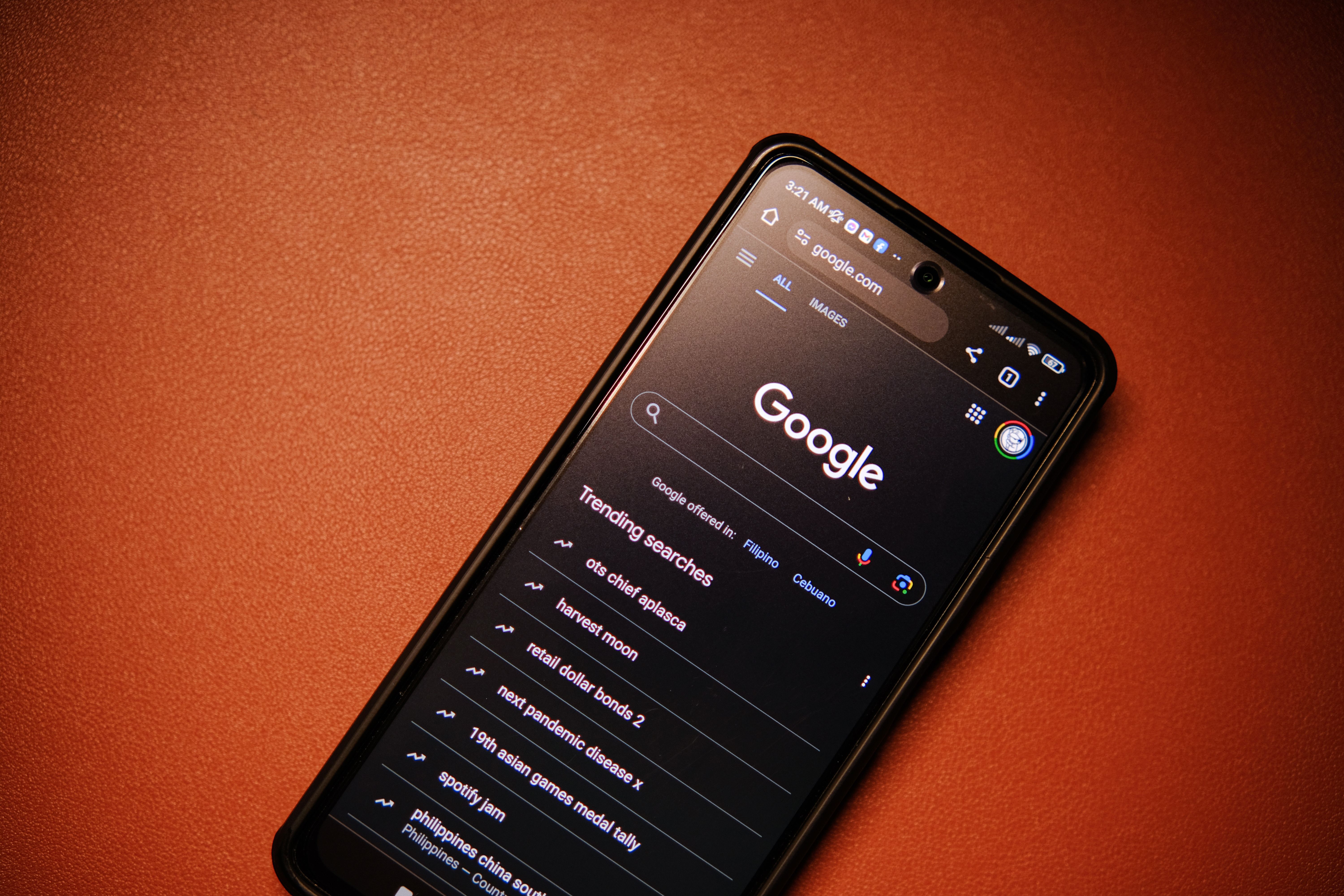
The useful operational rule is simple: apply browser updates quickly on managed devices, and run the site smoke test after the planned stable release or when a meaningful security change affects the environment. Escalate actual evidence of a broken or compromised flow. Do not invent an incident from a version number alone.
🧩 What developers should watch in the next releases
Mozilla’s localization post identifies a shorter window between a string landing and release, beginning with Firefox 155’s transition. That detail is aimed at localization contributors, but it illustrates the broader consequence of a shorter cycle: work moves through the pipeline more frequently. For product teams, the response is to reduce the size of each change and keep automated checks close to the code.
Run unit and integration tests on every change. Add an end-to-end test for the highest-value journey where feasible, such as login, form submission, or checkout. Use semantic HTML before adding custom controls; native buttons, inputs, labels, and links generally travel across browsers more reliably than a pile of scripted substitutes. Test progressive enhancement: the core action should remain understandable when a nonessential script or widget fails.
Keep a supported-browser policy visible to clients and staff. It can say that the site is checked against the current stable versions of Firefox, Chrome, Safari, and Edge, with priority based on audience and contractual needs. It should not promise compatibility with every historical browser forever. A policy makes it easier to say when an old, unsupported browser requires an upgrade rather than a custom workaround.
Watch release notes for changes relevant to the application’s stack. An agency supporting several clients can subscribe once, triage once, then route specific concerns to affected sites. That is more efficient than asking every client to interpret browser-engine details. The client-facing output should be a concise status: tested, issue found, workaround, owner, and next check.

🧾 A release note is not a customer incident report
It is tempting to turn a browser update into a dramatic headline. That approach makes maintenance feel urgent, but it can also create unnecessary fear. A release note records software changes. It does not prove that a particular website is broken, that a customer’s transaction failed, or that a business has been breached.
The opposite mistake is quieter and more common: ignoring release notes because the site looked fine last time. Software changes accumulate. Third-party services change their own code. A clear routine creates evidence rather than assumptions. If the five journeys pass on Firefox stable, record it. If one fails, reproduce it, identify the impact, and communicate only what is known.
This is especially important for studios and agencies. Clients need a service that translates platform movement into work they can understand. “Firefox changed its schedule” is background. “We tested your booking, quote, and login paths on the current stable release; the booking date picker needs a fix” is an actionable finding.
A simple severity guide helps:
- Critical: payment, login, booking, or primary lead capture fails for customers. Escalate immediately and consider a temporary workaround.
- High: a major audience segment cannot complete an important task, but an alternative path exists. Fix on a short, named timeline.
- Moderate: a visible issue affects comprehension or ease of use without blocking completion. Schedule it with the next maintenance release.
- Low: a minor visual discrepancy with no meaningful user impact. Document it and decide later.
There is a second benefit to recording results over time. A maintenance log shows patterns that a single report cannot. If the same embedded service repeatedly causes a failure, the team has evidence to review its contract, loading strategy, fallback, or replacement. If a problem appears only after a content edit, the browser release may be a coincidence. If failures cluster on a particular phone, operating-system update, or network route, the next investigation becomes narrower.
Keep production observation modest but useful. Track server errors, client-side errors where the site has consented monitoring, completion rates for the key form, and uptime for dependencies that affect conversion. A sudden change after a release deserves attention; it still needs confirmation before being called a browser regression. Compare a normal baseline, the affected time window, and an attempted reproduction. This protects teams from both denial and overreaction.
When a temporary workaround is needed, state its limits plainly. Asking customers to switch browser may keep a transaction moving, but it is not a permanent accessibility or compatibility strategy. A clear status message, an alternate support channel, or a manual booking process can reduce harm while the technical fix is prepared. Record when the workaround starts and remove it after the repaired journey has passed the same test.
For a studio, the record also makes maintenance visible without inflating it. A monthly or quarterly client note can group the checks completed, issues resolved, pending dependencies, and the next scheduled review. It turns browser support from an invisible promise into a small, auditable part of running a website.
✅ A calm routine beats a heroic fix
Firefox’s two-week release schedule starts a new operational tempo, not a demand for constant reinvention. The businesses that benefit will be the ones that turn it into a small, reliable habit. They will know which journeys deserve attention, test them on a current Firefox desktop and Android installation, keep a short record, and escalate based on impact.
Set up the first check now. Put Firefox 155’s release window on the maintenance calendar. Select the five journeys that matter. Name the person who records the result. Then repeat the routine when the next stable release arrives. That is enough to make a browser cadence useful: less guesswork, quicker evidence, and fewer customer-facing surprises.
Sources: Mozilla Support, “Firefox new release cadence and what to expect” (19 August 2026), https://blog.mozilla.org/sumo/2026/08/19/firefox-new-release-cadence-and-what-to-expect; Mozilla L10N, “Firefox Release Changes and Localization” (23 July 2026), https://blog.mozilla.org/l10n/2026/07/23/firefox-release-changes-and-localization; Mozilla Firefox release calendar, https://wiki.mozilla.org/Release_Management/Calendar; Mozilla Security Advisories, https://www.mozilla.org/security/advisories/; Mozilla Firefox Accessibility documentation, https://support.mozilla.org/kb/accessibility-features-firefox; Mozilla, “NVIDIA GeForce NOW on Firefox for Windows” (18 August 2026), https://blog.mozilla.org/en/firefox/firefox-nvidia-geforce-now-partnership.


