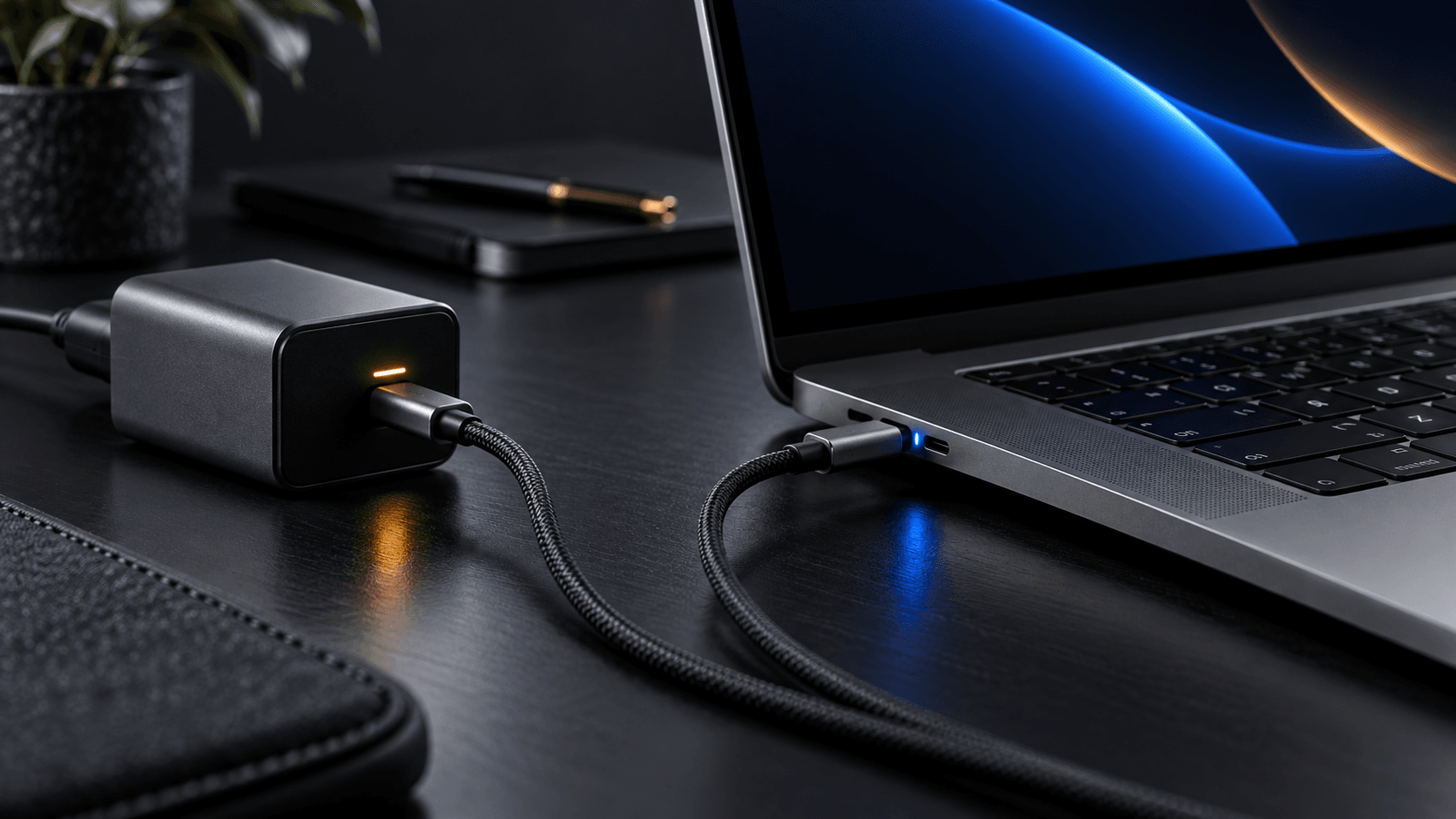
You sit down at your desk with your laptop plugged into a sixty-five-watt gallium nitride charging brick. The battery indicator is green, your external monitor is humming quietly, and your workflow is settled. Then you take your phone out of your pocket, grab a loose USB-C cable, and plug it into the second port of the same charger.
For half a second, everything stumbles. Your laptop screen abruptly dims and flickers back to life. If you have an external solid-state drive drawing power from that same loop, it unceremoniously disconnects, tossing an unmount warning across your desktop. If you were powering a headless mini PC or a home network gateway, the machine simply shuts down cold, dropping offline without flushing its disk cache.
For most people, the immediate reaction is frustration tinged with suspicion. It feels like a defect, a loose copper contact, or the hallmark of a cheap power accessory cutting corners. Many users pack the charger back into its box and initiate a return, convinced that a premium multi-port charger from Anker, Ugreen, Baseus, or Satechi should power two gadgets without stumbling.
Yet this momentary blackout is not a hardware flaw. It is an engineered safety mechanism mandated by international electrical standards. If your multi-port charger did not cut power to your laptop when you plugged in your phone, your phone could suffer an exploded power management chip, a damaged battery controller, or a thermal runaway event before you could pull the plug.
Understanding why modern fast chargers pause requires diving into the collision between high-density semiconductor physics, circuit board economics, and the digital state machine governing the USB Power Delivery protocol.
⚡ The Mystery of the Flickering Screen
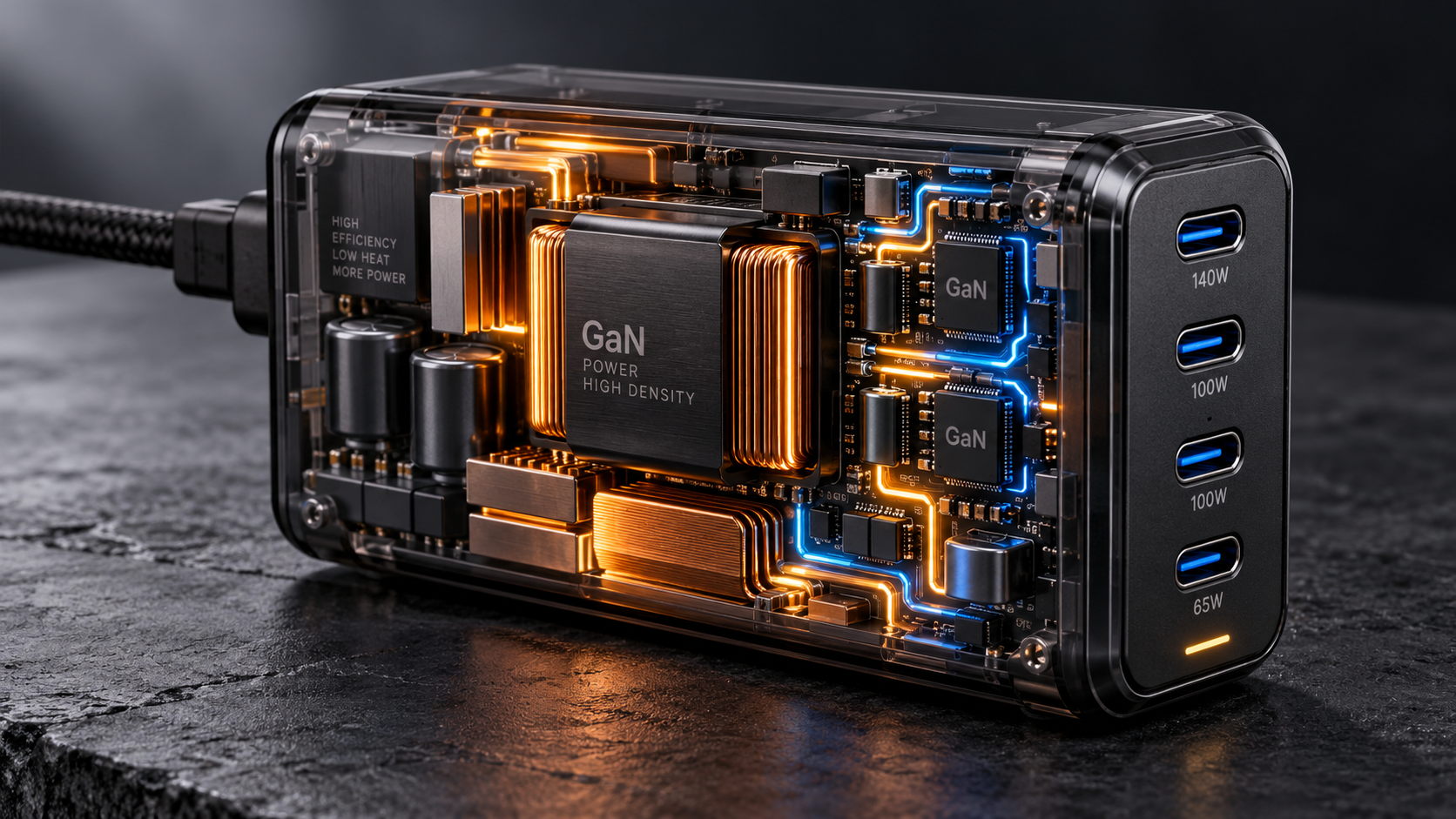
The modern multi-port charger is a triumph of materials science. A decade ago, delivering one hundred watts of direct current required a brick the size of a paving stone, packed with heavy iron-core transformers and thick aluminum heatsinks. Traditional silicon MOSFETs were thermally constrained; high switching frequencies generated intense waste heat, forcing power supplies to remain bulky to radiate thermal energy safely into ambient air.

The commercialization of gallium nitride (GaN) fundamentally altered power electronics. GaN features an energy bandgap three times wider than silicon, allowing electrons to move through the crystal lattice with higher mobility and lower resistance. Transistors switch at hundreds of kilohertz without overheating. Because energy transfers in smaller, frequent packets, inductors and capacitors shrink dramatically. A sixty-five-watt supply suddenly fits comfortably inside a pocket.
With miniaturization came port consolidation. Consumers demanded a single wall adapter equipped with multiple USB ports to charge a laptop, tablet, and smartphone simultaneously. Manufacturers fulfilled this demand, stamping promises of "Smart Power Allocation" across packaging.
Yet almost immediately, complaints flooded tech forums. Users documented a persistent glitch: whenever a secondary device was attached to or detached from an active multi-port GaN charger, all existing power streams cut out completely for three hundred milliseconds to two full seconds.
The symptom varies by device. On an Apple MacBook, the screen momentarily dims before brightening. macOS detects the loss of AC power, adjusts display backlight to match the battery profile, and reverses the decision a fraction of a second later when power returns. On a Windows notebook, the notification chime rings out twice in rapid succession as the system registers an immediate disconnect and reconnection.
On battery-equipped devices, the glitch is an annoyance. But for users running mini PCs, homelab clusters, Network Attached Storage nodes, or external backup drives directly off USB-C adapters, this minor annoyance turns into a catastrophic failure. A mini PC lacks an internal battery buffer; cut its power rail for even one-tenth of a second, and its internal capacitors drain, inducing an immediate hard crash, fractured database transactions, and file system corruption.
To understand why this happens, one must examine the digital conversation that occurs the millisecond metal touches metal inside a USB-C receptacle.
🔌 Inside the USB Power Delivery Handshake
A common consumer misconception is that a USB wall charger behaves like a household AC wall socket. In a wall outlet, 120 or 230 volts of AC power sits permanently live across the copper prongs, waiting for an appliance to complete the circuit and draw current according to Ohm's law.
USB Type-C is fundamentally different. By default, a modern USB-C port is electrically dead. When unplugged, there is zero high-voltage power coursing through its VBUS pins. It does not provide twenty volts, it does not provide nine volts, and on strict implementations, it does not even output a baseline five volts until it verifies that a valid sinking device is attached.
This safety architecture is dictated by the universal nature of the connector. The exact same physical USB-C port that feeds one hundred watts at twenty volts to a workstation laptop must also accept a delicate five-volt pair of wireless earbuds, a passive flash drive, or an audio dongle. If a charger left twenty volts resting permanently live across its pins, plugging in an older five-volt accessory could bridge contacts and instantly vaporize the peripheral's internal silicon.
Instead of blind power delivery, the USB Implementers Forum (USB-IF) engineered an active digital communications protocol known as USB Power Delivery (USB-PD). Power delivery is not an analog flow; it is an ongoing, negotiated digital contract executed between two microchips: the Policy Engine inside the Source (the charger) and the Policy Engine inside the Sink (the laptop or phone).
When you insert a USB-C cable into a charger and attach it to your laptop, the physical connection is established through dedicated Configuration Channel pins, designated as CC1 and CC2.
The charger places a pull-up resistor ($R_p$) on the CC line, while the receiving device houses a precision pull-down resistor ($R_d$) calibrated to 5.1 kilo-ohms. When the cable connects, a voltage divider circuit forms. The charger's microcontroller senses the voltage shift on the CC pin, confirming a device is attached and determining connector orientation.
Only after this analog detection succeeds does the charger energize VBUS to a safe baseline of five volts (vSafe5V).
From that five-volt baseline, the two chips communicate across the CC wire using Biphase Mark Coding (BMC) at three hundred kilohertz. The charger broadcasts a digital packet called Source_Capabilities, containing an array of Power Delivery Objects (PDOs) representing available voltages and currents:
- PDO 1: Fixed 5V at 3.0A (15W)
- PDO 2: Fixed 9V at 3.0A (27W)
- PDO 3: Fixed 15V at 3.0A (45W)
- PDO 4: Fixed 20V at 3.25A (65W)
- APDO 1: Programmable Power Supply (PPS) 3.3V to 21V at 3.0A
The laptop's microcontroller evaluates its battery level and thermal state, and transmits a Request message containing a Request Data Object (RDO) requesting PDO 4: twenty volts at 3.25 amperes.
The charger evaluates the request, transmits Accept, ramps internal power from five to twenty volts, waits for voltage to settle, and sends PS_RDY (Power Supply Ready). Only then does the laptop draw sixty-five watts.
This digital dance takes one hundred to three hundred milliseconds. As long as nothing changes, this contract remains steady for hours.
Then, you plug in your phone.
🛡️ Why Voltage Must Plunge to vSafe0V
The moment your phone's USB-C connector slides into Port 2, the charger's operating environment is thrown into upheaval.
Before the phone was inserted, Port 1 was delivering twenty volts to your laptop at sixty-five watts, the maximum limit of the adapter. The internal transformer has a total rating of sixty-five watts. It cannot supply sixty-five watts to the laptop and twenty watts to the phone without overloading the primary stage and tripping thermal protection.
The charger's microcontroller must redistribute its finite wattage budget. Based on firmware lookup tables, it decides the new distribution must be forty-five watts for Port 1 (twenty volts at 2.25 amperes) and twenty watts for Port 2 (nine volts at 2.22 amperes).
Here lies the dangerous electrical problem: Port 1 is operating at twenty volts, but its contract is invalid because available current has been downgraded. Meanwhile, Port 2 is sitting open. How does the charger safely transition both ports?
Why can't the microcontroller adjust the laptop's current limit on the fly without cutting power? The answer lies in semiconductor physics and strict compliance testing enforced by the USB-IF.
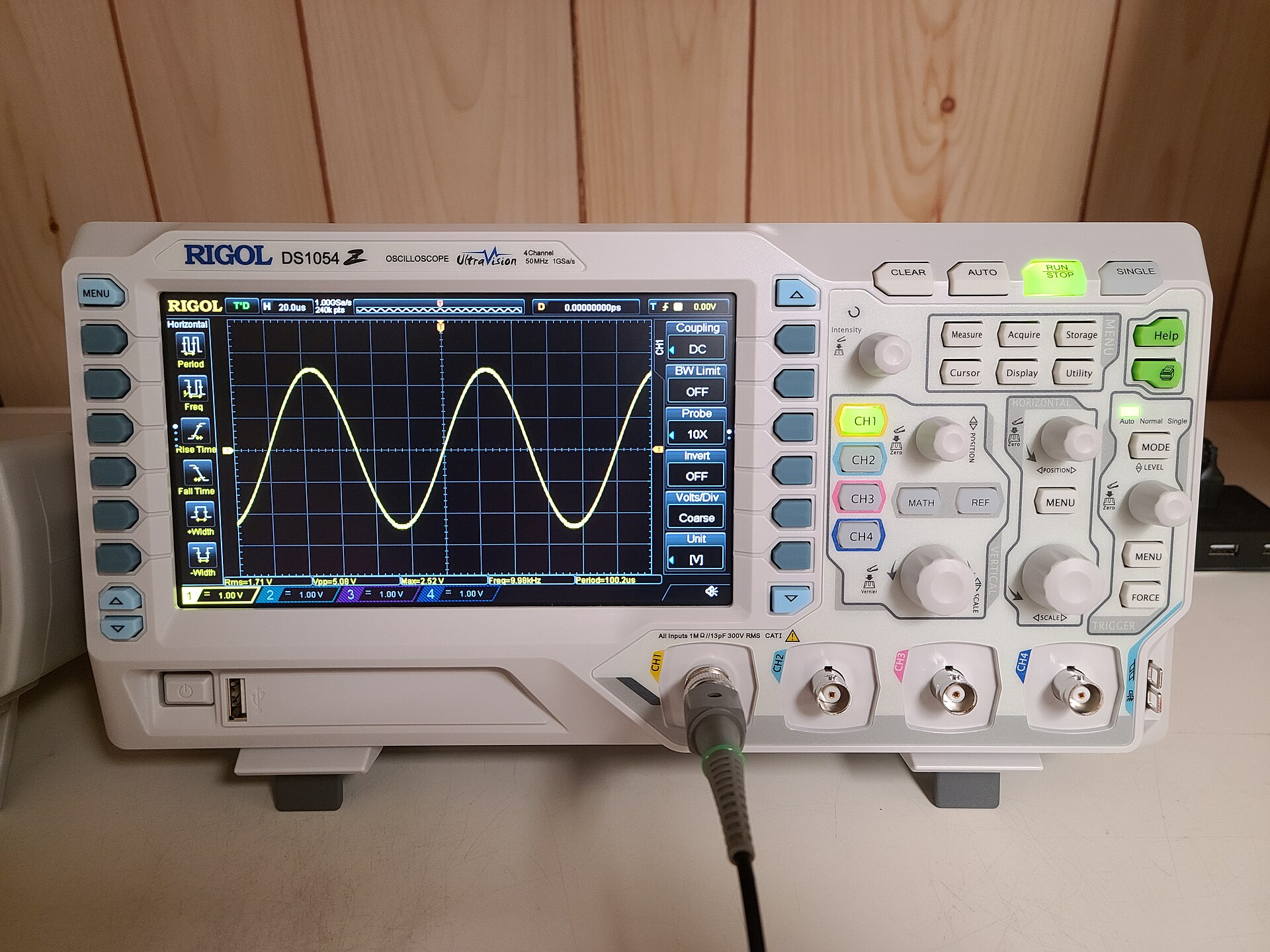
If a charger changes power delivery parameters dynamically while maintaining high voltage on VBUS, it creates a cross-rail transient or shoot-through risk.
In a multi-port charger, ports share common ground planes and secondary switching rails. When a phone is first plugged into Port 2, its power management integrated circuit (PMIC) is rated to handle an initial input of five volts. If there were even a microsecond glitch in the charger's routing switches, the twenty-volt rail actively driving the laptop could spike across into the five-volt port.
Dumping twenty volts into a circuit engineered for five volts causes instantaneous dielectric breakdown. The silicon traces inside the smartphone's input protection diodes would fuse open, the charging controller would scorch, and the device would be destroyed.
To prevent this hazard, the USB-IF Source Power Requirements Test Specification (Section 7.1.7.4 and test assertion SPT.5) establishes an uncompromising rule: whenever an electrical reset, contract termination, or major reconfiguration occurs, the power supply must deliberately pull the VBUS line down to vSafe0V.
The specification defines vSafe0V as a voltage level between zero and 0.8 volts. The charger must intentionally short its output rail to ground through an active discharge circuit, draining stored energy out of its capacitors until the line is dead.
The charger drives Port 1 to vSafe0V to wipe the existing state machine clean. It brings the line back up to vSafe5V, transmits a new Source_Capabilities broadcast advertising the forty-five-watt profile, waits for the laptop to submit a fresh Request, sends Accept, stabilizes voltage back to twenty volts, and issues PS_RDY.
Simultaneously, the charger conducts the same handshake on Port 2 with the smartphone, negotiating its twenty-watt contract.
That legally mandated dive down to vSafe0V takes between one hundred milliseconds and one second. It is that precise duration of zero volts that cuts power to your laptop, causing its screen to dim, its chime to ring, and its external drives to unmount.
The charger is not glitching. It is saving your phone from electrical destruction.
🧩 The Physical Economy of Buck Converters
Why do multi-port chargers share components in a way that forces them to renegotiate contracts across all ports simultaneously? Why can't a charger build completely independent, isolated power circuits for each individual port, allowing Port 1 to remain undisturbed while Port 2 negotiates with a phone?
The answer comes down to the brutal laws of consumer electronics manufacturing: volume, heat, weight, and retail cost.
To understand how a modern GaN charger is constructed, one must look at the internal component topology revealed in hardware teardowns conducted by engineering laboratories like ChargerLAB.
A multi-port fast charger does not contain separate power supplies inside a single case. Doing so would require multiple primary AC-DC stages, multiple planar transformers, and duplicated optocouplers, doubling physical volume and bill-of-materials cost. A three-port charger built with independent power channels would be as large and heavy as three separate single-port chargers taped together.
Instead, electrical engineers utilize a shared-bus architecture centered around high-efficiency synchronous buck converters.
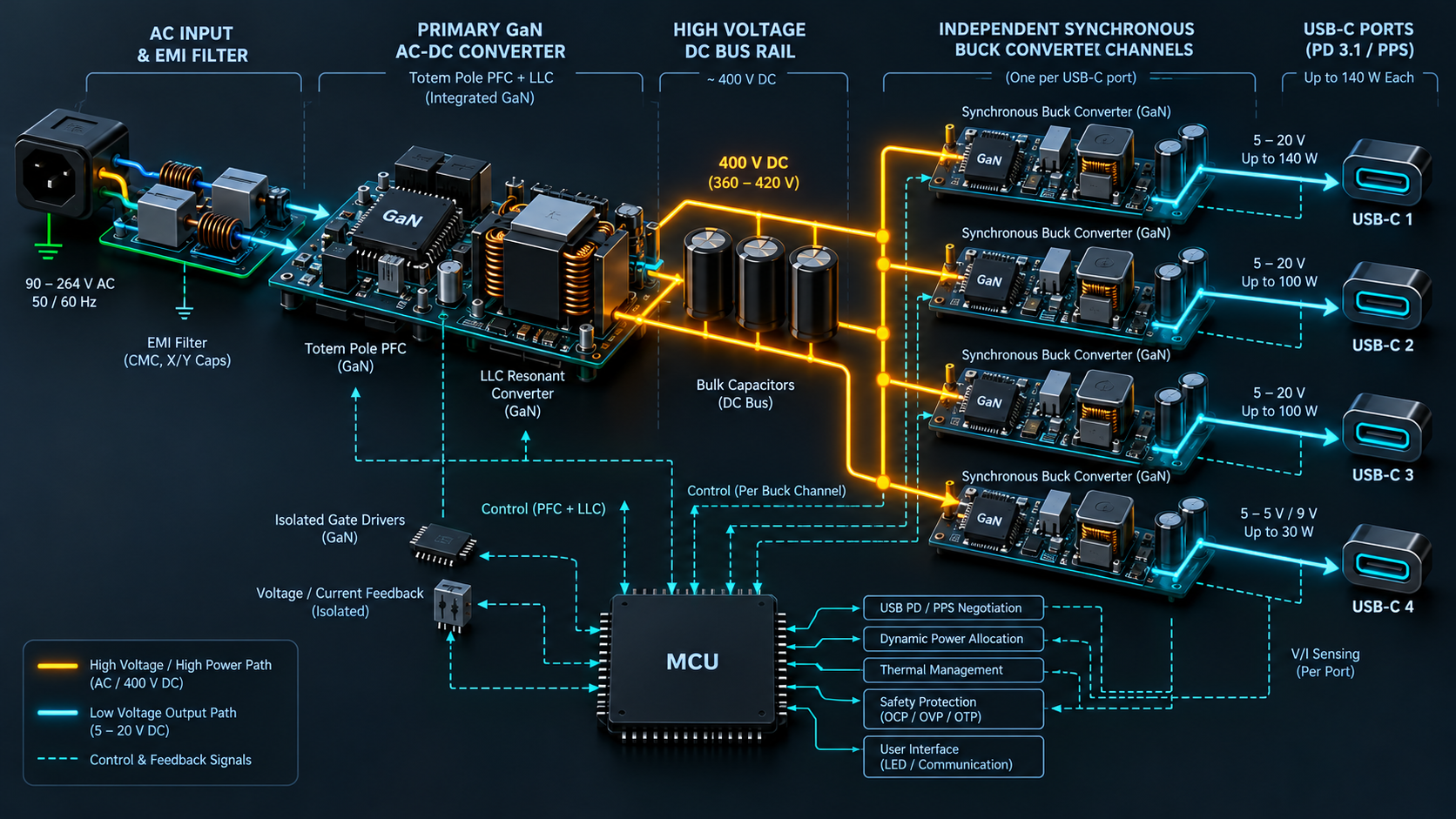
Incoming alternating current passes through an EMI filter, a bridge rectifier, and a primary conversion stage driven by high-frequency gallium nitride transistors (often supplied by Navitas, Innoscience, or Infineon). This primary stage converts high-voltage AC into a single direct current rail, typically regulated between twenty and twenty-eight volts.
From this shared DC bus, the circuit branches out into individual secondary DC-DC step-down converters, known as synchronous buck converters. Each physical USB-C port is paired with its own buck converter sub-circuit, managed by a dedicated controller chip (such as those from Southchip, Injoinic, or Hynetek).
The buck converter steps down the shared DC bus to whatever voltage that specific port requires: stepping twenty-four volts down to nine volts for a smartphone, or down to five volts for an accessory.
However, all secondary buck converters draw power from the same primary power pool. The primary transformer has a strict thermal ceiling—for example, sixty-five watts total continuous capacity.
Because total capacity is shared, secondary buck converters cannot operate as independent entities. They are tethered to a master microcontroller unit (MCU). This MCU acts as a power budget manager, continuously monitoring current sensors and CC lines across all ports.
When Port 1 is the only active port, the master MCU instructs Port 1's buck converter to pass sixty-five watts directly to the laptop. But the microsecond a cable is inserted into Port 2, the MCU's dynamic power allocation state machine takes over.
The MCU must rewrite register values in secondary port controllers. To prevent transient inductive kickback, cross-channel noise coupling, and thermal runaway, the simplest engineering solution is to reset the secondary state machine. The MCU commands primary and secondary switches to drop contracts, discharge output filters, and re-poll attached devices from scratch.
This architectural compromise enables a sixty-five-watt multi-port charger to retail affordably while fitting into the palm of a hand. The price of that compactness is the renegotiation blip.
💥 The Silent Victims Without Batteries
For mobile electronics, the USB Power Delivery renegotiation blip is an invisible or minor ergonomic nuisance. A smartphone, tablet, or MacBook contains an internal lithium-ion battery coupled to system power rails through a battery management system (BMS).
When the external VBUS supply drops to vSafe0V for four hundred milliseconds, the laptop does not lose power at the processor level. The laptop's internal power path controller detects the drop on VBUS and switches its internal power multiplexer over to battery power in microseconds. The computer runs uninterrupted. The only outward sign is that the operating system detects the AC disconnect event and adjusts display brightness according to the battery profile.
However, the technology ecosystem has evolved in ways that the original authors of the USB Power Delivery specification never anticipated. USB Type-C has moved aggressively beyond phones and laptops to become the default power connector for stationary, battery-less computing hardware.
Today, millions of users rely on USB-C to power desktop mini PCs (such as units from Beelink, Minisforum, and Geekom), single-board computers like the Raspberry Pi 5, Wi-Fi mesh routers, external desktop hard drives, and portable secondary monitors.
None of these devices contain a lithium-ion battery. They depend entirely on continuous direct current flowing across the USB-C cable.
When a user connects a mini PC homelab server to Port 1 of a one-hundred-watt multi-port GaN charger, and later plugs a smartphone into Port 2, the results are catastrophic.
A mini PC motherboard is populated with small ceramic multilayer capacitors and solid electrolytic cans. These capacitors filter high-frequency switching ripple and handle microsecond transient load spikes when the CPU bursts to full clock speed. They hold enough stored energy to keep the system rail stable for ten to thirty milliseconds.
They cannot hold up a power rail through a four-hundred-millisecond or one-second vSafe0V brownout.
The moment the GaN charger executes its safety reset, the mini PC's voltage collapses below the operating threshold of its core voltage regulators. The CPU halts instantly. RAM loses refresh cycles, obliterating volatile data in memory. Hard drives and solid-state disks suffer an immediate ungraceful power loss in the middle of active sector writes.
For users running homelab clusters, home automation servers, or ZFS storage pools, this causes data corruption. Entire database tables fracture, storage arrays fall out of quorum, and boot partitions become unreadable—all because someone plugged a phone into an adjacent port.
A similar vulnerability plagues external solid-state storage. High-speed NVMe portable drives draw power from a laptop or desktop USB-C hub. When a hub powered by a GaN pass-through charger experiences a renegotiation blip, it drops power to downstream ports, severing data connections to external SSDs. If the user was exporting a video project, transferring camera footage, or updating a database, the write cache is dumped and file structures can be damaged.
The takeaway for modern desk setups is clear: dynamic multi-port GaN chargers are battery chargers, not uninterrupted power supplies. Any mission-critical hardware lacking an internal battery must never share a dynamic GaN power rail with secondary devices.
🏷️ The Ghost Drain of E-Marker Smart Cables
While the act of plugging in a phone explains most power interruptions, a second phenomenon confuses hardware enthusiasts: phantom renegotiation.
Many users set up their workspace by leaving multiple USB-C cables permanently plugged into their multi-port wall charger. One cable runs to the laptop; a second cable rests neatly on the desk, its connector unplugged and idle, waiting to charge a phone later.
Strangely, many find that even with nothing attached to that second cable, their laptop cannot draw its full sixty-five or one hundred watts. A sixty-five-watt charger stubbornly refuses to supply more than forty-five watts to Port 1, leaving the laptop charging sluggishly.
Even stranger: if the user unplugs that empty cable from Port 2, the laptop screen blinks, and the laptop suddenly receives the full sixty-five watts.
How can an empty piece of plastic and wire steal power from an active computer when nothing is drawing current at the other end? The answer lies inside the silicon brain embedded within the cable connector: the Electronic Marker, or e-Marker chip.
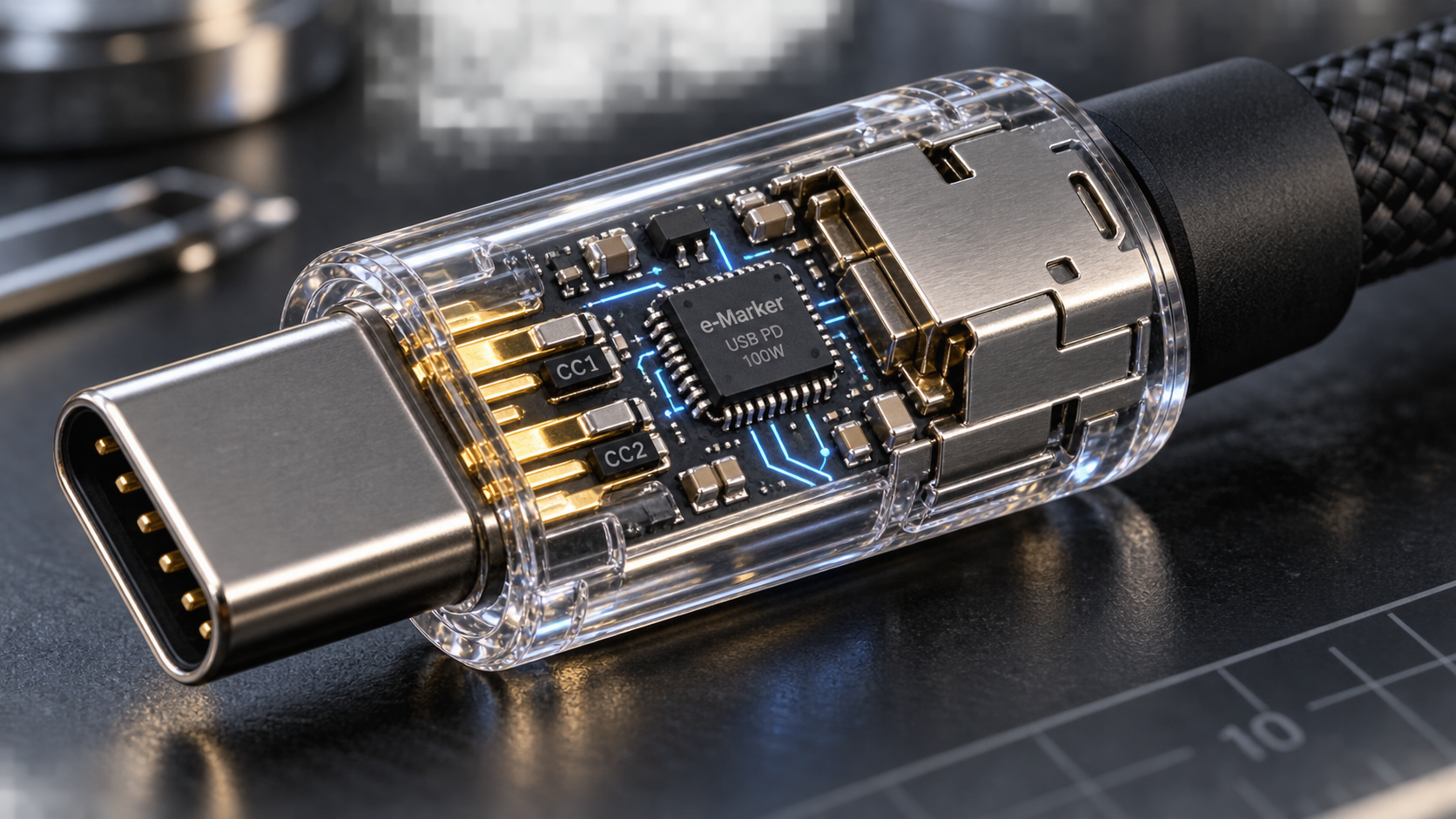
Under the USB Type-C specification, standard passive cables are only certified to carry up to three amperes at twenty volts, establishing a sixty-watt ceiling. Any cable intended to carry five amperes—allowing power levels of one hundred watts under USB-PD 3.0, or up to two hundred and forty watts under the USB-PD 3.1 Extended Power Range (EPR) specification—must legally contain an integrated circuit known as an e-Marker.
The e-Marker is a microscopic silicon chip embedded inside the overmold shell of the USB-C plug. It contains non-volatile memory programmed by the manufacturer with critical electrical parameters: maximum rated current, maximum voltage rating, data signaling speed, vendor ID, and physical wiring characteristics.
When an e-Marker cable is plugged into a charger, the charger does not wait for a phone to be connected at the far end before inspecting the wire. The charger needs to know the electrical limits of the cable immediately.
To power the e-Marker chip, the charger provides a tiny trickle of power across the unused CC2 line, a secondary supply voltage known as VCONN. The e-Marker terminates the line with a specific resistance value ($R_a$), signaling its presence to the charger's microcontroller. The charger transmits an identity query across the wire, and the e-Marker broadcasts its credentials back.
Here is where consumer charger firmware creates an unintended trap.
Many multi-port chargers utilize simplified microcontroller logic. Rather than continuously monitoring whether active current is flowing across the VBUS conductors of Port 2, the MCU's detection routine relies purely on the electrical termination of the CC communication pins.
When you plug an e-Marker cable into Port 2—even if the opposite end is resting empty on your desk—the e-Marker chip establishes a valid electrical connection on the CC and VCONN pins. The charger's microcontroller senses this termination, consults internal lookup tables, and concludes that a high-capacity device cable is attached to Port 2.
Assuming that a secondary device is present or about to draw power, the charger's firmware preemptively drops the power contract on Port 1 to reserve headroom for Port 2. It drops the laptop from sixty-five watts down to forty-five watts, permanently locking twenty watts of capacity into reserve for a ghost load that does not exist.
This problem is exacerbated by smart cables equipped with real-time digital wattage displays. These cables feature miniature OLED or LED displays built into the connector housing, showing the user exactly how many watts their phone is consuming. To drive that glowing digital display and its internal current-sensing shunt, the cable actively siphons between fifteen and thirty milliamps of current directly from the charger.
To a multi-port GaN charger, an active smart cable looks identical to a connected peripheral device. The charger will never release its full single-port wattage allocation as long as that smart cable remains inserted into the secondary port, permanently hamstringing the charging speed of whatever device is plugged into Port 1.
🔄 The New Race for Hitless Seamless Switching
The consumer frustration surrounding renegotiation blips has spurred semiconductor manufacturers and accessory brands to action. An engineering race has unfolded across the industry to eliminate the one-second blackout entirely.
The industry term for this capability is hitless power allocation or seamless dynamic redistribution.
Achieving hitless power distribution requires breaking away from cheap shared-bus microcontroller topologies. Power electronics companies are approaching the problem through two hardware architectures.
The first approach is the true dual-channel discrete architecture. Rather than building a single transformer that feeds shared buck converters, manufacturers incorporate two entirely independent primary conversion stages within the same housing. Brands like Anker, with their higher-tier GaNPrime series, and specialized workstation docks utilize multi-transformer layouts. In this configuration, Port C1 is permanently wired to an isolated power supply that has zero electrical connection to Port C2. You can plug, unplug, or reconfigure Port C2 without Port C1 experiencing voltage variation. The trade-off remains volume and cost: these chargers are heavier and command price tags fifty to eighty percent higher than standard multi-port adapters.
The second approach relies on advanced secondary buck-boost controllers capable of live, uninterrupted PDO transitions. Companies like Texas Instruments (with controllers like the LM51772) and Analog Devices (with automotive-grade controllers like the MAX25430 and MAX25432) have developed integrated circuits that dynamically shift output current allocations without collapsing the output voltage rail to vSafe0V.
In these systems, when Port 2 detects a new device, the microcontroller does not issue a hard reset. Instead, it utilizes the USB-PD protocol's soft negotiation mechanisms. It sends a revised Source_Capabilities message across the laptop's CC line while keeping VBUS solidly pinned at twenty volts.
The laptop receives the revised capabilities, submits a new Request adjusting its current ceiling from 3.25 amperes down to 2.25 amperes, and accepts the change. The charger smoothly throttles the gate drivers on Port 1's synchronous buck converter in real time, shifting excess energy over to Port 2. The voltage never drops below operational limits. The laptop screen never blinks, external SSDs remain mounted, and mini PCs continue running without dropping a packet.
This engineering challenge explains why Apple was notoriously slow to release a multi-port charger, and why its eventual product looked conservative compared to third-party alternatives.
When Apple introduced its 35W Dual USB-C Port Power Adapter alongside the MacBook Air, reviewers criticized its modest power rating. Competitors were shipping compact one-hundred-watt four-port GaN adapters for the same retail price.
However, teardowns of Apple's dual-port charger revealed a safety-first layout. Apple engineered a proprietary power-sharing algorithm that splits the thirty-five-watt budget evenly (17.5W + 17.5W) or allocates 27.5W + 7.5W depending on attached device profiles, utilizing high-precision communication handshakes engineered specifically to prevent the jarring brightness flickers that disrupt macOS. Apple prioritized seamless operating system integration over raw wattage figures.
As USB-PD 3.1 Extended Power Range adoption accelerates—pushing charging limits up to one hundred and forty watts at twenty-eight volts, and eventually two hundred and forty watts at forty-eight volts—seamless hitless switching will cease to be a luxury feature. At forty-eight volts, the energy stored in internal output filter capacitors is massive; an ungraceful reset or voltage transient is a severe electrical hazard capable of arcing across miniature pins. The future of high-power charging demands controllers intelligent enough to negotiate without blinking.
🧭 A Field Guide to Taming Multi-Port Chargers
Until hitless power switching becomes universal across every entry-level charger on store shelves, consumers and tech professionals must navigate the quirks of dynamic power allocation with practical operational hygiene.
By understanding the rules that govern your charger's internal microcontroller, you can configure your desk and travel kit to eliminate surprise blackouts, maximize charging throughput, and protect vulnerable hardware from ungraceful crashes.
Here is the essential operational playbook for managing multi-port GaN power adapters:
- Respect the port hierarchy sequence. Multi-port chargers are not symmetrical; internal circuit boards are wired with strict port priorities. On almost every charger on the market, Port C1 is hardwired to the primary high-voltage rail, while lower ports share secondary buck stages. Always plug your highest-wattage device—your primary laptop—into Port C1 before attaching accessories. Furthermore, plug devices in sequence: attach your laptop, wait three to five seconds for the initial USB-PD handshake to resolve and the charging indicator to stabilize, and only then plug your phone or tablet into Port C2. Plugging multiple devices in simultaneously can trigger cascading contract renegotiations that confuse the policy engine, occasionally locking both ports into a lowest-common-denominator five-volt safety fallback.
- Evict empty cables and smart accessories. If you are not actively charging a device from a secondary port, physically unplug the cable from the charger. As demonstrated by e-Marker testing, leaving a high-capacity five-ampere cable or an illuminated digital wattage display cable resting idle in Port 2 tricks the charger's microcontroller into holding ten to twenty watts in permanent reserve. Unplugging the empty cable instantly frees the entire wattage envelope, allowing Port C1 to burst to its maximum advertised output.
- Never power battery-less infrastructure from a dynamic rail. If you operate a desktop mini PC, a Raspberry Pi home server, an external multi-bay storage enclosure, or a network router, do not plug it into a multi-port GaN charger that also serves as a casual phone charging station. The first time someone borrows that secondary port to top up an iPad, your server will suffer an ungraceful hard shutdown. For battery-less hardware, use a dedicated single-port power adapter, an isolated fixed-rail industrial supply, or a dedicated uninterruptible power supply (UPS).
- Audit your gear with hardware test tools. If you suspect your charger is underperforming or behaving erratically, stop guessing based on software battery icons. Inexpensive USB-C power meters—such as the Power-Z KM003C or FNIRSI FNB58—plug inline between your charger and cable, displaying real-time voltage, current, and protocol negotiation packets. These tools allow you to read the exact
Source_Capabilitiestable advertised by your charger, observe PDO contract shifts as secondary ports are engaged, and instantly detect whether an e-Marker chip is misbehaving.
The next time you plug your phone into your desk charger and watch your laptop screen dip into darkness for a brief second, resist the urge to curse the hardware. That fleeting blackout is not a failure of modern engineering. It is the sound of microscopic electronic gates snapping shut, an international safety specification working as intended, and a silent microcontroller sacrificing half a second of convenience to ensure your pocket computer lives to see another charge.
Sources: USB Implementers Forum (USB-IF) Universal Serial Bus Power Delivery Specification Revision 3.1 Version 1.8; USB-IF Source Power Requirements Test Specification (Section 7.1.7.4 & SPT.5 Assertions); Texas Instruments Technical Reference Manual TPS25730 & LM51772 Synchronous 4-Switch Buck-Boost Controllers; Analog Devices MAX25430/MAX25432 Automotive 100W USB-PD Port Controller Engineering Data Sheets; ChargerLAB Hardware Teardown Archives.