
GPT-6 Intelligent UI changes the shape of a ChatGPT answer. In the October 7, 2026 announcement, OpenAI showed a bicycle explanation with selectable parts, a meal plan with adjustable quantities, and tools built inside a conversation. The interesting change isn't another paragraph arriving faster. It is that a reply can now include controls the reader operates.
A button turns a reader into an operator. That sounds like a small design change until the answer is a savings calculator, a shopping list or a diagram used to learn something unfamiliar. The interface can make a task easier to explore, but it also creates new questions: what exactly changes when you move a control, which assumptions remain fixed, and how do you preserve the result? This article examines the launch through those everyday questions, separating the published demonstrations from design judgments and tests readers can perform themselves.
🎛️ An answer becomes something you can operate
OpenAI describes Intelligent UI as a way to combine text, graphics, tappable buttons, forms, charts and interactive experiences directly in a conversation. The company says the format depends on the request. A comparison may appear side by side, an explanation may use an interactive diagram, and a simple question can still receive a text answer. That last detail matters. A useful interface should be selected because it serves the task, rather than because the system can draw one.
The release began rolling out to Plus, Pro, Business and Enterprise on October 7, with Free and Go expansion beginning October 8. OpenAI identifies GPT-6 Sol as the model for the listed paid tiers and GPT-6 Luna for Free and Go. Enterprise availability depends on workplace administrator settings. The announcement applies to the Chat experience; it explicitly says the models powering Work and Codex are not changing as part of this release. These are rollout statements, not confirmation that every account already has every capability.
The Verge reported the announcement on October 7, and TechRepublic followed on October 8. Both described interactive answers, including diagrams and calculators. Their reporting establishes attention around the release, but does not independently establish that every generated calculation is correct. We should keep those two kinds of evidence separate. A launch can be real and significant while particular performance claims remain company measurements.
The shift is easy to understand with a hypothetical household example. Suppose you are comparing a few possible dinner guest counts. A conventional text answer can describe quantities for four, six and eight people. An interactive answer lets you change the count. The reader's next action moves from writing another sentence to operating a control. That is a different interaction, even if the underlying advice still needs checking.
It does not follow that typing has become obsolete. Natural language is useful when the goal is still uncertain, or when someone needs to explain an exception. Controls become useful once the relevant variables are clear. A good conversational tool should let a person move between these modes without losing the assumptions that made the answer meaningful in the first place.
🚲 The bicycle demonstration shows a narrower kind of progress
The official launch page presents a seven-speed bicycle with selectable systems: frame, wheels, drivetrain, brakes and cockpit. Each selection reveals an explanation of that system's role. This is a concrete demonstration of navigation within an answer. Instead of asking separate questions about every part, the reader can explore a small, bounded subject through visible choices.
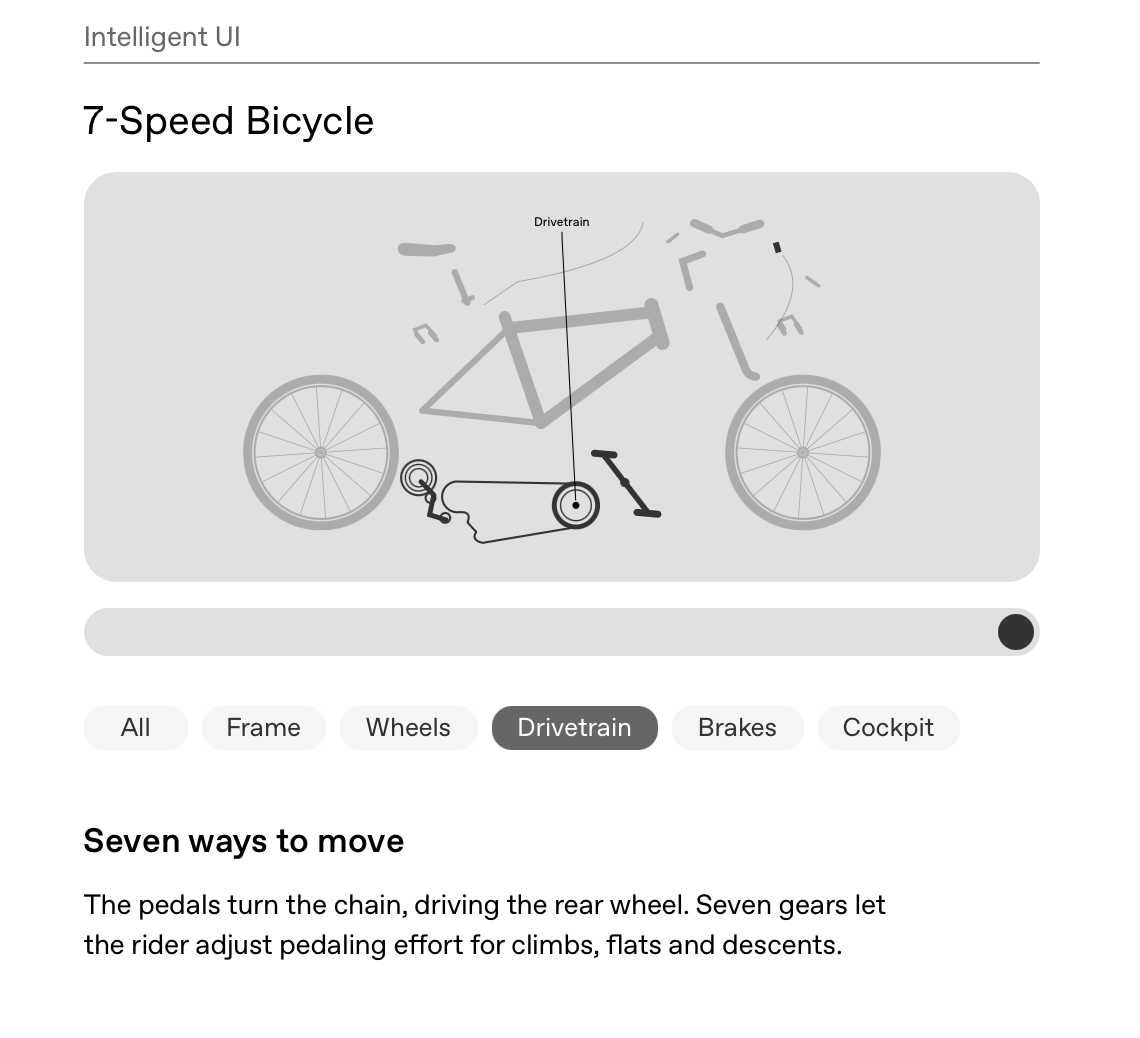
The screenshot documents the example shown at launch. It is not evidence that ChatGPT inspected a reader's own bicycle, diagnosed a mechanical fault or verified a particular component. Those would be different tasks requiring different information. A general diagram can help someone learn vocabulary; it cannot establish that an unfamiliar brake adjustment is safe on the bicycle standing in their hallway.
This distinction gives us a useful way to judge the feature. Ask whether the controls reveal information that was already organized, calculate something from defined inputs, or initiate an action beyond the conversation. In the bicycle example, the principal role is exploration. The buttons partition an explanation. They do not need to claim that a purchase was made or a real-world machine was repaired.
For learning, this boundedness is valuable. A reader can follow a chosen path through a topic without being forced to read a long answer in order. Someone interested in braking can go directly to brakes. Another reader can start with the frame. The design offers a route through material, but learning gains cannot be inferred from the screenshot alone. There is no independent educational study in the sources reviewed here measuring this demonstration's effect.
A useful test is whether the diagram still makes sense when the controls are unavailable. Can the person get a plain description of every part? Are labels explicit enough to connect the illustration to the explanation? Does an image carry information that the accompanying text omits? These are questions to ask when trying the tool, not defects this article has verified in the shipped product.
The bicycle example also shows why restraint belongs in interface design. Five named systems create a manageable map. Adding every possible component and animation would not automatically improve the explanation. A generative interface should be judged on how well it helps the reader find and understand the relevant material, rather than on the amount of visual activity it can produce.
🍽️ Everyday planning exposes the assumptions behind the controls
OpenAI's meal-planning demonstration includes a guest-count control, shopping quantities and a cooking timeline. It is a persuasive choice of example because the task combines information with changing inputs. People do not always know the final headcount when they begin planning. A control can keep the visible list aligned with a selected number without requiring the reader to restate the whole request.
The demonstration is still a plan, not a guarantee of a successful dinner. Portion assumptions, dietary needs, available equipment and the particular ingredients remain relevant. An interface that responds neatly to headcount does not necessarily respond correctly to every change in the situation. The user should be able to see which parts of the plan scale and which parts require a fresh judgment.
Imagine adapting that example to an Indonesian family meal. The useful questions are practical: does the total include the host, are children counted the same as adults, and are the quantities raw or cooked? These are hypothetical checks, not claims about a localized Intelligent UI feature. They illustrate how an apparently simple number can carry several meanings. A responsive screen cannot resolve an ambiguous unit by appearance alone.

The photograph accompanying this section is a generic illustration of tablet use. It does not show Intelligent UI being tested. That separation matters because a familiar human scene can otherwise make an untested product claim feel observed. The evidence for the launch comes from the published announcement and attributed reporting, not from the stock photograph.
For an everyday plan, ask for a short assumptions list before exploring the controls. That list could include the starting guest count, serving sizes, exclusions and quantities that stay fixed. Then change one input at a time. If the result changes in an unexpected way, ask the system to explain the relationship in words. The aim is to inspect the reasoning that matters to the task, rather than to request hidden internal reasoning.
The result should also be usable outside the original interaction. For shopping, that means a final list with units and the chosen headcount. For a timetable, it means explicit times and dependencies. A moving control is useful during exploration; a stable record is useful when someone leaves the conversation and has to carry out the plan in a kitchen, shop or train station.
🧮 A calculator deserves more scrutiny than a confident paragraph
The launch and subsequent reporting describe tools such as bill splitters and savings calculators. These examples raise a different issue from the bicycle diagram. A calculator makes numerical relationships operational. Users can change inputs and receive outputs that look like the product of a defined procedure. The interface should therefore make that procedure inspectable enough for the stakes involved.
A hypothetical bill splitter offers a simple test. Enter a small total that can be checked mentally, choose the number of people and inspect how the tool handles rounding. If the displayed shares do not add back to the total, there should be an explanation of the remaining amount. Then test a case with unequal shares or an excluded item if the tool claims to support it. None of this requires uploading a real receipt containing personal information.
When examining any newly generated calculation tool, three practical checks can clarify whether the output is dependable:
- Verify boundary conditions: Test zero, negative values, and inputs large enough to trigger unit changes.
- Check round-trip consistency: For an allocation tool, sum the individual outputs to confirm they match the original total.
- Inspect stated assumptions: Confirm whether interest rates, tax percentages, and scaling constants are explicitly displayed rather than silently assumed.
For savings projections, the questions multiply. Is the rate annual or monthly? Are contributions added at the beginning or end of each period? Is the output nominal, or does it account for inflation? Are fees and taxes included? A chart may be mathematically consistent with its inputs and still be unsuitable for a financial decision because those inputs describe the wrong situation.
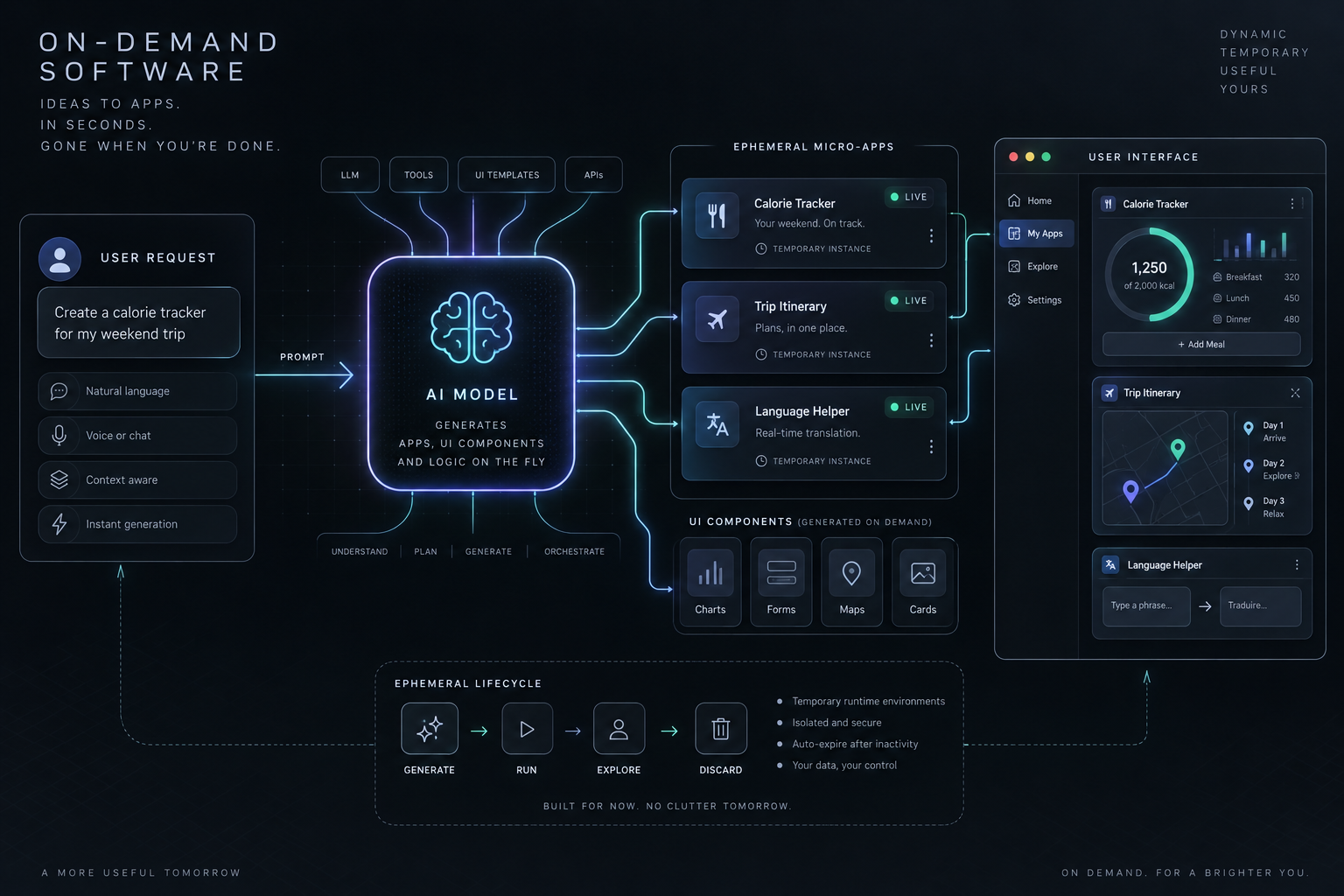
The generated illustration here shows a conceptual inspection workflow, not the architecture of OpenAI's implementation. TechRepublic reports that Intelligent UI uses native, streamable components and a compiler that displays the interface as it is generated. That description does not reveal the complete computational path for every calculator. We cannot infer from it that all tools use a particular formula library, persistence model or external data source.
The practical distinction is between checking a relationship and trusting a recommendation. A bill splitter can be checked against arithmetic. A retirement recommendation depends on uncertain future conditions and individual circumstances. Putting both behind sliders does not make them equivalent. The more consequential the output, the more important it becomes to identify assumptions, independent references and the limits of the tool.
For designers, this is a question of visible accountability. Show units alongside inputs. Label estimates as estimates. Make the chosen values readable without requiring someone to remember the slider position. Give readers a way to export or copy the assumptions with the result. These are design recommendations derived from the task, not a claim that the current release lacks each feature.
Users should not need to distrust every interaction to use this capability responsibly. They need a proportional checking habit. Explore low-stakes examples freely, verify calculations with known cases, and use established sources or qualified advice for consequential decisions. A convincing interface can help people understand a result; it cannot supply missing evidence simply by presenting that result more elegantly.
♿ Accessibility begins where the screenshot stops
An interface can look clear in a screenshot and still require careful accessibility testing. A user may operate it with a keyboard, a screen reader, voice control or touch-based assistive technology. The important question is whether the available controls and changing results remain understandable through those modes. The sources reviewed here do not establish the accessibility of every Intelligent UI output.
W3C's Accessible Rich Internet Applications Authoring Practices Guide provides a concrete reference for sliders. Its slider pattern describes keyboard interactions, including arrow keys to change a value and Home or End to reach the bounds. It also identifies properties for the current, minimum and maximum values. These conventions let an interface expose more than the appearance of a thumb on a track.
The same guide warns that some users of touch-based assistive technologies may have difficulty with sliders. It recommends testing with assistive technologies on touch devices before production use. That warning should not be converted into a blanket accusation about ChatGPT. It explains why a polished touch demonstration is insufficient evidence of broad accessibility.
W3C's explanation of WCAG 2.2 Success Criterion 4.1.3 adds another important point: status messages should be programmatically determinable so assistive technology can present them without taking focus. Examples include progress, results, waiting states and errors. If a user changes an input and the result updates elsewhere, the design needs a considered way to communicate the relevant change.
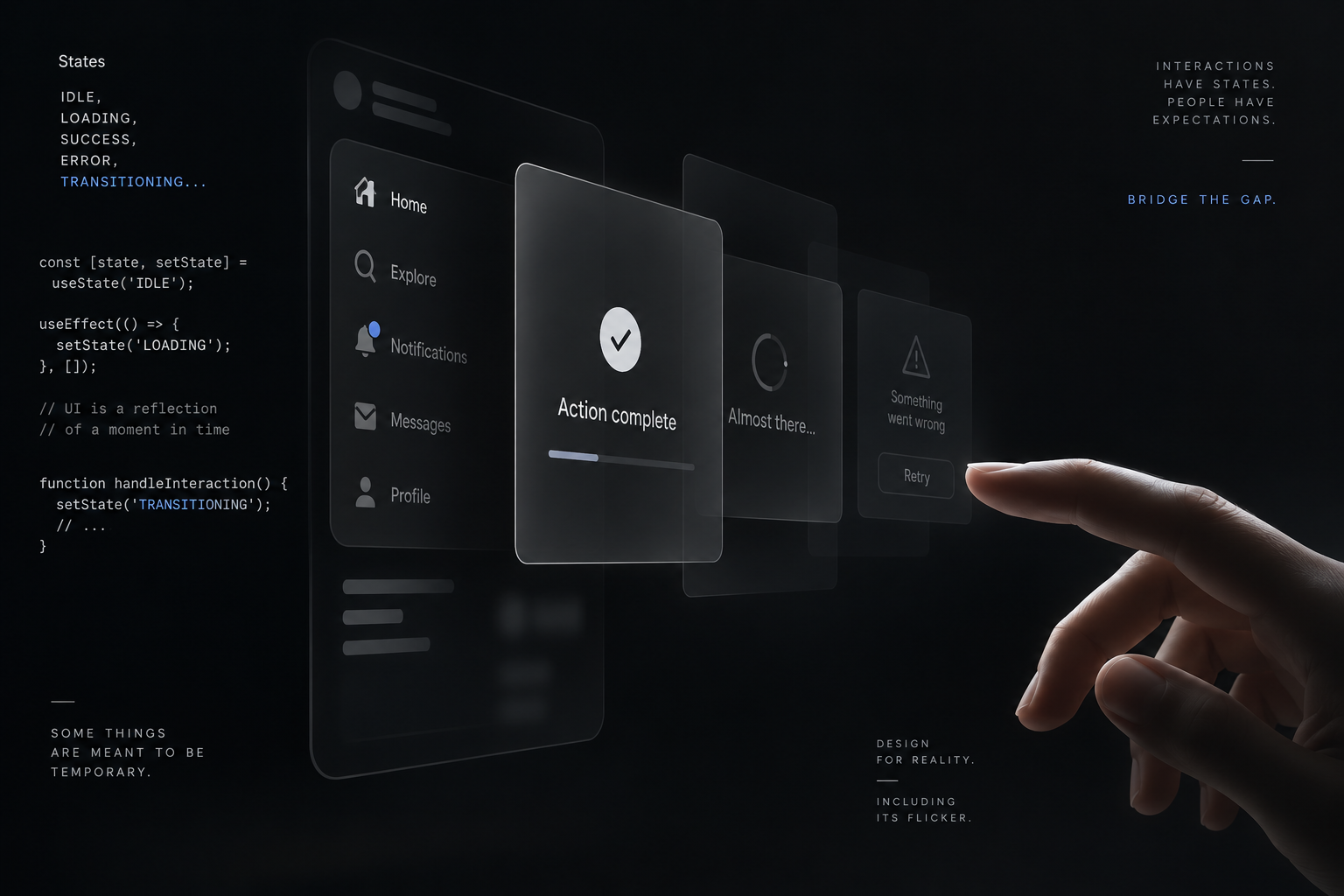
There is a balance to maintain. Announcing every tiny movement can interrupt the person; failing to announce the final result can leave them unaware that anything happened. The WCAG explanation specifically discusses making people aware of important changes without unnecessary interruption. The right implementation depends on the interaction, which is why testing with real assistive technologies matters.
An everyday reader can make a modest check without pretending to conduct a full accessibility audit. Try navigating with the keyboard. Look for a visible focus indicator. Check whether labels and values remain readable when zoomed. Ask for a text version of a diagram or result. These checks can uncover a problem worth reporting, but passing them does not prove compliance with an entire accessibility standard.
For product teams, generated interfaces should remain subject to the same responsibility as authored ones. Whether a control was assembled in advance or selected during a conversation does not change the user's need to operate it. Familiar components can help, but the complete arrangement, labels, focus behavior and result announcements still determine whether the task is accessible.
💾 The result needs a life after the conversation
An interactive answer has at least two things worth preserving: the result and the state that produced it. A screenshot of a chart may capture its shape while omitting selected inputs. A copied number may lose the time period or units. This is not evidence of a specific state-loss bug in Intelligent UI. It is a design problem to investigate whenever a tool is created inside a conversation.
Suppose a reader explores several travel-budget scenarios. The useful final record should identify which scenario was chosen, the date of any prices, the currency and what was excluded. If the person returns later, they need to know whether they are looking at the original calculation or a newly generated interpretation. A stable label can matter more than an elaborate animation.
A practical habit is to request a final plain-text summary after exploration. Include inputs, assumptions, output and any sources used. For a calculation, preserve the formula or method at an appropriate level. For a diagram, preserve the key explanatory text. For a plan, preserve the chosen version and the conditions under which it should be revisited.
This also helps when sharing. Another person should not have to reconstruct the entire conversation to understand the result. At the same time, a shareable artifact should avoid exposing irrelevant private details from the conversation. The task is to carry the necessary context forward, rather than to copy everything by default.
Neither the OpenAI launch page nor the reporting reviewed here should be treated as a comprehensive persistence specification. They establish the feature and demonstrate its use, but they do not answer every question about cross-device state, export formats, long-term replay or behavior after a model update. Readers evaluating those needs should test the current product and consult current documentation rather than assume an answer from a demonstration.
This is where conventional software still earns its place. A maintained application can offer a documented record format, permissions, version history and support obligations. A conversational tool may be a good way to explore a task before choosing such an application. The two approaches can coexist because exploration and dependable record keeping are different jobs.
🔒 A nicer interface does not change the privacy question
A form can encourage people to supply more structured information than they would type into an ordinary paragraph. That is an observation about the interaction's possibilities, not evidence that Intelligent UI has increased data collection. Before entering sensitive details, the reader should ask whether the task can be completed with hypothetical, rounded or anonymized values instead.
OpenAI's Data Controls FAQ says users can turn off “Improve the model for everyone.” Conversations remain in chat history but are not used to train ChatGPT under that setting. The FAQ also says the choice applies across the account, including web and mobile. Turning off training is a specific control; it should not be described as a promise that no processing or retention occurs.
The FAQ explains that Temporary Chats are not used for training, do not appear in history and do not create memories. It says they are deleted from systems after 30 days and may be reviewed for abuse monitoring. Those details are worth reading together. A temporary conversation is not a synonym for a tool that runs entirely offline or stores nothing anywhere.
For an initial calculator test, use invented figures clearly identified as test inputs. For a shopping planner, omit names and unrelated personal circumstances. If the work involves someone else's information, ask whether you are authorized to submit it. A more convenient interface does not resolve the consent or confidentiality obligations attached to the data.
There is a separate boundary around actions. A calculator producing a value is not the same as a tool making a payment, booking a ticket or sending a message. If an interface claims an external action, look for an actual confirmation from the relevant service. The launch examples should not be used to imply that every button has access to real-world transactions.
The point is proportion. Low-stakes experimentation can happen with minimal data. Sensitive work deserves a deliberate review of current settings, service terms and the information supplied. Treat the interface as another entry point into the conversation, not as a reason to forget what the conversation contains.
🧭 Product design gets a new job, not a retirement notice
Intelligent UI invites a tempting prediction: if software can create the interface around a request, people will stop needing fixed applications or websites. The sources do not support that sweeping outcome. OpenAI frames the release as a step toward interfaces shaped around everyday tasks. That is a product direction, not evidence that maintained software has become unnecessary.
The more useful design question is where flexibility helps and where stability matters. A one-off comparison benefits from controls tailored to its variables. A recurring administrative task benefits from consistent labels, predictable navigation and durable records. A public service needs people to find the same essential information even when their phrasing differs. Different jobs demand different kinds of continuity.
For 1garis, the editorial lesson is to judge an interface by the understanding it creates and the work it helps someone complete. A generated control is valuable when it exposes a relevant choice, preserves its assumptions and produces a result that can be checked. It becomes less useful when it decorates uncertainty or makes a provisional answer look settled.
Readers can begin with a bounded experiment: ask for an explanation with selectable parts, or a simple calculator using non-sensitive values. Compare the interactive output with a plain-text account of the same task. Test a known example, change one input, and preserve the final assumptions. That exercise examines the new interaction without confusing a successful demonstration with a universal guarantee.
The important change is real: the answer can now contain a place to act. The standards for judging it remain practical. Can you understand what the controls do, verify the result, operate it through your preferred input method and carry the useful information away? If those questions have good answers, the buttons have earned their space.
*Sources: OpenAI's October 7 launch announcement, The Verge's launch reporting, TechRepublic's October 8 explanation, W3C slider pattern, W3C status-message guidance, and OpenAI Data Controls FAQ. Product details reflect the sources reviewed on October 11, 2026; design recommendations and hypothetical tests are this article's analysis.*