Your Next Router Speaks Wi-Fi 7, but Your Phone Might Only Hear Half of It
Retail shelves and online storefronts have spent the past several months filling up with networking equipment boasting eye-watering speed figures. Box art showcases bold badges reading BE3600, BE9300, or even BE19000, promising wireless data rates measured in multiple gigabits per second. For anyone enduring stutters during video calls, buffering on 4K streams, or sudden ping spikes in competitive online games, those promises sound like an immediate fix. You purchase a modern Wi-Fi 7 router, bring it home, plug it into your fiber terminal, run a speed test, and then discover that almost nothing has changed.
The explanation for that disappointment does not lie in a defective router or an unfaithful broadband provider. It lies in the quiet engineering reality of wireless communication. A wireless connection is never a broadcast performance delivered by a single powerful transmitter to passive listeners. It is a negotiation between two independent radios that must agree on spectrum bands, channel widths, radio frequency chains, and operational protocols. Wi-Fi 7 introduces the most significant architectural departure the standard has seen in over a decade, known as Multi-Link Operation, or MLO. Yet how that capability behaves on your daily devices depends almost entirely on compromises made inside the phone in your pocket and the laptop on your desk.
Understanding what Wi-Fi 7 actually delivers requires stripping away the cumulative marketing arithmetic printed on retail packaging. When you look past theoretical peak throughput and examine how packets move across real airwaves, the real breakthrough of the new standard becomes clear. It is not about turning a residential internet connection into a multi-gigabit pipe. It is about transforming chaotic, congested airwaves into deterministic, reliable transit. Here is what happens inside your wireless network when the marketing slogans meet real hardware.
📡 The Number on the Box and the Device in Your Hand
To understand why a new router does not instantly transform your daily browsing experience, one must first dismantle how networking manufacturers calculate the speed ratings stamped onto retail packaging. When you examine a router labelled BE9300, the device is not capable of delivering 9.3 gigabits per second to any single smartphone or laptop. That number is a theoretical cumulative sum. The manufacturer calculates the maximum theoretical physical layer signaling rate across every frequency band the hardware possesses, adds them together under perfect laboratory conditions, and presents the combined total as a headline metric.
In a tri-band Wi-Fi 7 router with a BE9300 rating, that total typically combines three distinct bands operating at their absolute theoretical mathematical ceiling. It includes roughly 574 megabits per second on the legacy 2.4 gigahertz band, around 2,880 megabits per second across the crowded 5 gigahertz band using 160 megahertz channels, and up to 5,760 megabits per second on the pristine 6 gigahertz band using expansive 320 megahertz channels. No single client device connects to all of those theoretical limits simultaneously at maximum physical rates. Even under flawless conditions without physical walls, atmospheric interference, or neighboring networks, protocol overhead consumes twenty to thirty percent of available raw signaling bandwidth.
The device in your hand brings its own sharp constraints. The vast majority of smartphones, tablets, and portable laptops manufactured over the past five years are designed around two spatial streams, commonly denoted as a 2x2 antenna configuration. Engineers design mobile hardware under severe thermal, spatial, and battery limitations. Cramming four or eight discrete radio frequency chains into a glass-and-aluminum phone chassis would drain the battery rapidly and generate unacceptable internal heat. Consequently, your phone connects using at most two spatial streams, instantly halving or quartering the theoretical multi-stream figures advertised on routers equipped with four, eight, or twelve internal antennas.
If your existing smartphone was built for Wi-Fi 6, it operates entirely within the older 802.11ax protocol. When connected to a shiny new Wi-Fi 7 access point, backward compatibility ensures that communication continues, but the conversation drops back to the older rules. The phone cannot access 4096-QAM modulation, cannot take advantage of preamble puncturing to weave around interference, and cannot participate in Multi-Link Operation. It receives a reliable Wi-Fi 6 connection, nothing more. A high-end router cannot force an older radio to speak a dialect invented years after that radio was soldered to its motherboard.
Understanding this balance alters how one evaluates hardware upgrades. An access point upgrade improves wireless coverage patterns, handles multiple connected devices with greater coordination, and offers modern backhaul links if you deploy a mesh arrangement. But treating the headline speed on the packaging as an expectation for individual device throughput sets up immediate disappointment. The true leap in Wi-Fi 7 is not sheer raw speed on a single isolated link. It is the ability to maintain continuous communication when interference strikes.
🔗 How Multi-Link Operation Changes the Traditional Single-Band Rule
In every preceding generation of consumer Wi-Fi, from the original 802.11b standard up through Wi-Fi 6 and Wi-Fi 6E, your client device was fundamentally locked into a single frequency channel at any given instant. When your smartphone connected to your home network, it negotiated an association with either the 2.4 gigahertz band, the 5 gigahertz band, or the newer 6 gigahertz band introduced with Wi-Fi 6E. Once that association was established, all data packets flowed through that lone channel until signal degradation prompted a clumsy handoff.
This single-band paradigm created a persistent engineering compromise. The 2.4 gigahertz band provides exceptional physical range and penetrates solid walls effectively, but it is heavily congested by neighboring networks, Bluetooth transmissions, and consumer electronics, with narrow channel widths that severely restrict data throughput. The 5 gigahertz band offers wider channels and substantially higher throughput, but its shorter radio waves suffer greater attenuation when passing through concrete, drywall, and furniture. If you walked from your living room into a distant bedroom, your device clung stubbornly to a degrading 5 gigahertz link until the connection dropped entirely, before haltingly renegotiating onto 2.4 gigahertz.

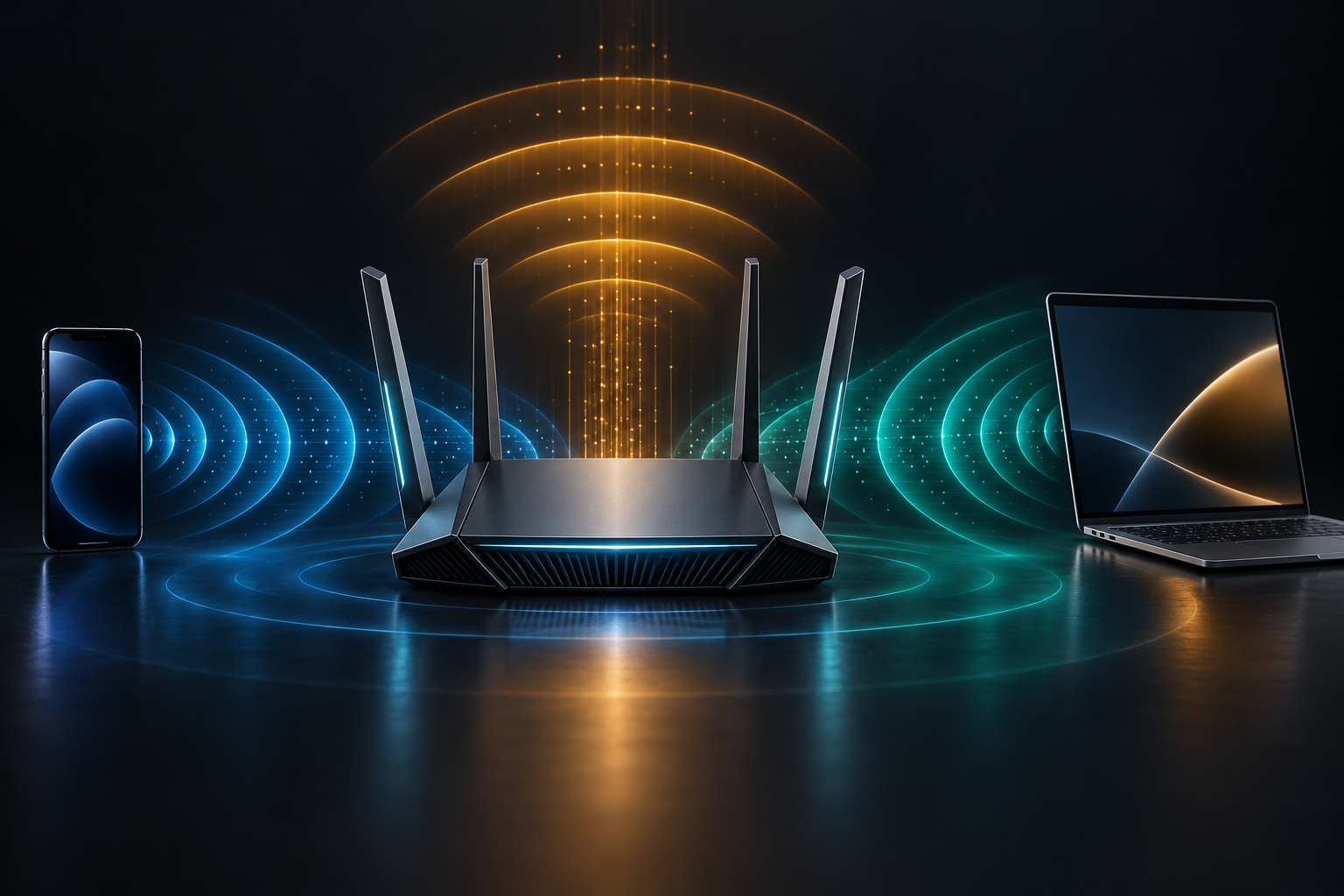
Wi-Fi 7 breaks this decades-old restriction through an architecture designated by the IEEE 802.11be task group as Multi-Link Operation, or MLO. Under MLO, an access point and a client device capable of the standard do not merely negotiate an association on one isolated channel. Instead, they operate as Multi-Link Devices, or MLDs. Within a Multi-Link Device, a single logical link control layer sits above multiple physical radio links, coordinating traffic across 2.4 gigahertz, 5 gigahertz, and 6 gigahertz simultaneously.
This architecture fundamentally alters packet transmission. Rather than waiting for a single occupied frequency channel to become idle, an MLO-enabled connection can dispatch packets across whichever channel clears first. If a burst of microwave interference or a neighboring transmission briefly congests the 5 gigahertz band, critical data packets can immediately flow across the 6 gigahertz or 2.4 gigahertz link without dropping the connection or requiring a re-association handshake.
The operational implications of link aggregation and dynamic link switching extend far beyond raw benchmark downloads. For real-time applications such as video conferencing, competitive online gaming, virtual desktop streaming, and cloud collaboration tools, latency jitter is far more destructive than limited raw throughput. MLO creates an adaptive path across separate radio frequencies, ensuring that a sudden stall on one frequency does not halt the entire conversation.
However, recognizing the promise of MLO requires acknowledging that the standard defines multiple operating modes. How an access point implements MLO, and more importantly how a client device implements MLO, determines whether you experience true simultaneous transmission or merely an automated, fast-switching failover mechanism.
⚡ The Difference Between True Simultaneous Radios and Clever Listening Modes
The technical documentation for IEEE 802.11be outlines several distinct modes under which Multi-Link Operation can function. The differences between these modes explain why two devices both claiming Wi-Fi 7 certification can exhibit vastly different wireless performance in real-world environments. The primary divide sits between Multi-Link Multi-Radio Simultaneous Transmit and Receive, commonly abbreviated as MLMR-STR, and Enhanced Multi-Link Single Radio, known as EMLSR.
Simultaneous Transmit and Receive, or STR mode, represents the ultimate vision of Wi-Fi 7. In an STR-capable implementation, the hardware possesses completely independent, physically isolated radio frequency chains and baseband processing pipelines. This allows the device to transmit data on one frequency band, such as 5 gigahertz, while simultaneously receiving data on a completely different band, such as 6 gigahertz, without any internal radio frequency interference. Packets can be split at the packet level, sent across multiple bands in parallel, and reassembled at the receiver, multiplying theoretical throughput and reducing packet queue delays to near zero.
Achieving true STR operation inside compact consumer devices, however, is an extraordinarily difficult RF engineering challenge. When two wireless transmitters operate in close physical proximity inside a small chassis, energy radiating from one transmitter can easily bleed into the receiver circuitry of the second antenna, a phenomenon known in wireless engineering as In-Device Coexistence, or IDC interference. Without substantial physical separation and expensive, bulky acoustic wave bandpass filters, transmitting on the upper edges of the 5 gigahertz spectrum can blind the sensitive listening circuits operating on the lower edges of the 6 gigahertz spectrum.
Because of these thermal, physical, and cost constraints, many client chipset manufacturers—particularly those supplying mainstream smartphones and thin laptops—rely on Enhanced Multi-Link Single Radio, or EMLSR mode. An EMLSR device does not maintain two or three fully active transmit-and-receive radios simultaneously. Instead, it utilizes its existing 2x2 antenna array to listen across multiple bands when the connection is idle. One antenna chain listens on 5 gigahertz while the second antenna chain listens on 6 gigahertz.
The moment an access point indicates that a transmission opportunity is ready on a particular band, or when the client has data ready to transmit, the EMLSR device dynamically shifts all of its internal spatial streams to that single winning band. It executes the high-speed transfer using its full antenna capability on that lone channel, and once the burst finishes, it returns to listening mode across both frequencies.
The difference between STR and EMLSR is profound for the end user. While EMLSR provides an enormous improvement in connection stability and dramatically lowers average channel contention latency compared to legacy single-band connections, it does not aggregate bandwidth from two bands at the same time to create a double-speed data pipe. A smartphone operating in EMLSR mode will never combine a 2 gigabit 6 gigahertz connection with a 1 gigabit 5 gigahertz connection to deliver 3 gigabits of instantaneous speed. It switches rapidly between the cleanest available paths. Marketing materials that promise combined multi-band speeds quietly gloss over the fact that your phone is likely running EMLSR to preserve its battery.
📻 Why 320 Megahertz Channels Live Only in the Six Gigahertz Airwaves
Beyond Multi-Link Operation, the headline speed claims of Wi-Fi 7 rely heavily on another technical milestone: the introduction of ultra-wide 320 megahertz wireless channels. In the world of radio frequency physics, channel width acts as the diameter of a physical pipe. Doubling the channel width from 80 megahertz to 160 megahertz doubles the raw data capacity of the link, assuming signal quality remains constant. Expanding from 160 megahertz to 320 megahertz doubles that capacity once again.
To achieve maximum Wi-Fi 7 signaling rates, a device must negotiate a full 320 megahertz contiguous channel width. Yet finding 320 megahertz of contiguous, uninterrupted radio spectrum in modern residential environments is an impossible task within traditional frequencies. The entire 2.4 gigahertz spectrum allocated for unlicensed wireless communication is barely 83 megahertz wide across its entire span, which is why it can only accommodate narrow 20 megahertz or 40 megahertz channels.
The 5 gigahertz band offers significantly more spectrum, but it is heavily fragmented. Across the globe, large portions of the 5 gigahertz band overlap with radar installations used by weather monitoring services, commercial aviation, and military systems. To operate on these frequencies, consumer routers must employ Dynamic Frequency Selection, or DFS, constantly monitoring the airwaves and immediately vacating the channel if a radar pulse is detected. Finding two non-interfering 160 megahertz channels in 5 gigahertz is already difficult; fitting an uninterrupted 320 megahertz channel into 5 gigahertz is mathematically and regulatory impossible.
This reality means that 320 megahertz channels exist exclusively within the 6 gigahertz frequency band. The 6 gigahertz spectrum, initially opened to unlicensed consumer use alongside Wi-Fi 6E, provides up to 1,200 megahertz of fresh, uncrowded airwaves in jurisdictions that have adopted the full spectrum allocation, such as the United States. Within this expansive territory, up to three non-overlapping 320 megahertz channels can coexist, allowing Wi-Fi 7 to flex its full theoretical transmission muscles without stepping on neighboring routers.
However, spectrum allocation is governed by national regulatory bodies, not by networking equipment manufacturers. In regions including the European Union, parts of Asia, and several developing digital markets, regulatory authorities have only allocated the lower 500 megahertz portion of the 6 gigahertz spectrum (5945 to 6425 megahertz) for unlicensed low-power indoor use. Within a 500 megahertz spectrum window, there is only enough space for exactly one single 320 megahertz channel. If your neighbor powers on a Wi-Fi 7 router that claims that sole 320 megahertz slot, both networks must either contend for the exact same channel or fall back to narrower 160 megahertz slices.
Furthermore, high-frequency physics cannot be negotiated away. Radio waves operating at 6 gigahertz oscillate at a much higher frequency than 2.4 gigahertz or 5 gigahertz signals. As frequency rises, the ability of the electromagnetic wave to penetrate physical barriers diminishes sharply. A 6 gigahertz signal that delivers astonishing multi-gigabit throughput when you stand five paces from the router drops off precipitously once it attempts to traverse a reinforced concrete wall, a brick chimney, or a modern energy-efficient glass partition. The moment signal attenuation forces the connection back onto 5 gigahertz, the expansive 320 megahertz channel vanishes, and theoretical throughput contracts accordingly.
📶 The Budget Router Trap of Dual-Band Wi-Fi 7 Labels
As Wi-Fi 7 transitions from premium early-adopter flagship hardware into the mass consumer market, networking manufacturers have introduced a wave of budget-friendly routers. These units carry prominent Wi-Fi 7 branding, complete with official logos, retail packaging badges, and marketing descriptions emphasizing next-generation performance. Many of these entry-level devices are priced attractively, often matching the cost of mid-range Wi-Fi 6 hardware.
Yet examining the technical specifications of these budget devices reveals a critical omission that most casual shoppers overlook. Many of these affordable units are dual-band routers, rather than tri-band routers. They contain radios that operate on the 2.4 gigahertz and 5 gigahertz bands, but they completely lack a 6 gigahertz radio.

Selling a dual-band router under the Wi-Fi 7 banner is entirely permissible under the Wi-Fi Alliance certification framework. The underlying IEEE 802.11be standard does not mandate that an access point must operate across all three frequency bands to claim compliance; it mandates that it must support core protocol features, including 4096-QAM modulation, flexible preamble puncturing, and Multi-Link Operation across whatever bands the hardware possesses. A router with two bands can legally call itself Wi-Fi 7.
The practical consequence for the buyer, however, is substantial. Without a 6 gigahertz radio, a dual-band Wi-Fi 7 router cannot broadcast 320 megahertz channels under any circumstances. Its maximum channel width on the 5 gigahertz band remains capped at 160 megahertz, identical to the ceiling of standard Wi-Fi 6. Furthermore, its MLO implementation is restricted to bridging the 2.4 gigahertz and 5 gigahertz bands.
While combining 2.4 gigahertz and 5 gigahertz through MLO does provide a useful redundancy fallback when you move to the outer perimeter of your home, the 2.4 gigahertz band is notorious for heavy ambient noise, narrow channel spacing, and low maximum data rates. Tying an ultra-low-latency 5 gigahertz gaming or streaming session to a noisy 2.4 gigahertz secondary link can sometimes introduce synchronization overhead rather than improving throughput. You gain the modest efficiency improvements of 4096-QAM modulation—which only applies when you are exceptionally close to the router with pristine signal-to-noise ratios—while missing out on the vast, pristine spectrum that defines the true Wi-Fi 7 experience.
A consumer who buys a dual-band BE3600 router expecting a transformational leap over a solid tri-band Wi-Fi 6E router will discover that their older 6E equipment often outperforms the new budget unit in dense, multi-device environments. Marketing labels celebrate generational nomenclature, but radio frequency engineering remains bound by available bandwidth and physical spectrum.
📱 What Happens When Real Phones and Laptops Connect
Moving from theoretical router specifications to actual user experience requires inspecting the client ecosystem. Over the course of 2024, 2025, and into late 2026, premier smartphone and laptop manufacturers began integrating Wi-Fi 7 wireless modems into their flagship product lines. Hardware platforms such as Qualcomm FastConnect 7800, MediaTek Filogic, and Intel BE200 brought the new standard to mainstream consumer devices.
Yet client capabilities remain deeply stratified across price tiers and operating systems. Consider how mobile operating systems handle Multi-Link Operation. While the underlying silicon inside a high-end smartphone may support dual-band simultaneous connections, the operating system's wireless network stack must actively coordinate how IP traffic is routed across those virtual links. Early implementations of Wi-Fi 7 client software frequently exhibited connection instabilities, where phones aggressively dropped one link, failed to re-establish MLO pairing after waking from deep sleep states, or caused unexpected battery drain when maintaining dual radio listening chains.
Power consumption is the silent arbiter of wireless performance on mobile devices. Transmitting and receiving high-frequency radio signals consumes significant power from a phone's lithium-ion battery. A smartphone running a continuous Multi-Link Multi-Radio session across 5 gigahertz and 6 gigahertz generates continuous battery draw. Device manufacturers write aggressive power management algorithms that drop the connection back to single-link operation whenever the screen is locked, or whenever current network traffic falls below a threshold, such as background email syncing or music streaming. The moment you launch a high-bandwidth task, the phone must renegotiate its secondary link, introducing brief milliseconds of transition latency.
Operating system support also presents unexpected hurdles. On personal computers, modern Wi-Fi 7 wireless network cards—such as the Intel BE200 or Qualcomm NCM865 modules—require modern operating system kernels and driver architectures to unlock full MLO and 6 gigahertz access. Users running older Windows releases or legacy Linux distributions discover that their cutting-edge Wi-Fi 7 network adapter operates merely as a Wi-Fi 6 or 6E interface, locked out of 320 megahertz channels and MLO aggregation until the underlying operating system stack is modernized.
Antenna design inside portable hardware introduces yet another real-world boundary. The way you hold a smartphone can physically attenuate internal antenna arrays. When you grip your phone in landscape mode while streaming or gaming, your hands can occlude the tiny internal antennas tuned for high-frequency 6 gigahertz reception. A well-engineered MLO system handles this by shifting traffic to the unobstructed 5 gigahertz antennas, showcasing the value of seamless fallback. But that fallback is an act of preservation, not an acceleration of speed. Real-world performance is an exercise in managing physical trade-offs.
⏱️ Latency Consistency Matters More Than Fleeting Speedtest Peaks
The commercial conversation surrounding every wireless generation has long been poisoned by the obsession with speed tests. Providers and device manufacturers train consumers to gauge network quality by tapping a button on a benchmark application and watching an animated speedometer climb toward an impressive multi-gigabit ceiling. While seeing a number exceed two thousand megabits per second offers brief satisfaction, it bears almost no relation to the quality of daily digital work and leisure.
Very few residential internet activities consume more than fifty megabits per second of sustained throughput. A high-bitrate 4K HDR movie stream from a premier streaming service requires roughly twenty-five to thirty megabits per second. A studio-quality two-way video conference operates comfortably within five to ten megabits per second. Even downloading a massive modern sixty-gigabyte video game benefits from high throughput for only a brief period, after which the connection sits largely idle while you play.
What actually ruins the digital experience is latency inconsistency, known technically as jitter, and packet loss. When you participate in a critical business presentation over a video call and your screen freezes, or when your audio robotizes for four seconds, your network did not suffer from insufficient raw speed. It suffered from bufferbloat, channel contention, or a packet queue stall caused by sudden wireless interference. In wireless communications, if a packet arrives fifty milliseconds late, it is as useless for real-time interaction as if it never arrived at all.
This is precisely where the engineering inside Wi-Fi 7 and Multi-Link Operation demonstrates its genuine worth. In an environment populated by multiple active client devices, a legacy Wi-Fi 6 connection must wait its turn in the contention queue whenever another device occupies the channel. If your home security camera starts uploading an encrypted clip or a smart TV begins streaming on the same channel, your phone must pause its packet dispatch until clear channel assessment confirms the frequency is free.
Under MLO, latency shifts from unpredictable spikes into a bounded, deterministic window. Because the access point and client maintain coordinated links across distinct frequency bands, packets do not pile up behind an occupied transmission opportunity. If the 5 gigahertz channel is temporarily engaged, your video packet escapes instantly across the 6 gigahertz link. Simulation and laboratory measurements demonstrate that while average throughput in congested environments might increase by fifty to eighty percent under MLO, the ninety-fifth and ninety-ninth percentile worst-case latency spikes are reduced by more than eighty percent.
Achieving predictable, sub-ten-millisecond latency under heavy home network loads transforms daily computing. Web pages snap open with crisp immediacy because Domain Name System lookups and TLS handshakes complete without queuing delays. Audio streams remain impeccably smooth, and interactive remote desktop sessions respond with tactile precision. Wi-Fi 7 is not revolutionary because it lets you download a benchmark faster. It is revolutionary because it tames the chaotic unpredictability of shared domestic airwaves.
🧭 A Realistic Checklist Before Buying Into the Next Generation
Deciding whether to invest in a Wi-Fi 7 networking upgrade requires an honest audit of your current hardware ecosystem, your residential physical environment, and your actual digital requirements. Replacing a dependable wireless router simply because a newer numerical generation exists on store shelves is an expensive exercise in diminishing returns. Before opening your wallet, work through this practical evaluation framework.
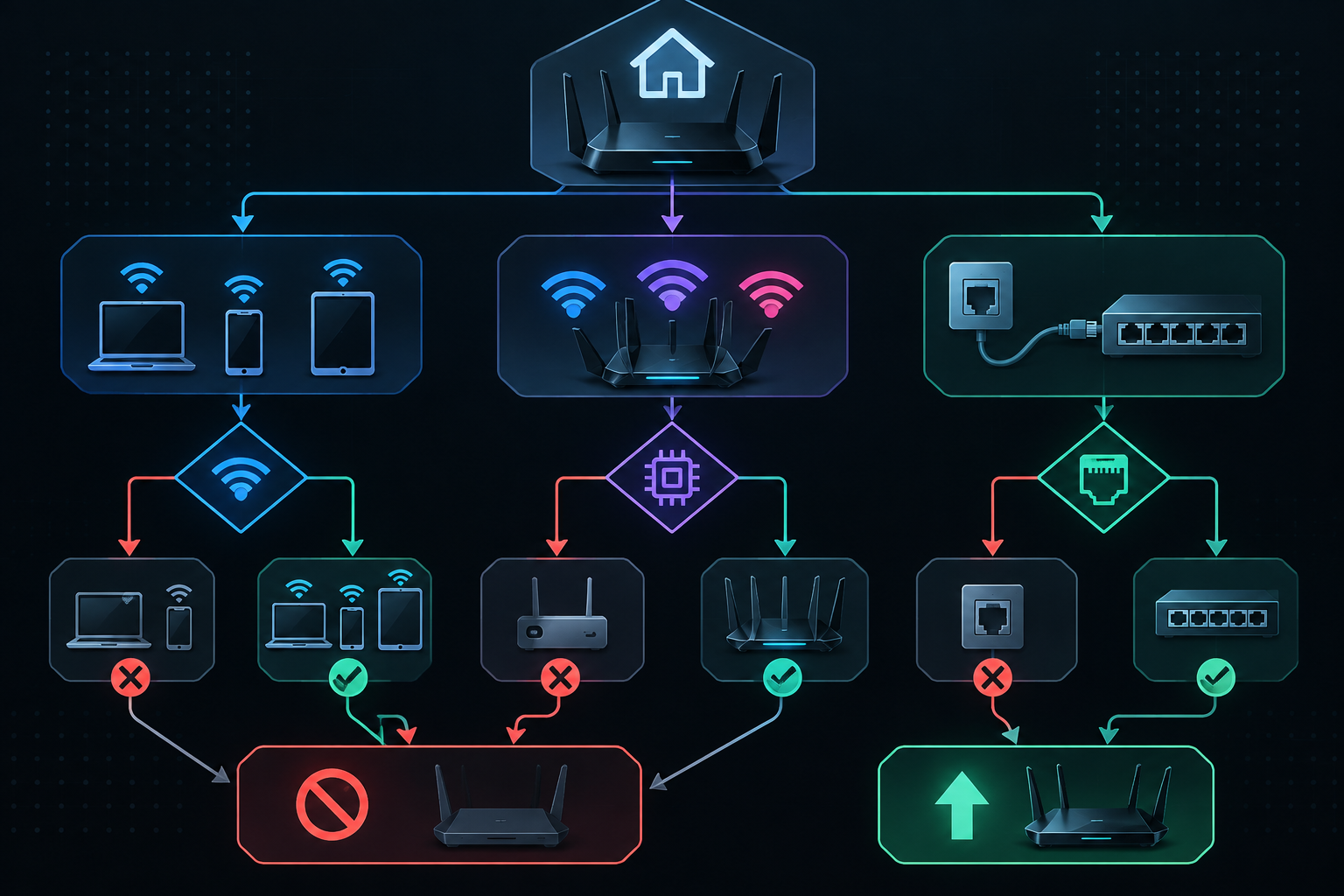
- Audit your daily client devices. Make an inventory of your primary smartphone, your daily work laptop, your primary entertainment consoles, and your household tablets. Determine which generation of wireless standard each device supports. If none of your critical daily devices support Wi-Fi 7, purchasing a new router provides virtually zero immediate benefit to those individual endpoints. A Wi-Fi 6 phone will communicate with a Wi-Fi 7 access point using Wi-Fi 6 protocols, bound by single-channel association and legacy modulation schemes. Unless you are planning imminent hardware upgrades for your primary endpoints, your existing router remains more than adequate.
- Inspect the router's internal radio architecture. Do not be seduced by headline marketing labels like BE3600 or BE6500. Read the detailed specification sheet and verify whether the unit is a tri-band router equipped with a dedicated 6 gigahertz radio, or merely a dual-band router operating across 2.4 and 5 gigahertz. If the router lacks a 6 gigahertz radio, you will never experience 320 megahertz channels, and your MLO capabilities will be restricted to bridging 2.4 and 5 gigahertz. For meaningful Wi-Fi 7 performance that justifies the investment, insist on tri-band hardware.
- Verify your wired backhaul and incoming broadband connection. A Wi-Fi 7 router capable of multi-gigabit wireless transfers between local devices is severely bottlenecked if its incoming WAN port is a standard one-gigabit Ethernet jack, or if your residential internet service plan is capped at a few hundred megabits per second. If you plan to deploy a multi-node mesh system to cover a sprawling home, verify whether the nodes can be connected via physical Cat6 or Cat6A Ethernet cabling. Relying on wireless backhaul consumes valuable airtime and spectrum bands that would otherwise serve client communication directly.
- Consider physical wall materials and room layouts. Because the full power of Wi-Fi 7 relies on high-frequency 6 gigahertz signals, thick masonry walls, reinforced concrete floors, and dense architectural layouts will rapidly degrade signal quality. In a large or structurally challenging home, a well-placed multi-node network of high-quality Wi-Fi 6 or 6E access points connected via wired backhaul will provide a vastly superior everyday experience compared to a single, isolated high-end Wi-Fi 7 router struggling to push high-frequency signals through three rooms.
- Measure network hygiene rather than speed test records. The true benefits of Wi-Fi 7—deterministic packet delivery, robust interference avoidance through preamble puncturing, and low-latency Multi-Link Operation—are subtle improvements in reliability that quietly eliminate everyday friction. When both your router and your client devices genuinely support the standard, the result is not a dramatic visual spectacle. It is a home network that simply gets out of your way, delivering consistent, unflinching connectivity regardless of how crowded your domestic airwaves become.
*Sources: Wi-Fi Alliance, Wi-Fi CERTIFIED 7 Overview; IEEE 802.11be Extremely High Throughput Task Group; Cisco Meraki, Wi-Fi 7 Technical Guide_Technical_Guide); MediaTek, Multi-Link Operation White Paper; Qualcomm, Wi-Fi 7 Reference Guide; MathWorks, 802.11be System-Level Simulation; TP-Link, Understanding Wi-Fi 7 MLO.*